














Quick Answer
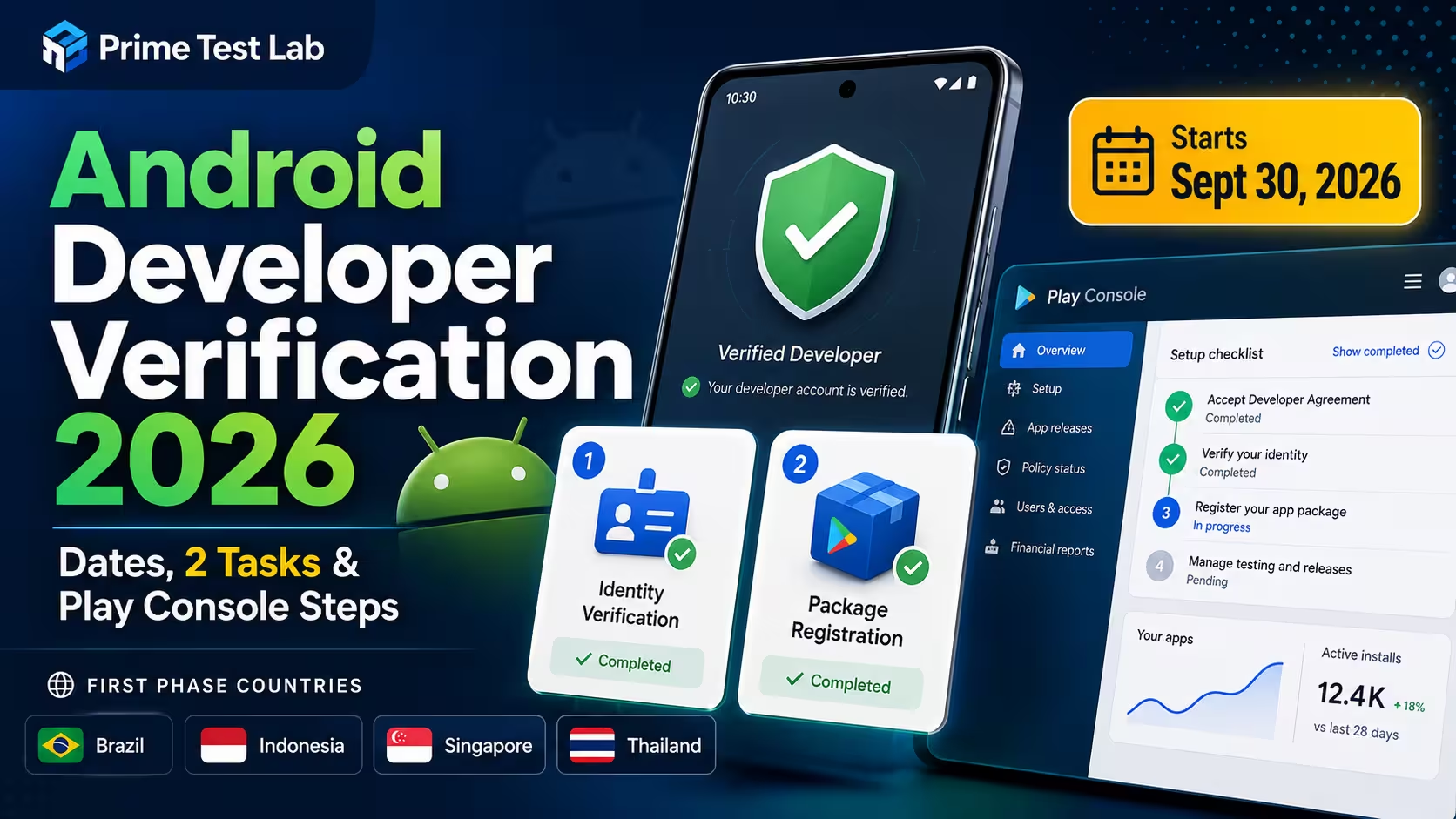
Google began rolling Android developer verification out to all developers on March 30, 2026, and starting September 30, 2026 apps installed through seven participating stores must be registered to verified developers in Brazil, Indonesia, Singapore and Thailand. Outside Google Play that first phase covers mobile and tablet form factors only, while Google Play requires every package across all form factors to be registered. Google says the requirement expands globally in 2027 but has not announced an exact 2027 date. For Google Play developers, compliance means two separate things: confirming identity and registering every package name. Most existing Play developers do not repeat identity verification, and Google said on June 18, 2026 that over 99% of Play developers' apps had been registered. Verification does not replace Play's production access test: qualifying new personal accounts still need at least 12 testers continuously opted in to a closed test for the previous 14 days.
How this post grades every claim
- Verified means the statement comes straight from a current Google or Android developer page. Most of this post is verified. Verified
- Partial means the broad point is supported but an exact detail is not conclusively documented, or Google's own pages leave a gap. Partial
- Community reported means repeated developer accounts from Google's own support forums. Useful for troubleshooting, not policy. Community
- Not documented means Google has published nothing on that exact scenario, and we say so instead of guessing. Not documented
Almost everything written about Android developer verification in 2025 is now wrong in at least one important way, and a surprising amount of what was written in early 2026 is too. The program's design changed after the original announcement, the exact enforcement date only landed in June 2026, and the scope was narrowed in writing on July 22, 2026. Meanwhile the question developers are actually typing into search is not "what is developer verification?" It is: Google says I failed, what exactly is wrong, what happens now, and did I already do this?
So this post is written as incident response rather than policy commentary. It answers the "am I already done?" question first, gives you exact Play Console navigation instead of vague advice, separates the two enforcement layers that many current summaries conflate, and is explicit about the places where Google has published nothing. It also draws a hard line between verification and the separate 12-tester closed testing rule, because that confusion arrives in the PrimeTestLab inbox almost every week. Every date and figure below was checked against Google's own pages on August 9, 2026.
Android developer verification is two tasks, not one
If you publish on Google Play, Android developer verification asks you for two separate things: verify your identity, and register your app package names. Most existing Play developers have already satisfied the first and, in the vast majority of cases, the second happened automatically. For many accounts the remaining work is checking two screens, though Google publishes no universal completion time and a document or account problem can take considerably longer.
Google's exact wording, phrase by phrase
"Verify your identity" · "Register your app package names" · a previously verified developer "will not need to go through this step again" · successfully auto-registered packages need "no further registration action" · from September 30, 2026 "all Play packages must be registered"
Fragments quoted individually from Play Console Help, "Registering Play package names" (answer 16984799), and Google's Play Console verification guide, both accessed August 9, 2026. Verified
What each gate actually establishes
The two tasks answer two different questions, and passing one tells Google nothing about the other. Keeping them apart is the single highest value thing you can do with this page, because the failure modes, the fixes and even the Play Console screens are different.
Gate 1
Identity verification
Answers "who is the human or company behind this account?" It runs on your legal identity information and the Google Payments profile linked to the developer account.
- Already satisfied if you previously passed Play identity verification
- Checked at Settings › Developer account
- Fails on document type and profile mismatch, not on your app
Gate 2
Package name registration
Answers "who owns this package name and its signing key?" It is per app, not per account, and it is the part that quietly leaves apps behind.
- Automatic for eligible apps, including apps using Play App Signing
- Checked on the Android developer verification page
- Fails on signing key eligibility, not on your documents
An account can therefore be fully identity verified and still have an unregistered package sitting quietly in the list. That combination is exactly the one that goes wrong on a deadline, because the developer checked the screen that says "verified" and never opened the screen that lists apps.
The one-minute answer for existing Play Console developers
If you already publish on Google Play, here is the entire compliance path in the order it should be checked. Most readers stop at step two.
-
01
Confirm your identity status
Open Developer account in Play Console. Google's verification guide describes this as Settings › Developer account, while its newer account-management documentation uses Developer account › About you. Either way, Google states that if you have already completed identity verification successfully, you will not need to go through that step again. Verified
-
02
Confirm every package is registered
Open the Android developer verification page in Play Console and look at the registration state of each app. Play Console Home can also surface app registration information. If all your package names were registered automatically, Google says no further registration action is required for those apps. Verified
-
03
Claim anything left over before September 30
For a package that was not registered automatically, follow Google's manual registration. Which shape it takes depends on the package name: a name Android has never seen needs only the package details and your public signing certificate, while a name that already has installs needs a signed challenge APK proving you hold the private key. Both workflows are in section 05.
Two similar numbers that are not the same claim
Google's June 18, 2026 announcement says over 99% of Play developers' apps had been registered. Its July 15, 2026 Play guide separately says 99% of apps on Play had been registered automatically. Those are two different statements from two different pages, so do not fuse them into "over 99% automatically registered." Quote one, and attach its date, because this is a number that keeps moving. Verified
If you publish on Google Play, use Play Console
This is the trap that sends developers down an hour-long detour. There are two consoles in this program. Play Console is where Google Play developers complete both tasks. The Android Developer Console is a separate surface for developers who distribute outside Google Play, and its Help pages describe a different flow, including organization website verification through Google Search Console. Both sets of instructions rank for the same searches.
Four distribution routes, four answers. Find your own row before you read another word of Google's documentation, because the wrong row costs you an afternoon:
| Your distribution route | Console to use | Verification path |
|---|---|---|
| Google Play only | Play Console | Your existing Play identity verification, plus package registration for every Play package name. |
| Google Play and outside Play | Play Console | Google says you can also use Play Console to register apps you distribute outside Google Play, so one account covers both routes. |
| Outside Play, broad distribution | Android Developer Console | Full-distribution verification, including the Search Console website verification step for organizations. |
| Outside Play, up to 20 authorized devices | Android Developer Console | A free limited distribution account. It does not publish anything to Google Play. |
Route mapping from Google's Play Console verification guide and its limited distribution guide, accessed August 13, 2026. Verified
Do not open a second account
If you already distribute on Google Play, do not create an Android Developer Console account to satisfy this requirement. Your Play Console work is the path, and Google states that you can also use Play Console to register apps you distribute outside of Google Play so they remain installable on certified Android devices. The Android Developer Console exists for developers whose distribution happens outside Play entirely, and Google summarizes its full experience as having become available to all developers in March 2026. Verified
The fourth route, for people not distributing commercially
Google publishes a separate account type for developers who do not distribute widely: a free limited distribution account in the Android Developer Console, written for hobbyists, individual learners and classroom projects. A registered app on that account can be shared with up to 20 devices that end users have explicitly authorized, and it puts nothing on Google Play. As of August 13, 2026 Google's own page says early access sign-up is closed and that it will share more information in August 2026, so treat general availability as pending rather than open. Verified
The 2026 verification timeline, and the one date articles still get wrong
Verification did not arrive in one announcement. It arrived in five, each one narrowing or correcting the last. The chronology below uses Google's own June and July 2026 material as the controlling source, which matters because the widely quoted March forecast was superseded.
How the program actually arrived, milestone by milestone
Each entry pairs what Google published with what a Play developer should take from it, because several of these dates are quoted in isolation elsewhere and read very differently once the sequence is visible.
-
November 2025
Early access opens
Developers invited to early access could begin verifying apps distributed outside Google Play.
What to infer: historical milestone only. Nothing here creates an obligation for a Play developer today.
-
March 30, 2026
Rollout to all developers begins
Google announced it was starting to roll Android developer verification out to all developers in both Play Console and the Android Developer Console, and told Play developers to watch for access over the following few weeks. Verified
What to infer: do not read this as "every Play account received verification on March 30." Google's own wording is that rollout started that day.
-
June 2026
The Android Developer Verifier system service rolls out
Google's updated timeline places the rollout of the verifier system service in June 2026. Verified
What to infer: use June. The March 30 blog had forecast April, and several current third-party articles still repeat that forecast as if it were history.
-
June 18, 2026
The exact enforcement date lands
Google announced September 30, 2026 as the first enforcement date, named the seven participating stores, and said over 99% of Play developers' apps had already been registered. Verified
What to infer: this is the strongest single source for both the date and the auto-registration figure. Anything published before it is guessing about the date.
-
July 2026
Tooling: the ID Status API and Console API
The Android Developer ID Status API rolled out globally, with the Console API and limited distribution in early access.
What to infer: relevant to automation and tooling teams, not to a first-time publisher working through Play Console by hand.
-
July 15, 2026
The current guides are published
Google's general verification guide and its Play Console guide were updated, including the initial store scope and the Play package registration instructions. Verified
What to infer: treat these two pages as the controlling current documentation for anything operational.
-
July 22, 2026
The FAQ narrows the scope in writing
Google's FAQ clarified that stores outside the participating list and direct sideloading are not subject to the September 30 phase. Verified
What to infer: this is the sentence that retires the 2025 "Google is ending sideloading on that date" framing. It is a first phase limitation, not a permanent exemption.
-
August 2026
Scheduled for global availability: limited distribution and the advanced flow
Google's verification landing page lists limited distribution accounts, the Android Developer Console API and the advanced installation flow as August 2026 launches. As of August 13, 2026 its dedicated limited distribution guide still says early access sign-up is closed and that more information is coming in August 2026, so this row is drawn as scheduled, not delivered. Partial, launch not confirmed
What to infer: this is the fastest moving item on the page, and the calendar entering August is not evidence that it shipped. Check Google's verification landing page for current status rather than trusting any article published mid-month, including this one.
-
September 30, 2026
Two things happen on the same day
App registration becomes required for installations through the seven participating stores in Brazil, Indonesia, Singapore and Thailand. Separately, under Play Console requirements, all Play packages must be registered, and Google says apps that are not registered will be removed from Google Play. Verified
What to infer: one date, two independent consequences. Section 03 separates them properly.
-
2027 and beyond
Global expansion, date unannounced
Google says the protections expand globally in 2027. As of August 9, 2026 no exact worldwide date, and no further country schedule, has been announced. Verified
What to infer: treat any "January 1, 2027" or "early 2027" deadline you read elsewhere as a prediction. Google has not published one.
Why articles disagree about April
Google's March 30, 2026 blog post forecast the verifier system service for April. The June 18 announcement and the current July timeline both place that rollout in June 2026. Newer first-party sources describing what happened supersede an older first-party forecast of what was planned, so June is the number to use. If you see April in a mid-2026 article, that is where it came from. Verified
Is September 30, 2026 a worldwide deadline?
No for the Android device level enforcement, and yes for the Google Play package registration deadline. Those are two different rules that happen to share a date, and many current summaries conflate them. The device level rule starts in four countries through seven stores. The Play rule applies to your Play listing, and Google describes the consequence of missing it as global removal from Google Play.
Layer A
Your Google Play listing
Scope: described by Google as global
- Effective September 30, 2026, all Play packages must be registered
- Google says that for developers who distribute on Play, apps across all form factors must be registered
- Google says apps not registered by that date will be removed from Play
- Google's Play guide tells developers to register to avoid global removal from Google Play
If you publish on Google Play, this is the layer that applies to you, and it is the one commonly described as "only four countries." Verified
Layer B
Installation on the device
Scope: four countries, seven stores, mobile and tablet, first phase
- From September 30, ordinary install and update through a participating store requires a registered app from a verified developer
- Applies on "all certified Android devices running Android 7 or higher"
- For distribution outside Google Play, Google says enforcement in this phase applies to mobile and tablet form factors only in the selected regions
- Stores outside the list and direct sideloading are not in this phase yet
Explicitly a first stage. Global expansion is scheduled for 2027 with no exact date announced. Verified
The four countries and the seven stores
Google names both lists precisely, so there is no interpretation needed. The first enforcement stage covers app installations in these four countries:
And it applies to installations through these seven participating app stores:
Both lists are quoted from Google's June 18, 2026 announcement and its July 15, 2026 verification guide, accessed August 13, 2026. Google can add stores or regions, so recheck the source before acting on this list near the date.
The third dimension nobody mentions: form factor
Distribution channel and country are only two of the three axes. The third is the form factor, and Google treats it differently on each side of the Play boundary. For Google Play, app packages across all form factors must be registered. For apps distributed outside Google Play, Google says the first enforcement phase applies to mobile and tablet form factors only in the selected regions, while recommending that you register the other form factors now to future-proof availability. The device-level system itself reaches certified Android devices running Android 7 or higher. So Android TV, Wear OS and automotive builds are inside the Play registration deadline and outside the first non-Play enforcement wave. Verified
Does September 30 apply to you? Resolve your own route
Answer two questions and the tool below applies both layers to your specific distribution route. It is deliberately blunt about the cases where Google's answer is "not yet," because "not yet" is not the same as "never."
Enforcement scope explorer
Nothing is sent anywhere. The logic runs in your browser using Google's published country and store lists.
1 How do your users get the app?
2 Where are those users?
Scope values from Google's June 18 announcement, July 15 guides and July 22 FAQ, accessed August 9, 2026.
The mistake in both directions
Do not soften the Play consequence to "only users in four countries will not see it on Play," because Google describes Play removal as global. And do not harden the device rule to "the whole world stops installing apps on September 30," because Google's own July FAQ says the initial phase does not reach stores outside the participating list or direct sideloading. Both errors are common, and they point in opposite directions.
How to check whether you are already verified
Two screens answer the whole question. Developer account carries your identity and account information. The Android developer verification page carries the registration state of each app. If you only ever open the first one, you can pass an audit you have not actually passed.
The four places a status can surface
Current account and identity information. Google's verification guide describes the path as Settings › Developer account; its newer account-management documentation uses Developer account › About you. Both are current Google formulations, so use whichever your Console shows. Partial, two official wordings
The per-app view. Open it to inspect the registration state of every package name on the account. Verified
Google directs Play developers to Home to see app verification and registration information. Treat it as a prompt rather than a permanently fixed widget, and never as a substitute for opening the verification page. Verified
Can show registration status when you generate a signed App Bundle or APK, which catches the problem at build time rather than at upload time. Verified
Status to action, without inventing labels
Google publishes where to look and what to do. It does not publish an exhaustive glossary of Play identity status labels, so this post does not invent one. The table below is organised by what you are checking and what done looks like, which is the part Google does document.
| What to check | Where | Done means | If not done |
|---|---|---|---|
| Identity verification | Settings › Developer account or Developer account › About you | A previous successful Play identity verification satisfies the identity step. Google says you will not need to go through it again. | Complete the Play verification task. Match your profile information exactly and use the accepted documents for your country. |
| Package registration | Android developer verification | The package shows as registered, or was successfully registered automatically. | Register it manually before September 30, 2026. |
| Signing key ownership | Inside the package registration flow | An eligible key is associated with the package name. | Add the public certificate. For a package name that already has installs, also complete Google's signed challenge APK step. |
| Closed test, where applicable | Play Console testing and production access | 12 testers continuously opted in to the qualifying closed test for the previous 14 days when you apply. | Complete it separately. Identity and package verification do not waive it. |
Navigation and "done" definitions from Play Console Help answer 16984799, Google's Play Console verification guide and the developer account information Help page; the closed testing row from Play Console Help answer 14151465. All accessed August 9, 2026. Google's own pages currently use two different wordings for the identity path, and Play Console navigation changes often, so treat every path here as current-as-of rather than permanent.
About those status labels you have seen elsewhere
Google's public FAQ lists Registered, Not registered and Draft as examples of package name states in the Android Developer Console. Those are documented for that console and for package names. They are not published as an exhaustive taxonomy of Play Console identity states, so any article presenting a tidy list of Play identity status labels with precise definitions is going beyond the source. Read your own console rather than a glossary. Partial
What "auto-registered" actually means
Auto-registration is about one narrow relationship: the link between an app's package name and the signing credentials that prove who controls it. Google says eligible apps using Play App Signing are part of the automatic registration process, because Google already holds the ownership and signing information it needs.
If all your package names were successfully auto-registered, Google says no further registration action is required for those corresponding Play apps. That sentence is doing exactly as much work as it says and no more.
Auto-registration does mean
- Google has recorded the relationship between that package name and your signing key
- You have no further package registration action for that app
- That app is not at risk of the September 30 Play removal for being unregistered
It does not mean
- Your app has passed Play policy review
- Your account has production access
- The closed testing requirement is satisfied for a qualifying new personal account
- Your other apps are registered, since this is per package name
That last point is the one worth pausing on. Registration is per package, so an account with six apps can be four-sixths done and show nothing alarming anywhere except the one page that lists them. Google also frames verification as confirming who the developer is, and describes it as separate from the security screening applied to app content, so nothing here is a statement about whether your app is compliant with Play policy.
What to do when an app was not auto-registered
Manual registration takes two different shapes, and which one you get depends on the package name, not on you. For a package name Android has never seen, you supply the package details and the public certificate of your signing key. For a package name that already carries installs, you additionally prove you hold the matching private key by uploading an APK containing a snippet Google gives you. Only the second case needs a signed challenge APK, and neither case needs your real production APK.
First, work out which case you are in
Five rows, and you belong to exactly one of them today. Getting this wrong is the single most expensive mistake in this section, because the challenge-APK route is a build task and three of these rows do not need it at all.
| Your package name | What Google asks for |
|---|---|
| New, never seen on Android | The package name, a friendly name and the public certificate from your app's signing key pair. No challenge APK. |
| Existing, with known installs | An eligible signing certificate, plus proof that you hold the private key, demonstrated with a signed APK. |
| Existing, but your key is not eligible | Ownership proof plus a request to use the package name with a rationale. Google can reject that request. |
| Signing delegated to another app store | Upload your release to that store, download the final store-signed APK, then upload that APK to Play Console. |
| Additional keys, after registration | Add and verify each further signing key separately, once the package name itself is already registered. |
Case split from Play Console Help, "Registering Android package names" (answer 16761053), accessed August 13, 2026. Verified
A. Registering a new package name
The short path. Everything happens inside Play Console, nothing goes near your build environment, and there is no APK to produce.
-
01
Open the Android developer verification page
In Play Console, open the Android developer verification page and review the registration status of every package name on the account. Play Console Home can also surface app registration information.
-
02
Choose Register package name
This starts a fresh registration rather than a claim against an existing name.
-
03
Enter the package name and a friendly name
The friendly name is an internal label for your own list. It is not what users see on your store listing.
-
04
Choose Add key
This begins the association between a signing key you control and the package name you are registering.
-
05
Provide the public signing certificate
Supply the public key certificate from your app's signing key pair. Because Android has never seen this package name, the certificate is all Google needs. Your private key never leaves your machine.
-
06
Submit and watch for the confirmation
Google sends an email once the package name is registered successfully, and the updated status becomes visible in Play Console.
New apps on Play normally skip even this
Google states that when you create an app in Play Console, Google Play automatically registers the package name and links it to your account, and that if another developer is already using that name, Play Console prompts you to choose a different one. So section A matters mainly for a name you are registering outside that flow, not for the ordinary "I just made a new app" case. Verified
B. Registering an existing package name
This is the longer path, and the one every article describes as if it were the only one. It applies when the package name already has installs on Android, because then Google will not take your word for it: you have to demonstrate control of the private key. Two of these steps happen outside Play Console, so have your build environment open before you start.
-
01
Enter the package details
On the Android developer verification page, start the registration for the package name you are claiming.
-
02
Open Select key
Google offers the certificates it considers eligible for this package name, based on install evidence.
-
03
Choose an eligible public certificate fingerprint
Pick the fingerprint belonging to the key you actually hold. If nothing eligible is offered, stop here and read the eligibility rules further down before trying anything else.
-
04
Begin the ownership flow and copy Google's snippet
Google generates a unique snippet for this claim. Copy it exactly. This is the value that proves the APK you are about to build was made for this specific challenge.
-
05
Create
assets/adi-registration.propertiesInside the assets folder of an APK project, create a file named exactly adi-registration.properties. The path and the filename are both literal. A typo here is the most common way this step fails.
-
06
Paste the snippet into that file
Nothing else needs to go in it. The file exists purely to carry the string.
-
07
Build a release APK
Google says you can build it from the real application or from an empty project that uses the same package name. The empty project is usually the faster and safer option, because nothing about your production code is involved.
-
08
Sign it with the corresponding private key
This is the whole point of the exercise. The signature, not the contents, is the evidence.
-
09
Upload it through Play Console
Upload the signed challenge APK in the ownership flow. This is not a release, it does not reach any user, and your real production artifact stays out of it.
-
10
Watch the status and the confirmation email
Google sends an email once the package name is registered successfully, and the updated status becomes visible in Play Console.
C. If your signing key is held by another app store
Some stores sign on the developer's behalf, which means you cannot produce a correctly signed challenge APK yourself. Google documents a specific route for that, and it is short:
-
01
Build and upload the release to that store
Put the build carrying the snippet through the third-party platform's normal release process.
-
02
Download the final signed APK from that store
You need the artifact as the store signed it, not the one you uploaded.
-
03
Upload that store-signed APK to Play Console
The store's signature is what satisfies the ownership check.
Workflow steps from Play Console Help, "Registering Android package names" (answer 16761053), accessed August 13, 2026. Verified
Why path B is less scary than it reads
Steps 05 to 09 sound like a release, but nothing about this reaches your users. You are building a throwaway APK whose only job is to carry a string and a signature, and Google explicitly allows an empty project with the same package name. If you have ever produced a signed build, you already have every tool this needs.
Adding more keys later
One package name can have more than one signing key associated with it. Google says the console lets you add and verify multiple signing keys for a single package, and the procedure mirrors path B: create assets/adi-registration.properties with the snippet for that key, build and sign a release APK with the corresponding private key, then upload it. Register the package name first, then add the extra keys.
If no eligible key is offered: the priority rules
Most developers never see this. It matters when a package name has been signed by more than one key over its life, or when more than one party has a plausible claim to it. Google resolves that with an install-based hierarchy.
| Situation | Who has registration priority |
|---|---|
| One key accounts for more than 50% of total known installs | That majority key gets priority. |
| No single key has more than 50%, but one or more keys have 50 or more installs | Keys with at least 50 installs are eligible. |
| No key reaches 50 installs | Any known key can register, first come first served. |
| Your key is not eligible | You may need to submit a request to use the package name, with a rationale, and Google may reject it. Google recommends choosing a different package name where there is no legitimate reason to share it. |
Eligibility hierarchy from Play Console Help answer 16761053, accessed August 13, 2026. Verified
The practical read, stated carefully: if your signing key clearly satisfies the hierarchy above, it should appear as directly eligible for the claim. That decides whether Google lets you register directly instead of filing a reviewed request. It does not complete the registration for you. A package that was left out of automatic registration still has to be taken through path B by hand. The first come first served tier is the one to move on quickly, because it is decided by who acts, not by who is right.
A lost signing key ends this process
Google's wording is blunt: if you lose your signing key you will not be able to register your packages. There is no documented identity-based override, because the key is the ownership evidence. Before concluding that a package is unrecoverable, check whether Play App Signing or another authorized signing service still holds an eligible key on your behalf. Verified
Play App Signing does the work for you
Google states that eligible apps using Play App Signing are part of the automatic registration process, because Google already has the ownership and signing information. Its July 15, 2026 Play guide says 99% of apps on Play had been registered automatically. If you have been on Play App Signing since your first release, this whole section is very likely academic for you. Verified
What personal developer accounts have to submit
Two layers: universal information, and country-specific documents. The universal part is that your legal identity and address details must match the Google Payments profile linked to the account exactly. The document part depends entirely on the country or region in that profile, which is why no honest article can hand you one worldwide checklist.
The part that is the same everywhere
Personal accounts provide legal identity and account information, and current Play Help lists legal name and legal address among them. The verification process uses the linked Google Payments profile, and Google's document requirements page states that the personal identity details, the organization name where relevant, and the address information must match the information in your payment profile exactly.
That word "exactly" is the load-bearing part of this entire section, and it is the reason the next tool exists.
The part that is not the same everywhere
Google's own page says the accepted documents depend on your geographic location. The country picker on that page is the authority for your case, not any list reproduced elsewhere. To make the shape of the requirement concrete without pretending it is universal, here is what Google's United States page currently asks individuals for:
US example · Photo ID
- Passport
- State ID
- Driver's license
- Permanent resident card or Green Card
US example · Proof of address
- Government photo ID showing the address
- Utility bill: electricity, water, gas, internet or cable
- Insurance statement
- Credit card or bank statement
Do not treat the US list as a world list
The two columns above are verified for the United States only. Developers in other markets have reported that the document types they can actually obtain are not the ones a US-centric article told them to prepare. Open Google's document requirements page, set the country picker to the country on your Payments profile, and use what it shows you. Verified for US
The image requirements Google states outright
These apply to the photo ID itself and they are unambiguous, which makes them the cheapest failures to eliminate before you upload anything:
- The government-issued photo ID must be valid and not expired.
- The image must be in color.
- The image must be clear and well lit.
- The image must not be a photocopy.
Google also states that its current document requirements page identifies unsupported documents as the primary reason for developer verification failures, and that fake or modified documents can result in severe enforcement including account and app removal. Nothing on this page is worth risking that.
The check to run before you upload anything
Google does not publish how many verification attempts you get, and developers regularly report reaching a state where the retry control is simply no longer visible. That combination makes a careless submission genuinely expensive. Run this audit first.
Pre-submission document check
Six checks that combine Google's published requirements with practical image and profile-consistency checks. Nothing is sent anywhere, and nothing is stored.
Work through the six checks above. Passing all six reduces the failure risks Google actually documents, but it cannot guarantee verification or rule out an account-specific problem.
The mistake to check before uploading anything
If you only take one instruction from this post, take this one: open your Google Payments profile and compare the legal name and address to your documents, field by field, before you touch the upload button. Google requires the information to correspond; it does not publish a character-level or punctuation rule, so treat "field by field" as the practical way to satisfy the requirement rather than as a rule of its own.
The first half of that is Google's own stated requirement. The second half is what the 2026 support forums are full of. Threads from April, June, July and August 2026 all follow the same shape: a developer is certain the documents are correct, the verification fails without a specific reason, and the community response points back to a mismatch between the submitted identity and the Payments profile. In several of those threads the developer only discovered the profile name problem after an unsuccessful appeal.
How to read that evidence honestly
The requirement that documents match the Payments profile is verified: Google publishes it. The claim that a mismatch caused any particular developer's failure is community reported, because Google does not document the cause of every individual rejection. So the safe framing is that a mismatch is the first thing to check, not that a mismatch is always why verification failed. Community
A verified Payments profile is not a verified developer identity
Developers repeatedly arrive at the forums assuming that because Google Payments verified them, Play Console verification is a formality. It is not the same check. Passing one does not carry over to the other, and the two can disagree about the same person. Community
What organization accounts need
Organizations verify using legal organization details rather than a personal identity, and they generally need a D-U-N-S number: a unique nine-digit identifier issued by Dun and Bradstreet. Google's Play documentation states exceptions for certain government entities. Google says developers without one can obtain it for free, but warns it can take weeks, which makes it the one item on this page with real lead time. Google's own pages disagree on how many: its Android verification FAQ says up to 28 days and current Play Console account Help says up to 30. This post plans against 30.
Lead-time planner
Does a 30-day D-U-N-S request still fit?
The September 30, 2026 date has passed. If you still need a D-U-N-S number, start it immediately and check your account's current status in Play Console rather than planning against a date that is behind you.
Google's Android developer verification FAQ says a D-U-N-S request can take up to 28 days; its current Play Console account Help says up to 30. Because this post is written for Play developers, the planner uses the safer 30-day figure. Both sources accessed August 9, 2026. Partial, sources disagree
What else an organization prepares
- Legal organization details that match your registration records, plus the authorized representative and account information.
- The nine-digit D-U-N-S number, free to obtain from Dun and Bradstreet, and subject to Google's stated exceptions for certain government organizations. Those exceptions are narrow: they do not mean government organizations skip verification.
- Relevant organization documentation and representative identity documentation, following the same country-specific and exact-match rules that apply to personal accounts.
- A verified website, if you are an organization doing full distribution outside Google Play. Google's verification guide says organizations provide a website that must be verified using Google Search Console. That step belongs to the Android Developer Console path, not to Play Console.
Reconcile the records before you submit, not after
Organization verification rejections reported through 2026 follow the same pattern as personal ones: the community answer keeps pointing back to consistency between the submitted organization details and the registration and Payments information on file. Check that your legal entity name, address and D-U-N-S record all agree with each other before the first upload. Individual cases remain community reported, and Google does not confirm a cause for any specific rejection. Community
One thing an organization account does not change: if you also publish on Google Play, this is still Play Console work. And if you are weighing personal against organization for a new account, the trade-offs go well beyond verification, which is a decision the personal versus organization account comparison works through properly.
What actually happens if you are not verified by September 30
Four different things, depending on how your app reaches its users. Google documents restrictions on new installation, on updates where the controls apply, and removal from Google Play for unregistered Play packages. It does not document forcibly uninstalling apps that are already on people's phones.
| Situation | What Google documents | What not to claim |
|---|---|---|
| Unregistered app on Google Play | Apps not registered by the deadline will be removed from Play, across all form factors. Google's developer guide tells Play developers to register remaining apps to avoid global removal from Google Play. | Do not soften this to "only users in four countries will not see it on Play." |
| Install through one of the seven participating stores in the four first-phase countries | Ordinary installation and update requires the app to be registered by a verified developer. Outside Google Play, this phase enforces on mobile and tablet form factors only. | Do not say the rule starts worldwide on September 30, and do not extend the non-Play phase to TV, Wear or automotive. |
| A store not on the participating list | Google's July 2026 FAQ says the new requirement is not enforced for that store during the initial phase. | Do not imply a permanent exemption. Global expansion begins in 2027. |
| Direct APK sideloading during the initial phase | The September 30 participating-store requirement does not yet apply to direct sideloading. Google's FAQ says the deadline "only applies to the specific participating stores." | Do not say unverified direct APKs become universally impossible on September 30. |
| ADB installation | ADB remains available for developer installation and testing. | Do not say verification is required for all ADB workflows. |
| Advanced flow | Users can deliberately enable a protected flow that allows installing apps from unverified developers. | Do not present this as a loophole. It requires a deliberate user action. |
| A copy already installed on someone's phone | Current sources discuss new installs, updates and Play listing removal. No researched primary source states that already-installed apps are automatically removed from the device. | Never write "Google will uninstall your app from users' phones." |
Consequences from Play Console Help answer 16984799, Google's Play Console verification guide, the March 30 rollout post, the Android Developer Console Help timeline and the July 22 FAQ. All accessed August 9, 2026.
The claim to be most careful with
On "Google will delete your app from phones"
The researched current Google sources do not say already-installed copies will be forcibly uninstalled. They say noncompliant apps become unavailable for new installation on certified devices in applicable countries, that unregistered apps can only be installed or updated using the advanced flow or ADB once the controls apply, and that unregistered Play apps face removal from Google Play. The safest publication wording, and the one used throughout this post, is: Google documents restrictions on installation, updates and Play availability; it has not said this program will remotely uninstall existing copies from users' devices. Partial, absence of source
That distinction is not pedantry. It changes what you should do this month. A Play removal is a distribution emergency you fix by registering a package. A hypothetical mass uninstall would be a customer-relationship emergency requiring completely different communication. Only one of those is documented.
How the advanced flow actually works
Google documents the advanced flow as a deliberately slow path rather than a toggle, and the friction is the point: every step exists to stop someone being talked through it by a scammer while the call is still connected.
-
01
Enable developer mode in system settings
A deliberate first move, so nothing here can be triggered by accident or by a one-tap bypass of the kind used in scams.
-
02
Confirm you are not being coached
A quick check that nobody is pressuring you into turning a protection off.
-
03
Restart the phone and reauthenticate
This cuts off remote access or a live call that someone could be using to watch what you do next.
-
04
Come back after the protective waiting period
Google describes it as a one-time, one-day wait. You then confirm with biometric authentication or the device PIN.
-
05
Install from unverified developers
You can allow it for seven days or indefinitely. A warning still appears on each install and you tap through it.
Advanced flow steps from Google's Android developer verification FAQ, accessed August 13, 2026. Verified
Three details that change what you plan for
ADB installation is unaffected, so your development loop does not touch any of this. Developer options do not have to stay enabled once the advanced flow is active. And once the controls apply, updates to an unregistered app fail too, not just first installs, unless the user goes through the advanced flow or you push the build over ADB. That last one is the part that turns "my users can still sideload" into a support problem six months later. Verified
The sideloading question, in one paragraph
The September 30 phase does not yet apply to direct sideloading or to app stores outside Google's participating list, and Google continues to support ADB installation as well as an advanced flow for users who knowingly choose to install from unverified developers. That is the current, documented position as of August 9, 2026, and it is materially different from the "Google is ending sideloading" framing that circulated after the original 2025 announcement. It is also explicitly a first phase, so treating it as a settled outcome would be the mirror-image mistake. If the sideloading and open-ecosystem implications are what brought you here rather than a Play deadline, that deserves its own treatment rather than a paragraph inside a compliance post.
Verification is not an app review
A recurring fear in developer forums is that verification quietly extends Play's content policies to apps distributed outside Play. Google's Help page distinguishes the two directly: verification confirms who the developer is, and it is described as separate from the security screening applied to app content. Establishing identity is not the same as approving what you shipped. Verified
Verification does not replace the 12-tester closed test
These are two unrelated requirements that both have to be satisfied when they both apply to you. Android developer verification answers "who owns this account and this package?" The production access rule answers "has this app been tested by real people?" You can pass one perfectly and remain completely blocked by the other.
Google's requirement for qualifying new personal developer accounts is unchanged by anything in the verification program: at least 12 testers who have been continuously opted in to a closed test for the previous 14 days at the time you apply for production access.
| Question | Android developer verification | Play closed-test requirement |
|---|---|---|
| What does it establish? | Developer identity, plus a formal link between the package name, signing credentials and the developer. | Testing history, required before certain new personal accounts may apply for production access. |
| Who is affected? | The broad Android developer ecosystem, phased by distribution route and region. | New personal Play developer accounts subject to Google's testing rule. |
| Tester count | None. Testers are not part of this at all. | At least 12. |
| Duration | No tester duration requirement. | Testers must have stayed opted in for the last 14 days continuously when you apply. |
| Required track | Not a testing track. | Closed testing. |
| Does internal testing satisfy it? | Not relevant. | No. Internal testing is a separate track, and although it permits up to 100 testers, the production access requirement specifically calls for the qualifying closed test. |
| Does passing verification skip the test? | No. A qualifying account still completes the closed testing requirement. | |
| Does passing the test skip verification? | No. The account and app still need to satisfy the applicable identity and package registration requirements. | |
Verification columns from Google's verification guide and Play Console Help answer 16984799; closed-testing columns from Play Console Help answer 14151465 and the internal testing Help page. All accessed August 9, 2026. Verified
Why this catches people out
Because both are called "requirements," both live in Play Console, and both stand between a developer and a published app. So an account that has just cleared identity verification feels finished. Then production access is refused, and nothing in the verification screens explains why, because verification screens are not where that answer lives.
The sequence that actually gets a new personal account live is: identity verified, every package registered, and separately a closed test with at least 12 testers opted in continuously for 14 days before applying for production access. The 14 consecutive days rule has more edge cases than most developers expect, and it is the part of this sequence that cannot be compressed by working harder.
Does internal testing count instead?
No, and it is worth being precise about why, because "internal testing is useless" is also wrong. Google allows internal testing with up to 100 testers, and it is a genuinely good way to catch problems fast. But the production access requirement specifically names a closed test meeting the 12-tester, 14-day condition. Internal testing is a separate track, so participation there is not the qualifying test for this particular requirement.
Two dates worth keeping straight
Google announced the closed testing rule on November 9, 2023, and the current Help page applies it to new personal developer accounts associated with a November 13, 2023 cutoff. The minimum started at 20 testers for at least two weeks and was reduced to 12 in Google's dated December 11, 2024 update. If you are reading a page that still says 20, it predates that change. Verified
Organization accounts are worth one clarifying sentence here as well: the production access testing requirement is expressly written for new personal developer accounts, so organization accounts are not the account class covered by this specific 12-tester rule. That is a separate question from verification, which reaches both account types.
If verification failed, check these before trying again
Developers frequently report nonspecific rejection messages, and Google does not document the cause of every individual rejection. So the useful move is not to guess at the message but to work through the requirements Google actually publishes. Pick the symptom you are seeing below. Each one resolves to the first thing to check, how strong the evidence behind that advice is, and the safe next action.
Start from the symptom you can actually see
The ten entries below are phrased the way developers phrase them in Google's support forums, including the ones written at two in the morning. Selecting one gives you the single highest-value check for that symptom rather than a list of everything that could theoretically be wrong.
Symptom triage console
Ten symptoms taken from how developers phrase this in Google's own support forums. Select one to see the first check.
First check
Compare the legal name and address against your Payments profile
This is the highest-frequency starting point and the only one that is independently supported by a published Google requirement: submitted identification must match the payment profile information exactly. Check the name and the address separately, and read them character by character rather than glancing.
Safe action
Correct any discrepancy through the official profile and verification flow before making another submission. Do not submit again while a known mismatch is still on file.
What the evidence supports, and what it does not
The failure patterns below are drawn from Google Play Developer Help Community threads across 2026, including cases from Brazil, India, Uzbekistan and several Portuguese-language threads, plus older Reddit and Stack Overflow reports. They are grouped by how strong the evidence actually is, because that changes what you should do with them.
Supported by a Google requirement
- Legal name or address differs from the Payments profile. The strongest pattern in the community data, and independently required by Google's document page.
- The document is unsupported for that country or account type. Safe to state as a known failure reason because Google itself calls unsupported documents the primary reason for verification failures.
- Expired or poor-quality photo ID. Google explicitly requires a valid, color, clear, well-lit image that is not a photocopy.
- Proof of address lacking the exact profile name or address. The requirement is verified; the failure is how it shows up.
Community reported only
- Accounts reaching a restricted state with no visible retry or upload control. Reported repeatedly through 2026. Google does not document a universal retry count or a guaranteed reset procedure.
- Organization records not lining up with submitted organization details. Check for consistency, but do not assume a D-U-N-S mismatch caused any specific case.
- Phone verification errors across text, call, browser and device attempts. Real reports, no verified universal cause.
- Country-specific document gaps, such as a proof-of-address type that simply is not obtainable locally.
Three things this post will not tell you, because nobody can
How many attempts you get. No current primary source publishes a number. How long to wait after a phone verification failure. Forums propose 24, 48 and 72 hours plus assorted browser tricks; none of it is documented. Whether recreating your account fixes a restriction. That is not a generic workaround and it carries its own consequences. Where the answer is not published, the honest move is an official support case, not folklore. Not documented
The pre-deadline checklist
Five states decide whether September 30 is a date on your calendar or a problem in your inbox. Four apply to every Play developer. The fifth applies only if your account is subject to the closed testing rule, and it is the one that takes actual calendar time.
The four states to resolve
Tick these honestly rather than optimistically. Two of them are conditional, so they are worded to be tickable when they never applied to you: a developer whose apps were all auto-registered has no manual claim to finish, and a previously verified developer with no document query has no correction to make. Each row links back to the section that resolves it, so an unticked box is a two-minute detour rather than a dead end.
Verification readiness tracker
Tick what is genuinely done. The tracker is local to this page and nothing is stored or sent.
Four checks, two of which can be ticked as not applicable. Work down the list and use the links to resolve anything you cannot tick honestly.
And separately, if your account is subject to it
The closed test. A qualifying new personal developer account still needs at least 12 testers continuously opted in to a closed test for the previous 14 days when it applies for production access. This is not part of verification, and ticking all four boxes above does not advance it by a single day. It is also the only item here with an unavoidable 14-day floor, which is why it belongs on the calendar first rather than last. Why it is separate →
The ordering that saves the most time
Run the two audits first, because most readers pass them and they tell you whether there is a problem at all. Start a D-U-N-S request immediately if you are an organization that does not have one, because it is the only item with a stated multi-week upper bound. Start a closed test early if you are subject to it, because 14 continuous days cannot be shortened by paying closer attention. Google publishes no completion time for the rest, so treat anything you cannot tick as work of unknown length rather than a formality.
Where PrimeTestLab fits, and where it does not
To be clear about the boundary first: nobody can verify your identity for you. Uploading your documents, matching your Payments profile and claiming your package names are things only the account holder can do, and this post is the whole of our contribution to them. What we cover is the requirement that sits immediately after verification for a new personal account: the 12 real testers, opted in for 14 consecutive days.
That is the split that keeps arriving in our inbox in the same shape. A developer clears identity verification, sees a green state in Play Console, assumes the road is open, and then discovers that production access is a completely separate gate with a two-week floor attached to it. Verification is paperwork, and how long it takes depends on your documents and your account. The closed test is calendar time you cannot compress.
Running the closed test yourself versus handing it over
Read the left column carefully: the 12 testers and the 14 continuous days are Google's published production-access requirement. Real devices and genuine usage are QA practice and a feature of this service, not a separate numeric rule Google publishes, though Google can require more testing when testers do not actually engage with the app. Google decides identity verification, package registration and production access. No service can influence any of the three. What a managed test removes is the tester recruitment and continuity risk, which is the step most first-time publishers actually stall on. Success rate across 9,800+ apps tested: 99.9%, in 120+ countries.
The order that costs the least time
If verification and the closed test are both in front of you, run them in parallel rather than in sequence. The 14 days of continuous tester opt-in are wall-clock time that starts only once you actually have 12 people enrolled, so it is the item that decides your real launch date. Start that clock while you work through the documents, not after.
Frequently asked questions
Am I already verified, or do I have to upload my ID again?
If you previously completed Play Console's developer identity verification successfully, Google says you do not need to go through that identity step again for Android developer verification. Open Developer account in Play Console for your current account and identity information, then separately open the Android developer verification page to confirm that every app package is registered. Identity and package registration are two different tasks and passing one does not complete the other.
Where exactly do I check my Android developer verification status?
For identity and account information, open Developer account in Play Console. Google's verification guide describes the path as Settings, then Developer account, while its newer account-management documentation uses Developer account, then About you. Both are current Google wordings, so use whichever your Console shows. For individual Play apps, open the Android developer verification page in Play Console. Play Console Home can also surface app registration information, and Android Studio Panda 4 or higher can show registration status when you generate a signed App Bundle or APK.
Google says my app was auto-registered. Am I completely done?
You are done with package registration for that app, and Google says no further registration action is required for package names that were registered successfully. That is all it means. It does not mean the app has passed policy review, has production access, or has satisfied the separate closed testing requirement that applies to qualifying new personal developer accounts.
Do all Android developers have to be verified by September 30, 2026?
Not in the simple worldwide sense. September 30, 2026 is the first Android enforcement date, and it covers installations through seven participating app stores in Brazil, Indonesia, Singapore and Thailand. Outside Google Play, Google says that first phase enforces on mobile and tablet form factors only in the selected regions. Google Play separately requires all Play packages, across all form factors, to be registered by that same date and says apps that are not registered will be removed from Google Play, which Google describes as global removal. Broader Android expansion is scheduled for 2027 and Google has not announced an exact worldwide date as of August 13, 2026.
Will Google delete my app from people's phones if I do not verify?
Current Google sources do not say that already installed copies will be forcibly uninstalled. They say apps whose developers have not completed verification become unavailable for new installation on certified devices in applicable countries, that unregistered apps can only be installed or updated through the advanced flow or ADB once the controls apply, and that unregistered Play apps face removal from Google Play. The safe way to state it is that Google documents restrictions on installation, updates and Play availability, and has not said this program will remotely uninstall existing copies from users' devices.
What documents do I need as a personal developer?
The exact accepted documents depend on the country or region in your linked Google Payments profile, so there is no safe worldwide list. Google's current United States page, for example, requires a government issued photo ID plus a proof of address document, but other countries have their own accepted lists. Before uploading anything, make sure the legal identity and address information matches your Payments profile exactly, and that the ID is valid, in color, clear, well lit and not a photocopy.
Why does Google keep rejecting my proof of address?
Start with the two checks Google itself publishes: whether the document type is accepted for your exact country and account type, and whether the details on it match your Payments profile exactly. Google's current document page calls unsupported documents the primary reason for developer verification failures. Developers also report repeated rejections caused by name and address mismatches, but those individual outcomes are community reported rather than a Google statement of cause.
Does an organization need a D-U-N-S number?
Yes, under Google's normal organization flow, with stated exceptions for certain government organizations in Play documentation. A D-U-N-S number is a unique nine digit identifier issued by Dun and Bradstreet, and Google says developers without one can obtain it for free. On timing, Google's own pages disagree: its Android developer verification FAQ says up to 28 days, while current Play Console account Help says up to 30. A Play developer should plan for up to 30 days, which makes this the single element you should not leave until late September.
Does Android developer verification replace the 12-tester closed test?
No. They are separate requirements. Android developer verification covers identity and package registration, while qualifying new personal Play accounts still need at least 12 testers who have been continuously opted in to a closed test for the previous 14 days before applying for production access. A developer can be fully identity verified with every package registered and still be blocked from production access because the closed testing requirement has not been completed.
I used 100 internal testers. Does that count instead of the 12-person closed test?
No. Google permits internal testing with up to 100 testers, but the production access requirement specifically calls for a closed test with at least 12 testers continuously opted in for the last 14 days. Internal testing remains useful for quality assurance, but it is a separate track and is not the qualifying test for this production access requirement.
Can people still install my APK directly after September 30?
During the initial September 30 phase, Google's July FAQ says the new verification requirement does not yet apply to direct sideloading or to app stores outside the list of participating stores. Google also keeps ADB installation available for developers and is launching an advanced flow for users who deliberately choose to install from unverified developers. This is explicitly a first phase, not a permanent exemption, because global expansion begins in 2027. Google documents the advanced flow as a one-time setup: enable developer mode, confirm you are not being coached, restart and reauthenticate, wait out a one-time one-day period, then confirm with biometric authentication or the device PIN. After that a user can allow installs from unverified developers for seven days or indefinitely, with a warning still shown each time.
What happens if I lost my app signing key?
Google says you will not be able to register your packages if you lose your signing key. Ownership of a package name is proven through the key itself, so account identity or access to the source code does not substitute for it, and no identity-based override is documented. Before concluding that a package is unrecoverable, check whether Play App Signing or another authorized signing service still holds an eligible key on your behalf.
Can one package name have more than one signing key?
Yes. Google says the console lets you add and verify multiple signing keys for a single package. Register the package name first, then run the ownership flow again for each additional key: create assets/adi-registration.properties containing that key's snippet, build and sign a release APK with the matching private key, and upload it.
Is there a route for hobby or classroom apps that I do not sell?
Yes. Google publishes a free limited distribution account in the Android Developer Console for developers who do not distribute widely, and names hobbyists, individual learners and classroom projects as the cases it is for. A registered app on that account can be shared with up to 20 devices that end users have explicitly authorized, and it does not publish anything on Google Play. As of August 13, 2026 Google's page says early access sign-up is closed and that more information is coming in August 2026, so treat general availability as pending. If you publish on Google Play, this is not your route: use Play Console.
Do internal company apps on managed devices need verification?
Google says apps distributed through your organization store, on managed devices, do not need to complete the verification requirements, because your IT admin has already vetted them. It still recommends registering and claiming those apps anyway, so that installation stays smooth if the same app is ever downloaded from another source or installed on a device that is not managed. Treat the exception as narrow: it covers the managed-store path, not your public releases.
How much does PrimeTestLab cost if I still need testers before the deadline?
PrimeTestLab offers three plans: Starter with 12 testers for $19.99, Professional with 20 testers for $29.99, and Enterprise with 25 testers for $27.99. Enterprise costing less than Professional is not a typo: it is the current best-value promotion, discounted 30% from its $40.00 list price, which is the deepest discount in the lineup. All plans use real testers on real devices for the full 14 day period, testing typically starts within 4-6 hours, and if a test does not deliver you get a free retest or a full refund.
Bottom line
Summary
Google began rolling Android developer verification out to all developers on March 30, 2026, and from September 30, 2026 apps installed through seven participating stores must be registered to verified developers in Brazil, Indonesia, Singapore and Thailand, where enforcement outside Google Play covers mobile and tablet form factors only. Google says the requirement expands globally in 2027 but has not announced an exact 2027 date. For Google Play developers, compliance means two things: confirming identity and registering every package name. Google said on June 18, 2026 that over 99% of Play developers' apps had already been registered, and a developer who previously passed Play identity verification does not repeat that step. Miss the date and Google documents two consequences: unregistered Play apps face removal from Google Play, which Google describes as global, and ordinary installs and updates through participating stores in those four countries require a registered app. Google has not said this program will remotely uninstall existing copies from users' phones. None of it replaces the separate production access test: qualifying new personal accounts still need at least 12 testers continuously opted in to a closed test for the previous 14 days. If that testing step is what is actually blocking your launch, PrimeTestLab supplies 12 real testers from $19.99. See pricing plans →
Official Google documentation
Last policy check: August 13, 2026. Google's September 30 rollout and its 2027 expansion are still evolving, so dates and country coverage should be rechecked against Google's Android developer verification page before you act on them. This post is scheduled for re-verification on September 30, 2026 and immediately after enforcement begins, and again whenever Google publishes any 2027 geography or date.