














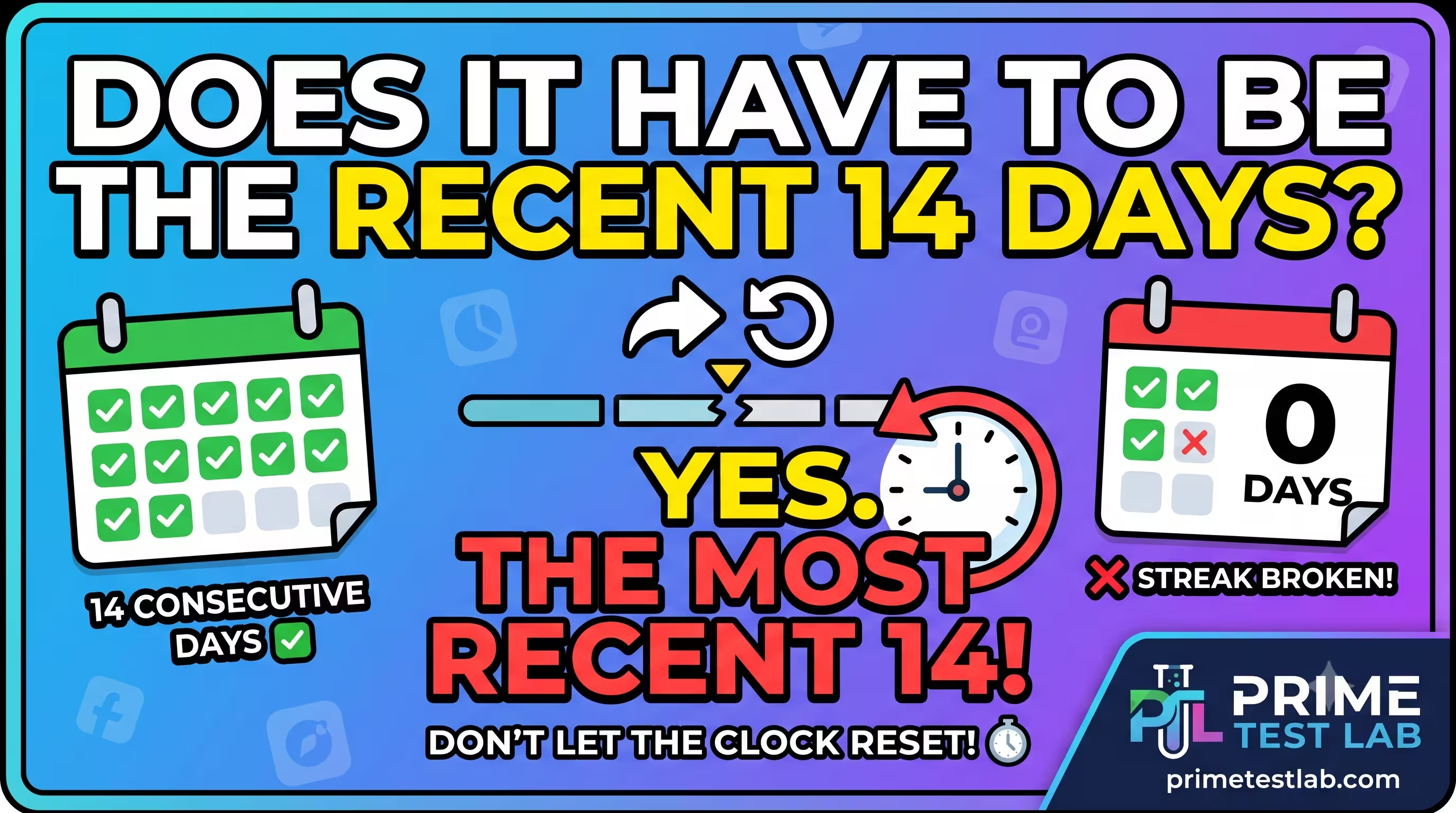
Yes - the most recent 14 days
One unbroken stretch ending when you applyGoogle counts your last 14 consecutive days with at least 12 testers opted in, ending the moment you apply for production access. It is not any 14 days and not 14 days added together - it is a single, current, unbroken window.
14 days spread out or added up does not count.
5 days now, 4 next week, and 5 later is 14 total - but zero valid windows. The moment your opted-in count drops below 12, the streak breaks and the clock restarts from day one.
Quick Answer
The 14 days must be consecutive and the most recent, not 14 days spread out or added together. At least 12 testers must stay opted in across that unbroken window, which ends when you apply for production access. The rule applies to personal Google Play accounts created after November 13, 2023. A tester who opts in, leaves, and rejoins does not get credit for earlier days - the count restarts. Uninstalling is not the same as opting out, but it still weakens the engagement Google reviews. The safe play is to recruit more than 12 so dropouts never pull you below the line.
This is the single most-asked question about Google Play's closed testing rule, and it trips up developers constantly. Below is exactly what Google requires, what resets the clock, and how to protect your unbroken 14-day window so you pass on the first attempt. It is current as of June 30, 2026. Two interactive tools let you test any scenario yourself before you risk it on your real account.
In This Guide
What Does Google Actually Require?
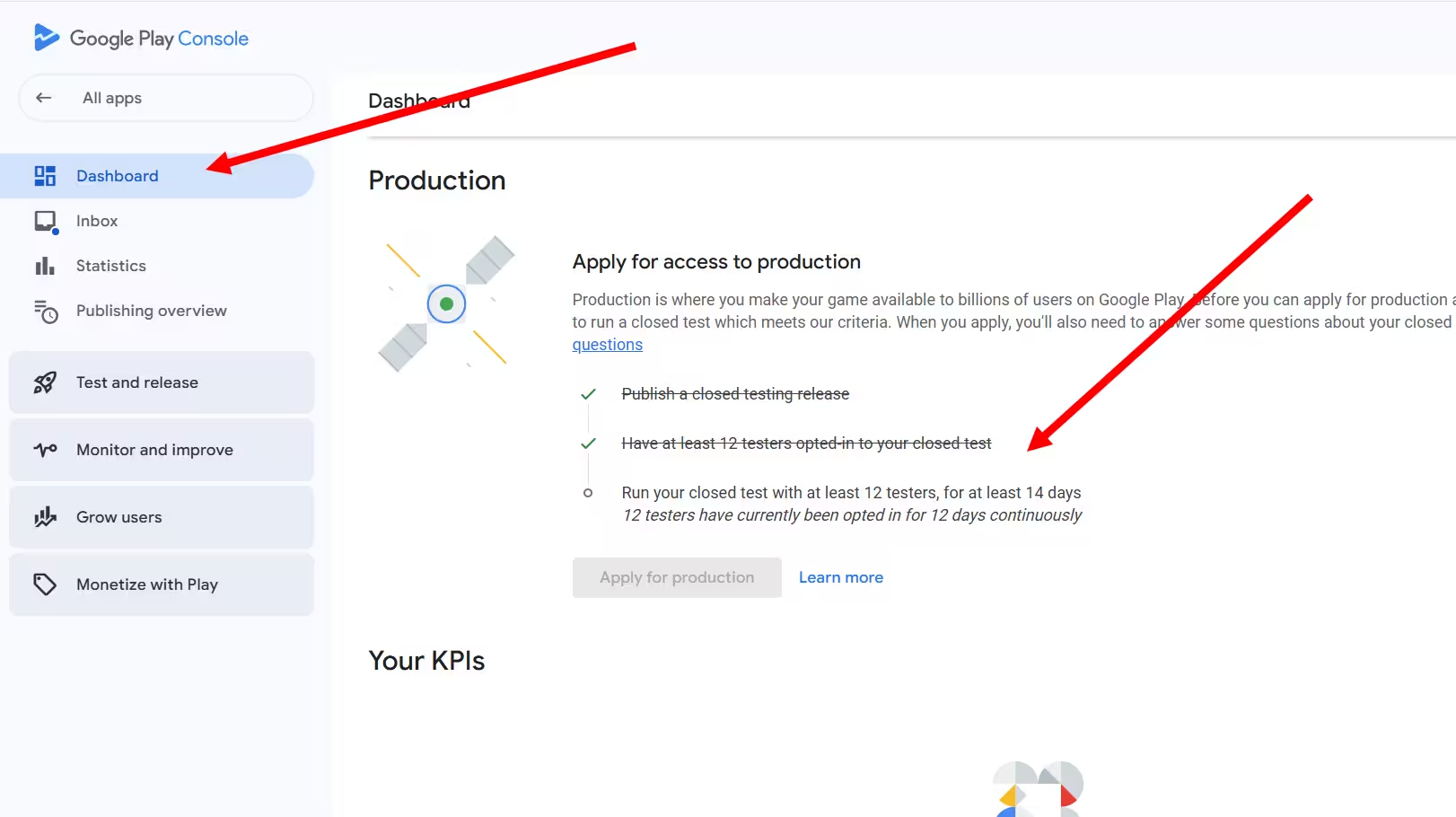
Short answer: at least 12 testers opted in to your closed test for the last 14 days continuously. Both numbers must be true at the same time, and the window must be current when you tap Apply for production.
If you created a personal Google Play developer account after November 13, 2023, you cannot publish to production until you complete a closed test. Google's requirement is that your app run a closed test with at least 12 testers who have been, in Google's words, "opted-in for at least the last 14 days continuously." Only then does the Apply for production button activate in Play Console.
Two numbers define the rule, and they work together:
12 testers must be opted in to your closed test.
14 consecutive days is how long they must stay opted in, ending when you apply.
The requirement applies only to personal accounts created after the November 13, 2023 cutoff. Organization accounts (the kind that require a D-U-N-S number and business verification) are exempt, and so are personal accounts created on or before that date - we compare both in our personal vs organization account guide. The tester minimum used to be 20. Google reduced it to 12 on December 11, 2024 after developer feedback, but left the 14-day duration untouched - so any guide still telling you to find 20 testers is out of date. That 14-day window is still the real friction point, and it is where this guide lives.
Does the 14 Days Have to Be the Most Recent 14 Days?
Yes. Google's wording is "the last 14 days continuously." It is not any 14 days and not 14 days total - it is the last 14, unbroken, ending when you submit your production application.
The word doing the work in the policy is "last." Google's own FAQ removes any doubt about a cumulative interpretation: it states that the system will not count testers who opted in, tested for fewer than 14 days, and then opted out - and that even if such a tester opts back in so their total time reaches two weeks, those 14 days must be consecutive to count.
In plain English: you cannot stitch together 5 days now, 4 days next week, and 5 days the week after. A tester who interrupts their opt-in starts a fresh 14-day count, and their earlier days are discarded. The window is a single unbroken stretch. The tool below makes it tangible - paint the days you held at least 12 opted-in testers and watch which run Google would actually count.
Tap a day to mark it green (12 or more testers opted in that day). The last cell is today - the day you apply for production. Google counts only your most recent unbroken run ending there.
A teaching model of the consecutive-days rule, not a live Play Console readout. Google measures the most recent unbroken run with 12+ opted-in testers, ending when you apply.
Try the Scattered days preset: it marks 13 separate days, but because they never form an unbroken run ending today, the window that counts is tiny. That is the cumulative trap in one click - lots of activity, no qualifying streak.
Consecutive vs Cumulative: The Distinction That Trips Everyone Up
Cumulative days are worthless here. Google does not add up your testing days. It looks for one continuous run, so 17 days of on-and-off testing can still equal zero qualifying windows.
Here is the mental model almost every developer starts with - and why it fails:
Adding up interrupted stretches does not work. Each break discards the days before it, so 17 total days can still mean zero qualifying windows.
One unbroken run of 14 days with 12+ testers, current when you apply. Fewer total days, but it is the only pattern that passes.
The distinction that matters most is which exact patterns Google credits. Here is how the common scenarios resolve:
The pattern is consistent: only one unbroken stretch of your most recent 14 days, with at least 12 opted-in testers throughout, satisfies the rule.
What Breaks the 14-Day Streak?
The hardest part of this rule is not recruiting 12 people. It is keeping the window unbroken for two full weeks. A few common events reset the clock, and a few commonly blamed ones actually do not. Here is fact separated from myth.
What genuinely breaks or stops the streak
Count drops below 12
This is the core of the rule. If enough testers leave that you fall to 11, you trigger the not-enough-testers rejection and need a fresh 14-day window once you are back at 12 or more. The number one DIY failure.
A tester formally opts out
Opting out means the tester visits the closed test web page and clicks to leave the program. That severs their participation. If it drops you below 12, your continuity breaks.
Pausing or unpublishing the track
If the test is not live, no opt-in days are accruing. Pausing the release or letting your test build expire stops the count. Resuming starts a fresh window.
Commonly blamed, but NOT a reset by itself
Pushing a new build or update. The continuity that matters is testers staying opted in, not your version code. A controlled update is even a positive signal - see our updating during closed testing guide.
A tester uninstalling the app. Uninstalling does not formally opt them out, so the timer technically keeps running. The risk is to engagement, not to the day count.
Handle your tester list with care. If you remove people, or re-upload a list that accidentally drops names, you can pull your opted-in count below 12 without meaning to. Many developers manage testers through a linked Google Group rather than repeatedly re-uploading email lists, precisely to avoid accidental removals.
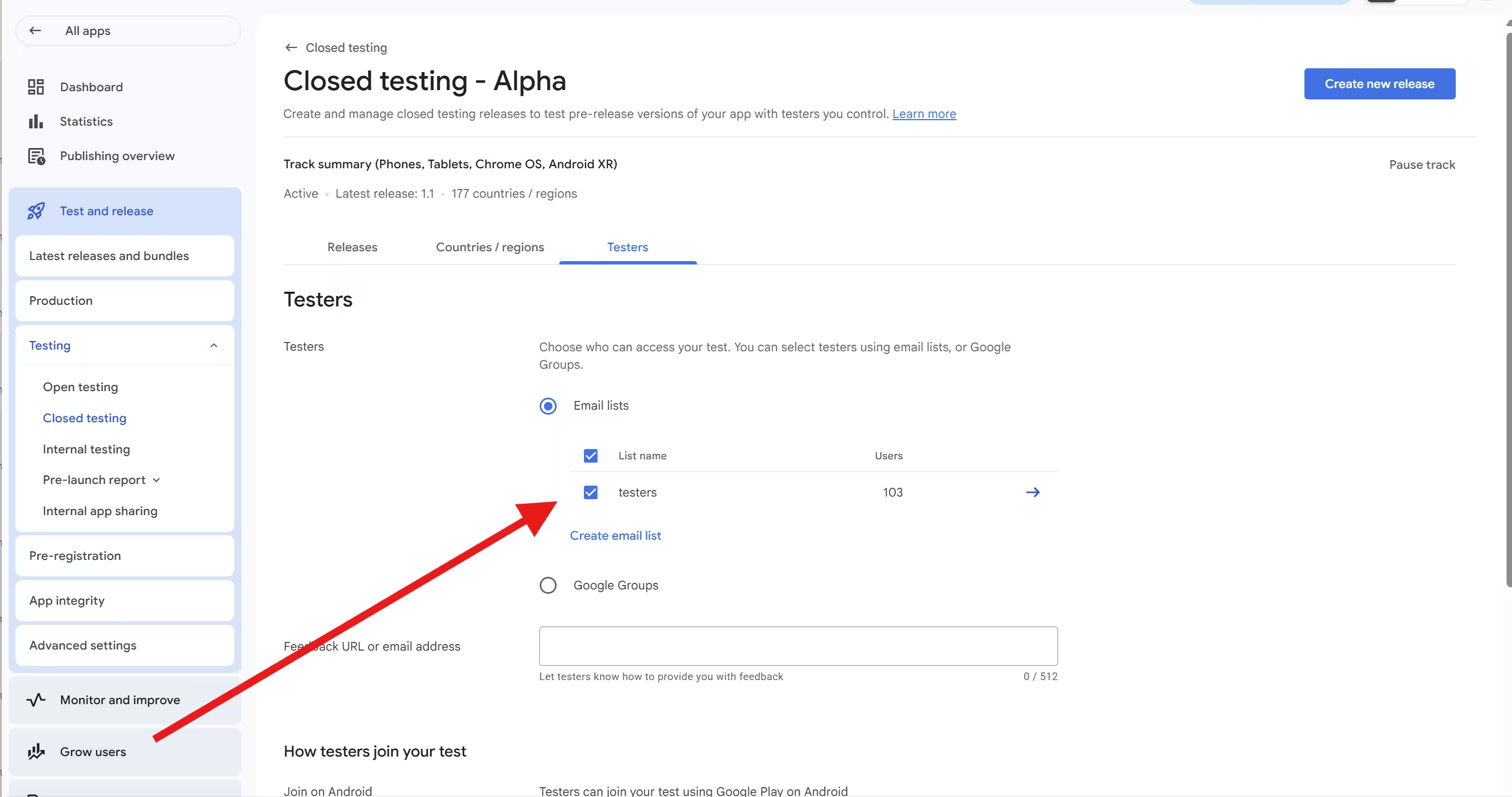
Not sure whether a specific action threatens your window? Pick it below and get an instant verdict.
What is about to happen in your test?
Based on Google's published requirement (12 opted-in testers x 14 continuous days) plus widely reported developer experience. Pause-track and late-swap behaviors are community-reported cautions, not documented policy.
Opting Out vs Uninstalling: What Is the Difference?
Only opting out removes a tester from your count. Uninstalling leaves the timer running - but an unused app produces no engagement, which Google can reject on its own.
These two actions feel the same to a casual tester, but they are not, and the difference matters:
Opting out (deliberate)
The tester opens the closed test link in a browser and chooses to leave the program. That removes them from your opted-in pool immediately.
If it drops you below 12, your continuous window breaks and the clock restarts from day one.
Uninstalling (just deleting)
Deleting the app from the phone. If the tester never visits the web page to leave, Google's backend still treats them as opted in, and the 14-day timer keeps advancing.
The risk here is engagement, not the day count.
So why not just rely on uninstalls to keep your count up? Because Google does not only check the calendar. It also reviews whether your testers were actually engaged with the app during the test. Google lists a lack of engagement as a direct rejection cause, and many developers see the message "Testers were not engaged with your app during your closed test" even when their count and dates looked fine on paper. A tester who installs once, deletes the app on day two, and never returns generates no activity. On paper you still have 12. In practice, the review can fail you for inauthentic engagement - one of several patterns we break down in why closed testing gets rejected.
The takeaway: hitting the count is the eligibility bar, but real, repeated usage across the two weeks is what gets you approved. Testers who actually open the app, move through its core screens, and come back over the 14 days are what a clean review looks like.
Do All 12 Testers Need to Start on the Same Day?
Not strictly - but both readings converge on the same safe behavior. Keep at least 12 testers opted in across the same most-recent 14 consecutive days, with windows that overlap and are current when you apply.
This is where Google's wording is genuinely ambiguous, and you should know that going in. There are two defensible readings:
Each tester needs their own unbroken 14
Read literally, the policy is phrased per tester: it discards a specific tester's days if they leave and rejoin. That suggests you want 12 specific people who have each personally been opted in for the same most-recent 14 consecutive days, so their windows overlap and are all current when you apply.
Keep the pool at 12+ for 14 days
In practice, many developers treat it as an aggregate: keep the total number of opted-in testers at 12 or above for 14 unbroken days. Under that view, you could start with a few extra, lose one or two along the way, and still be fine as long as the pool never dips below 12.
Both readings converge on the same safe behavior
Keep your original qualifying testers opted in for the entire unbroken window, and treat any tester added late as someone whose own 14-day count is just beginning. You do not need to resolve the debate to succeed - the conservative approach satisfies both interpretations.
What Google has never documented is whether you can freely swap a departed tester for a brand-new one mid-window without restarting the clock. Nobody can quote you an official answer, so the conservative assumption is the right one. When advice online states the swap-and-continue behavior as fact, treat it as community folklore, not Google policy.
Why 12 Testers Is the Floor, Not the Target
Over-recruiting is continuity insurance. Twelve is the minimum that makes you eligible. It is not a comfortable place to sit for 14 days, because a single dropout on day 11 can cost you the entire window.
Once you understand that the real risk is a broken window, the case for recruiting more than 12 becomes obvious. If you start with a buffer, the inevitable uninstalls and the occasional person who loses interest do not pull you under the line. Here is how the three common pool sizes compare for a personal account:
Pool size
Exactly 12
Dropout cushion
None - one departure breaks the window
First-attempt risk
HighPool size
15 to 18
Dropout cushion
A few testers can leave safely
First-attempt risk
ModeratePool size
20 to 25
Dropout cushion
Comfortable margin for dropouts
First-attempt risk
LowAll three sizes are eligible. The only difference is how badly a mid-window opt-out can hurt you - and that difference is the whole game.
The pattern is the same one experienced developers and managed services converge on: do not run a test with exactly the minimum. Build in a margin so the rule's main failure mode - a mid-window drop below 12 - simply never happens to you. We make the full case in why you need more than 12 testers.
Two practical notes on building that pool. First, the 12 have to be 12 real, distinct opted-in people - you cannot be your own tester on extra devices to pad the count. Second, if you are still short of 12, there are legitimate ways to find testers that keep your engagement genuine.
This rule also sits inside a broader 2026 tightening of Google Play's publishing standards, so first-attempt success is more valuable than ever. Getting the closed test right the first time means you are not restarting a 14-day clock while deadlines move - our 2026 publishing requirements guide tracks the full calendar.
The Exact Google Wording (and Why "Last" Matters)
If you want the source language, the requirement itself is short. Google's Play Console Help defines the closed test threshold as having testers who have been:
opted-in for at least the last 14 days continuously.
Two words carry the entire rule. "Last" means it has to be your most recent window, current when you apply - not a stretch from a month ago. "Continuously" means unbroken - no gaps, no pauses, no dropping below 12 in the middle.
Google's FAQ closes the cumulative loophole directly. It explains that testers who opt in, test for fewer than 14 days, and then opt out are not counted - and that even if such a tester opts back in so their combined time reaches two weeks, those 14 days still have to be consecutive to qualify. In other words, the system is explicitly checking for one unbroken run, not a sum.
The three words that decide everything
Last - most recent, current at apply time
14 days - the full unbroken duration
Continuously - never below 12, no gaps
How PrimeTestLab Keeps Your Window Unbroken
PrimeTestLab is built around the exact failure mode this rule creates. Instead of leaving you to recruit strangers and hope they stay opted in, we provide a managed pool of real, opted-in human testers on real Android devices, and we keep that pool above the line for the full 14 consecutive days. We maintain a 99.9% success rate across 9,800+ apps, with testing live in 4-6 hours. Here is how that works end to end.
Choose the pool size that fits your risk tolerance. For most developers the Enterprise plan is the sensible pick: 25 testers for the most cushion against a broken window, for only a few dollars more than the bare minimum.
See the full breakdown on our pricing page or read the complete 12 testers requirement walkthrough. When you are ready, the 12 testers package gets you started, and our closed testing service covers what is included.
Frequently Asked Questions
Can I use 14 non-consecutive days of testing?
No. Google requires the last 14 days continuously. Days completed, interrupted, and resumed later do not add up. The 14 days must be a single unbroken stretch ending when you apply for production access.
What happens if a tester opts out on day 10?
If that opt-out drops your opted-in count below 12, your continuous window breaks. Once you are back to at least 12 opted-in testers, a fresh 14-day count begins. Running with exactly 12 is risky, so a buffer is recommended.
Does uninstalling the app reset the 14 days?
Not technically. Uninstalling is not the same as formally opting out, so the timer keeps running. But an uninstalled, unused app produces no engagement, and Google can reject your production request if testers were not actively engaged during the test.
Do all 12 testers need to start on the same day?
Google does not strictly require an identical start date, but the safest approach is to have your 12-plus testers all opted in across the same most-recent 14 consecutive days, with windows that overlap and are current when you apply.
Can I add new testers during the 14 days?
You can add testers, but a tester added late starts their own 14-day count from that point. Google has not documented whether a late tester can substitute for a departed one without restarting the clock, so keep your original qualifying testers opted in for the full window.
Does pushing an app update reset the 14-day clock?
No. Shipping a new build to your closed track does not reset your day count. The continuity that matters is your testers staying opted in. Updating mid-test can even be a positive signal, as long as testers move to the new build.
How long after the 14 days until I get production access?
After you apply, Google reviews your closed test and questionnaire and emails the account owner. The review usually takes 7 days or less, though it can occasionally take longer. Vague questionnaire answers are a common reason for rejection.
Does this rule apply to organization accounts?
No. The 12-tester, 14-day closed testing requirement applies only to personal developer accounts created after November 13, 2023. Organization accounts are exempt, as are personal accounts created on or before that date.
Bottom Line
Summary
The 14 days are not cumulative. Google counts only your most recent 14 consecutive days with at least 12 testers opted in, and that window must be unbroken when you apply for production access. The fastest way to fail is to run with exactly 12 and watch a single dropout reset your clock; the fastest way to pass is to over-recruit so your window never breaks and to make sure your testers actually use the app across the two weeks. PrimeTestLab handles both: a managed pool of real, opted-in testers sized to stay above the line for the full 14 days, starting at $19.99 with testing live in 4-6 hours. See pricing plans →