














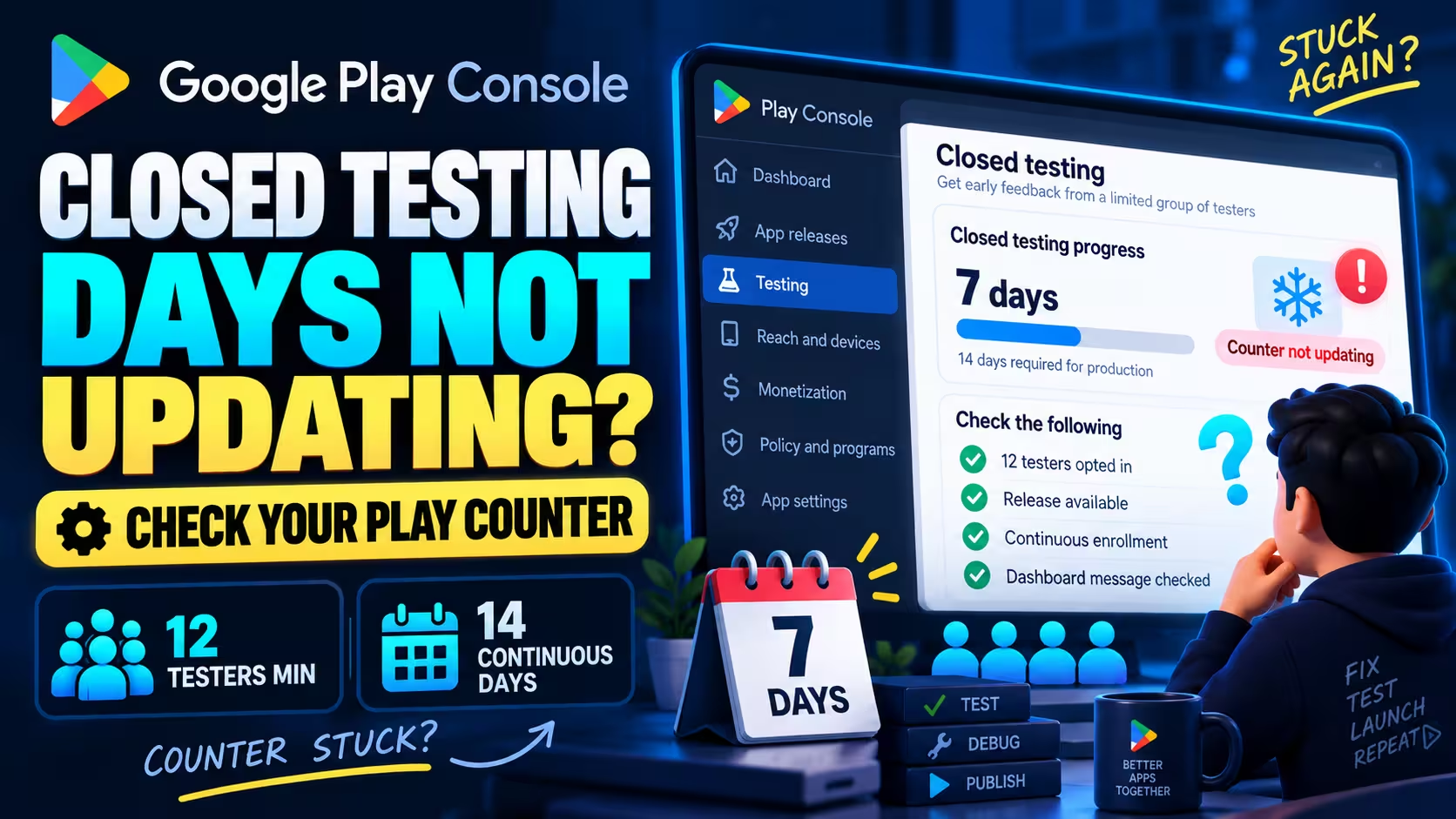
Quick answer
A frozen Google Play closed-testing counter does not, by itself, show that your test restarted. First check the exact Dashboard message, completed opt-ins, known departures, and whether testers can access the closed release. Preserve existing enrollment while you investigate. If your records still disagree with the display, collect the evidence for Play Console support.
Checked September 11, 2026 · The condition: at least 12 testers continuously opted in for the preceding 14 days, per Google's testing-requirements page
This post covers checking a stalled testing counter on a personal developer account created after November 13, 2023, the accounts Google's closed-test condition applies to. Current as of September 11, 2026.
Do this first
- Identify the exact number that stopped. Dashboard progress, the tester list and app statistics are three different screens.
- Confirm each tester completed the opt-in with the Google account that was given access. An invitation or an install is not an opt-in.
- Check the closed release is available: release status on the track, country targeting, and device support for the affected testers.
- Record any known departure or return, and keep everyone else enrolled. Do not ask anyone to leave and rejoin.
- If the display still disagrees with your records, collect the evidence and use Help in Play Console.
What are you seeing?
Each choice opens the guided check below with your answer applied. It reads nothing from your Play Console account.
Labels used in this post
What the labels mean
- Google requirementA mandatory condition stated on the linked Google page.
- Google documentationA definition, navigation path or workflow description from the linked Google page.
- Recommended checkA diagnostic step or preparation this post suggests. Not a Google submission requirement.
- Illustrative exampleA constructed scenario that applies the condition to stated records. Not a Console screenshot or a display prediction.
- Developer reportA linked first-person account. An observation with its limits, not policy evidence.
- Not in the cited sourcesThe Google pages cited here do not specify this mechanic. That is a limit of these sources, not proof of anything else.
On this page
Check which Google Play number is stuck
Start with your app's Dashboard, then identify the exact number that has stopped changing.
Play Console keeps the production-eligibility display, the tester configuration and the usage statistics on three different screens, and a lot of stalled-counter panic starts on the wrong one. Before you compare any two numbers, confirm which screen each of them came from.
Which screen should I check?
| Need | Place to start | What it establishes |
|---|---|---|
| Production eligibility and applicationGoogle documentation | Select the app, then Dashboard | Shows the app's eligibility or application state. Record the exact progress label and value visible in your own Dashboard. |
| Tester access configurationGoogle documentation | Test and release › Testing › Closed testing › Manage track › Testers | Configured access and the source of the join link. An invitation list is not a verified enrollment roster: each tester still has to opt in using the link. |
| App usage or installationsGoogle documentation | The app's Statistics page | Metric-specific activity and installation evidence. Not individual eligibility certification, and not the day counter. |
| Unexplained account-specific mismatchGoogle documentation | Help in Play Console | A route to request clarification using your own account evidence. The channels available depend on the account. |
Sources: production-access application, test setup and tester configuration, app statistics, Play Console Help route. All accessed September 11, 2026.
Record the wording you actually see
This post does not quote the current counter label, because no dated screenshot of it was verified for this article. Copy the exact label and value from your own screen into your notes, with the time and your timezone. That transcription is the first line of the support packet later in this post.
Where the day display and the tester list disagree
Google documentationThe configured access list and the Dashboard's progress count describe different things. Being on the list gives a person access to join; it is not a person-by-person record of completed enrollment. Compare each number only with its own definition.
Opted-in count, installed audience and app usage are different
The tester access list, the opted-in total, and app-usage statistics answer different questions. Start by recording the exact metric and screen you are viewing. A total does not identify each tester or establish their individual enrollment history.
Opted-in count
Testers who accepted the closed-test opt-in with an eligible account.
Installed audience
Users with an installation on a device used within the last 30 days.
Daily active users
Users who opened the app on a given day. Reported in Pacific Time.
Definitions: View app statistics, accessed September 11, 2026. The Pacific Time basis applies to installation statistics; it is not transferred to the eligibility display.
Check why your counter looks stuck
Choose the screen problem you can observe, then check the participation evidence behind it.
This guided check gives a next step after one choice, with an optional enrollment question to refine it. It reads nothing from Play Console and stores nothing.
What should I check next?
Guidance from your answers, not a Play Console diagnosis.
A. What are you seeing?
B. What enrollment evidence do you have?
Full history means the preceding 14 days without opting out, for each tester individually.
Choose the problem you can see
This guide uses your answers. It cannot read your Play Console account.
Confirm the screen and actual enrollment
Open your app's Dashboard and record the exact label and number. If you only have invitations or installation counts, ask testers to confirm enrollment through the closed-test link.
Where to look
Eligibility display: select the app, then Dashboard
Tester access: Test and release › Testing › Closed testing › Manage track › Testers
Use the enrollment question to refine this result.
The display alone cannot establish a break
Record what changed and whether anyone actually left or rejoined. Keep existing testers enrolled while you check. We cannot diagnose the counter from its unchanged value.
Evidence checklist
- Confirm the app, closed track and exact Dashboard wording.
- Confirm the eligible account actually completed opt-in.
- Record any departure or return, without guessing dates.
- Confirm the available Play build and first useful app task.
- Save first and latest observations with your timezone.
The fifth item is a documentation practice, not a Google refresh rule.
Work through the evidence checklist, then use the enrollment question to refine this result.
Check internal versus closed enrollment
Affected users enrolled in internal testing must leave that internal test before joining the closed test. Do not tell people already enrolled in closed testing to leave and rejoin as a refresh step.
Documented path: Test and release › Testing › Closed testing › Manage track › Testers. Internal participation does not substitute for the closed-test condition.
Tester message
Send the enrollment confirmation message to the affected testers once they have switched.
Confirm opt-in status first
The counts you have do not establish individual closed-test enrollment history. Ask testers to confirm the correct account and enrollment without leaving the test.
Developer report One developer reported that their count rose only after testers completed the web opt-in confirmation. That is one reported enrollment outcome, not a timer experiment.
Restore participation and preserve existing history
You reported fewer than 12 current opt-ins. Confirm who remains and recruit suitable replacements where needed. New or returning participants have their own enrollment histories.
Evidence checklist
- Confirm the app, closed track and exact Dashboard wording.
- Confirm the eligible account actually completed opt-in.
- Record any departure or return, without guessing dates.
- Confirm the available Play build and first useful app task.
- Save first and latest observations with your timezone.
The fifth item is a documentation practice, not a Google refresh rule.
See the replacement example in the continuity illustration: the new person's enrollment does not fill the earlier person's dates.
If genuine recruitment is the problem, PrimeTestLab can supply opted-in testers on real devices who stay enrolled for the full period, from $19.99. That helps with participation; it does not change what Google's counter shows. See testing support
The full duration is not established yet
Your records do not yet show enough participants with the full continuous history. This can be normal mid-test and does not itself explain a frozen display. Preserve enrollment and record any departures or replacements.
Compare your records with the stable-cohort illustration. If the display still looks unexplained once enough testers have completed the required period, prepare the support packet.
Your records support the enrollment condition
We cannot verify Google's records or explain the stalled display. Keep testing, preserve enrollment, and document the mismatch for Play Console support.
Support packet
Fill in the packet in section 06; the copy button here copies whatever you have entered there.
The support packet in section 06 is built from your own timestamps and enrollment confirmations.
Use the next-stage message
If the application action is available, follow it. If completed criteria still leave it unavailable, use the missing-application guide. If Google requested more testing, follow that review message and the recovery guide.
This specific account gate may not apply
Use the guidance for your account and release state. This tool does not treat the new-personal-account testing gate as a universal requirement.
Check whether this applies
The condition applies to personal developer accounts created after November 13, 2023. An account created exactly on that date is treated as unknown here, because Google's wording is after.
Check the account type, creation date, and the requirement shown in your own Dashboard.
Sources checked September 11, 2026. · The counter refresh schedule is not established by the evidence reviewed.
Check these causes before changing your test
First confirm the metric and enrollment, because installation and tester counts answer different questions.
Start with checks that are quick to verify and do not disturb existing enrollment. Identify the number, confirm opt-in and release access, check any known departures, and collect evidence if the display remains unexplained. Each cause below has a detection step and one reversible action.
Wrong number
Google documentationDetect
Write down the exact metric name next to each number you are comparing; the three definitions are in section 01. Neither installed audience nor daily active users is the opted-in count, and none of the three is the day display.
Action today
Use each metric for its own purpose and stop converting it into qualifying tester history.
What this cannot establish
These aggregate metrics cannot certify that a specific tester stayed enrolled without interruption.
Metric definitions: View app statistics, accessed September 11, 2026.
Incomplete opt-in
Google requirementDetect
Configured access plus actual opt-in are both required. Membership of the Google Group, an invitation email, or an install from the store link does not by itself complete enrollment: each tester needs to opt in using the link, with the same Google account that was given access.
Action today
Send the tester message from section 05 and repair missing opt-in completion. Do not ask enrolled testers to leave and rejoin. If you added testers and still see 0 opted in, that exact diagnosis has its own post.
What this cannot establish
That every stalled display is an opt-in problem.
Enrollment step: Set up an open, closed, or internal test. One developer report describes the count rising after the web opt-in step; it is an attributed account, not a general fix.
Release availability, country targeting and device access
Google documentationDetect
Ask each affected tester for the exact error or status message they see, then run these four checks in order.
- Release availability. An uploaded bundle, a pending release and a release available to testers are three different states. Read the release status on the closed track first.
- Account and Play country. Confirm which account the tester used on the opt-in page and in the Play Store, then open the track's Countries / regions. Closed-test availability follows the tester's Google Play country, not where they are physically standing.
- Device support and exclusions. Check the affected device in Monitor and improve › Reach and devices › Device catalog. Support status can differ between tracks because their app bundles may have different requirements. Device exclusions are managed per app, not as independent settings for each bundle.
- Payment or the exact error. If the app is paid, ask whether a purchase or payment step is blocking installation. Otherwise work from the exact message the tester sees.
Action today
Fix the release state, country targeting or device exclusion that the error points to, then retest the access path with the intended account. Changing a country or device setting is not a way to refresh the counter, and enabling every country is not required.
What this cannot establish
That every access failure explains a stalled counter.
Release states: Prepare and roll out a release; country targeting: Distribute app releases to specific countries; device support: View and restrict your app's compatible devices. Accessed September 11, 2026. Link problems themselves: App not available to testers.
Internal-test enrollment
Google requirementDetect
Ask whether the affected testers are enrolled in your internal test as well. A symptom that points here: the same email list is used for both tracks and different people receive different builds. Sharing a list across tracks is not the same as actual internal enrollment, so check per person. The internal versus closed testing post explains what each track is for.
Action today
The affected user leaves internal testing, then joins the closed test. Existing closed-test participants stay enrolled.
What this cannot establish
That every different-build report has this cause.
Internal-to-closed rule: test setup page, accessed September 11, 2026.
Changed participation
Google requirementDetect
Establish who left, whether anyone returned, and how many remaining testers still hold an uninterrupted history. Leaving a test and uninstalling the app are documented as separate operations, so ask about each separately: a tester who uninstalled may or may not have left the program.
Action today
Preserve the testers who remain. Add a real replacement if the remaining continuous histories are short of 12, and record the replacement's own opt-in date.
What this cannot establish
What the display will show next after a departure.
Continuity rule: testing requirements; leave versus uninstall: Leave an app's beta program.
Unexplained reporting
Recommended checkDetect
Enrollment looks continuous, nothing changed, and the display still has not moved. Check the browser side first: the correct app, the correct account, a fresh load of the Dashboard. Then check that your notes hold timestamped observations rather than memory.
Action today
Continue testing, recheck the display, and prepare the support packet if the mismatch persists. Do not leave and rejoin, and do not reset the track.
What this cannot establish
A cause. The linked guidance gives a several-hours propagation window for test links and changes; it does not specify a refresh interval for this counter.
Link availability delay: test setup page; statistics troubleshooting scope: Troubleshoot app statistics problems.
Before you buy testers
Keep your existing testers enrolled while you check their participation. If you confirm a real shortage, compare testing support. Buying testers does not fix a display problem, and a replacement does not inherit a departed tester's qualifying days.
Symptom, evidence and next action
This table is the no-JavaScript version of the guided check above, and a quick reference once you have used it. The confidence column says how far the evidence goes.
| Symptom | Check this evidence | Action today | Confidence and limit |
|---|---|---|---|
| No days or no progress card found | Correct app; Dashboard; exact card text; account scope; release state | Start at the location card in section 01 and use the scope or setup branch that applies | Verified locations; exact current card label not verified |
| Many invited or installed, few opted in | Tester confirms actual enrollment using the intended eligible account | Copy the tester message and repair missing opt-in completion | Verified enrollment distinction; one linked developer report |
| Testers receive different builds | Whether affected users enrolled in internal; whether the closed release is available | Affected internal users leave internal and join closed. Keep existing closed participants enrolled | Verified access rule; not every different-build case has this cause |
| Testers cannot install or open the closed release | Release status on the track; Countries / regions; Device catalog; the account used; the exact error | Fix the release state, country targeting or device exclusion the error points to; retest with the intended account | Verified documentation; an access failure does not by itself explain the counter |
| Confirmed loss of a needed opted-in participant | Who left, whether they returned, remaining continuous histories | Preserve existing testers; add a real replacement if needed and record their own history | Verified policy condition; exact displayed reset behaviour unknown |
| Tester uninstalled but enrollment unknown | Ask separately whether they left the testing program | Restore the ability to test and confirm enrollment without an automatic opt-out and rejoin | Partial: general beta distinction; not a documented counter reset |
| Testers stopped engaging or cannot log in | First useful task, login or demo access, feedback, crashes, actual testing records | Fix access and stability; give a relevant test task; collect actionable feedback | Verified importance of engagement; no numeric day-counter quota |
| Tester's device was offline | Current enrollment, app access when connected, exact reported failure | Restore normal access where needed; record the observation | Unverified counter effect. Never assume a midnight reconnection saves a day |
| Installed audience or DAU differs from opted-in count | Exact metric name and definition | Use each metric for its own purpose; stop converting it into qualifying tester history | Verified definitions; analytical comparison |
| Enrollment looks continuous, display remains unchanged | Timestamped display, enrollment confirmations, known changes | Continue testing, recheck the display, and prepare the support packet if the mismatch persists | Counter cause and refresh schedule unverified |
| Completed criteria but application unavailable, or review requests more testing | Exact Dashboard state or review message | Go to the completed-or-reviewed section in this post, then the matching next-stage post | Different workflow; no universal restart instruction |
Sources for the table: the Google pages linked beside each cause above, accessed September 11, 2026.
When do the days start, and what interrupts the period?
Google's condition is about each tester's own continuous enrollment. A usage gap, a departure and a replacement change different things, and none of them is read off the display.
What continuous opt-in means
Google requirementWhen you apply for production access, you need at least 12 current closed testers, each continuously opted in throughout the preceding 14 days. Google's own wording on the point:
“the 14 days must be consecutive”
These are the continuity points established by the requirements page cited here: separated opt-in periods do not combine, so someone who leaves and later returns has two histories, not one longer one. That page does not specify the Dashboard's display-refresh calculation, and this post does not fill that gap with a guess.
Testers who join on different dates
Illustrative exampleSuppose 11 testers joined on September 1 and the twelfth joined on September 5, with no interruptions. On September 15, the twelfth person has not yet completed the same elapsed enrollment period as the first 11. This is why the upload date or the first tester's date cannot establish the whole group's readiness: each person's period runs from their own opt-in. It does not predict the Dashboard's next value or its update time, and it does not mean a late spare delays a cohort that already has 12 completed histories.
Someone leaves, returns, or is replaced
Illustrative exampleThe consequence depends on the remaining continuous histories, not on the total number of people you ever invited. If 13 started together and one leaves, the other 12 histories are untouched. If you had exactly 12 continuously enrolled testers and one leaves, 11 remain. Their existing histories are preserved, but they may or may not have completed the required period. A replacement starts their own continuous period when they opt in: a replacement does not inherit another tester's history. Record the replacement's opt-in date and the departing tester's last confirmed date.
Missing app use is not the same observation as opting out
An app-usage gap and an opt-in gap are different events: an absent usage observation is not a recorded departure, and an unchanged or later-jumping display cannot overturn the enrollment condition. Treat meaningful engagement as a separate review concern, and check enrollment first.
The precise answer, in one line
Individual opt-in continuity is documented on the cited requirements page. A universal display-counter pause-or-reset rule is not specified there.
Not in the cited sources Three things the cited sources do not specify
- Whether a missed app session is skipped, accumulated later, or ignored. The cited guidance describes continuous opt-in, not an activity-day algorithm.
- How often the display refreshes. The cited guidance gives a several-hours propagation window for test links and changes, not a refresh interval for this counter.
- Which timezone, cutoff or rounding the counter uses. Installation statistics are documented in Pacific Time; that covers statistics, not the eligibility display.
Illustrative example Illustrative continuity records
Constructed examples, not observations or a forecast. T is the example's review point. Each row applies the enrollment condition to stated records and says what cannot be concluded from them.
| Scenario at T | Illustrative records | Conclusion from those records | What cannot be concluded |
|---|---|---|---|
| Stable cohort | 12 people currently enrolled, each continuously for the full required interval | Their histories satisfy the illustrated opt-in condition | Approval, or the exact display value |
| Genuine buffer | 13 started together; one leaves; the other 12 remain continuously through the required interval | 12 qualifying histories remain | That every possible departure leaves the interface unchanged |
| Late spare | 13 were enrolled; 12 had full continuous histories; one of those 12 left; the late spare has not completed the interval | Only 11 testers with the completed continuous period remain | That having once displayed 13 protects every case |
| Immediate replacement | 11 testers with the completed period plus a newly joined replacement | The replacement has its own shorter history | That the replacement fills the missing person's earlier dates |
| Return after leaving | 11 testers with the completed period plus a tester with two separated seven-day intervals | The separated intervals cannot be joined into continuous qualification | That the whole app display necessarily becomes zero |
| Missed app session | Enrollment records remain continuous; one app-use observation is missing | A usage gap alone is not evidence of an opt-out | Whether unpublished activity evaluation affected the display |
| Unknown records | Only daily total counts were saved | Individual continuity cannot be established from these totals alone | Whether the numeric condition was actually met |
Basis: the continuity condition and separated-periods rule on Google's testing-requirements page, accessed September 11, 2026, applied to the replacement and missed-session questions developers ask.
Check uninstalling and leaving the test separately
Google documents leaving a beta program and uninstalling the app as separate operations. A tester who deleted the app may still be enrolled, and a tester who is still installed may have left. Ask the enrollment question separately, and do not tell anyone to opt out and rejoin to clean it up: that creates exactly the separated periods the rule refuses to combine.
For the calendar basics behind consecutive days, read Do the 14 days have to be consecutive? This post stays with the stalled-counter question.
The same scenarios, drawn
Optional. The illustration below draws the records from the table so the difference between a departure, a replacement and a missed session is visible at a glance.
What an opt-in interruption changes
Fixed, inspectable example records. Pick a scenario to see which histories remain established at the example's review point, T. This is an interactive explanation, not an actual-day calculator.
12 continuous histories
These illustrative records satisfy the enrollment condition. They do not predict the Dashboard display or a review decision.
If the display is still unexplained, use the guided check in section 02.
Legend
- Continuous enrollment
- Confirmed opt-out gap
- New enrollment
- Usage observation missing
- T: the example's review point
Checked September 11, 2026.
Source basis: the continuity condition and separated-periods rule on Google's testing-requirements page, applied to the replacement question and the missed-session question that recur in developer discussions. Accessed September 11, 2026.
The 11 and 13 in these scenarios are arithmetic examples, one below and one above the minimum of 12. They are not additional thresholds. The two seven-day blocks in the returning scenario are illustrative halves separated by a real gap.
What should I ask my testers today?
Ask testers to confirm their enrollment and report any access problem before changing the test.
Confirm enrollment
Recommended checkAsk testers to confirm enrollment with the account they joined with, without leaving and rejoining. Fill in your two details, then copy the message. The generator processes these fields on this page; copying does not send the message. If a tester never received the right link, how to invite testers covers sending the correct closed-test opt-in link.
Message to send
Please open [our closed-test opt-in link] using the Google account you joined with and confirm that you are still enrolled. Do not leave and rejoin just to refresh the status.

Please tell us:
1. Whether you are still enrolled, and whether you ever left and rejoined.
2. Whether you can install or open the current Google Play test build.
3. Whether you can complete [one useful task in the app], including any required login.
4. The exact error or problem you see, if any, and your feedback.

Please continue testing and reporting issues. If you send a screenshot, hide unrelated personal information.
Basis: the opt-in step on Google's test setup page, accessed September 11, 2026. No daily-use quota or diagnostic task is implied.
Check the first useful task
Google documentationInsufficient engagement can require further testing, and the production-access application asks how testers used the app, what feedback you gathered and what you changed. That is a review concern, separate from the counter, but a tester who cannot get past your login screen cannot test anything.
- Installed the Play build. The current closed-test release, from Google Play, not a sideloaded file.
- Can open it. No crash on launch, no blocked screen, no expired demo access.
- Can complete one useful task. Including any required account creation or login.
- Has a way to report. A place to send the exact error, a screenshot with personal details hidden, and feedback.
Not in the cited sources
No published minimum of daily opens, minutes or sessions exists for this counter in the cited guidance. Ask for real use of a real task, and for feedback.
Engagement and the application questions: testing requirements page; feedback guidance: Play Console closed testing overview. Accessed September 11, 2026.
Everything looks correct, but it still has not updated
If the records disagree with the display, collect the mismatch and ask support what the counter represents.
Evidence to collect
Collect this without disturbing enrollment. Every field is something you can observe or ask; none of it requires anyone to leave the test, and none of it assumes Google's clock. Keep your own timezone on every timestamp. A screenshot taken today supports the status visible today; it does not reconstruct earlier days, and an aggregate graph cannot recover a person-by-person history.
Developer report That last row matters most. In one developer report, the display went to zero after a tester was added, and other replies disputed that the addition caused it. A change log lets you say this happened after that without claiming because of that.
Ask Play Console support
Recommended checkCurrent Help pages direct account users to Help in Play Console; the channels you see depend on your account. Nothing here promises an investigation, a response time or an outcome, and the Help guidance cited here does not specify a mandatory waiting period before contacting support about this issue.
When to use support rather than wait
Use the packet when the checks above have not explained the mismatch, or when a specific error prevents normal testing. Record what you can verify and mark missing information as unknown. You do not need to invent earlier dates to make the packet look complete.
Build your support packet
All fields optional. Empty fields render as Not provided. Timestamps are kept exactly as you type them; nothing is parsed into a countdown. The packet stays on this page until you copy it.
Packet preview
Subject: Closed-testing progress display unchanged for [app/package]

App/package:
Closed track and release status:
Exact Dashboard label and value:
First observation, including timezone:
Latest observation, including timezone:
Current enrollment evidence and how it was checked:
Known departures or rejoining events:
Relevant track, list, group, or release changes:
Tester access or app-use problems found:
Checks already completed:
Screenshots attached:

Our records and the displayed progress appear inconsistent. Could you confirm whether this is an eligibility issue or a reporting issue, what this counter represents, and what action is required?
Support route: Troubleshoot app statistics problems and Get started with Play Console, accessed September 11, 2026. The packet is an authored evidence-collection design, not an official list of required attachments.
If support asks for a change that could interrupt enrollment
Do not ask testers to leave and rejoin simply to refresh a display. If account support specifically asks for a potentially disruptive change, save the instruction and confirm which testers it affects and what it could mean for their existing continuity before proceeding. One account's instruction is not a universal repair.
The test is complete, or Google asked for more testing
A completed checklist and a production-access decision are separate stages.
Google documentationProgress toward the enrollment condition and Google's review of your application are two different things. Review usually takes seven days or less, occasionally longer, and it looks at how the app was used, the feedback you gathered and the changes you made, not only at a number. The next step depends on which of these three states you are in.
Source: application and review guidance on Google's testing-requirements page, accessed September 11, 2026.
If your closed test was rejected for a stated reason rather than stalled, the causes live in Why Google Play closed testing gets rejected.
Questions about a stuck closed-testing counter
These answers separate observed counter behaviour from the rules Google actually publishes.
My closed-testing days stopped increasing. Did I lose the streak?
A frozen number alone cannot establish that your enrollment history broke. Check actual opt-ins and any departure or return events, then compare your records with the exact Dashboard message. Keep everyone enrolled while you check.
If a tester misses one day but stays opted in, does the counter reset?
A day without opening the app does not, by itself, show that a tester opted out. Check enrollment separately and keep testing meaningfully. The requirements page cited here does not specify a missed-session counter-reset rule.
People installed the app. Why does the tester count look wrong?
Installation and completing the closed-test opt-in are different evidence. Ask affected testers to open the closed-test opt-in page with the eligible account and confirm they are enrolled.
Someone uninstalled, but someone else joined. Do I start again?
First confirm whether the person actually left the test; uninstalling alone is not a documented counter-reset rule. Use the departure and replacement examples in this post to compare the records you actually have. A replacement starts their own period on the day they opt in; an installation count alone cannot resolve this case.
Could my internal test be causing the problem?
It can affect closed-test access when a person is actually enrolled in internal testing. That affected user must leave internal testing before joining closed testing; merely having both tracks or sharing an email list is not enough to diagnose every tester.
Will updating the app fix or reset the counter?
You can keep improving the app during closed testing; Google's guidance recommends testing while fixing issues. Keep the test available and preserve enrollment. An update is not a method for forcing a stuck counter to refresh, and it is not documented as a reset either. Does updating your app reset closed testing? covers what a new release does and does not change.
My checklist is green, but Google still wants more testing. Why?
Meeting the enrollment condition and receiving a production-access decision are separate stages. Google reviews how the app was used, the feedback you gathered and what you changed, and the review can ask for more testing. Read the actual message and follow the stated concerns rather than applying again solely to reset a timer.
Can a testing service repair a stuck Google counter?
A provider can help organise actual participants and testing work, but its own dashboard does not verify Google's internal eligibility state. If participation is already established and the display remains unexplained, collect evidence and use account support instead of buying a supposed counter fix.
Your next step
Bottom line
A stalled display is an observation, not proof that every tester lost their qualifying history. The public documentation cited here establishes continuous individual opt-in; it does not specify how the Dashboard counts days, how often it refreshes, or what a missed session does. Identify the number that stopped, verify opt-in and release access, preserve the testers you have, record what changed, and escalate a documented mismatch through Help in Play Console instead of restarting.
Official Google documentation used in this post
The official sources linked above support the requirements, definitions and setup guidance. The diagnostic checks and hypothetical examples are editorial guidance, not a reproduction of Google's counter calculation. Two developer reports are linked where they are used; they are attributed accounts, not policy evidence.