














Quick Answer
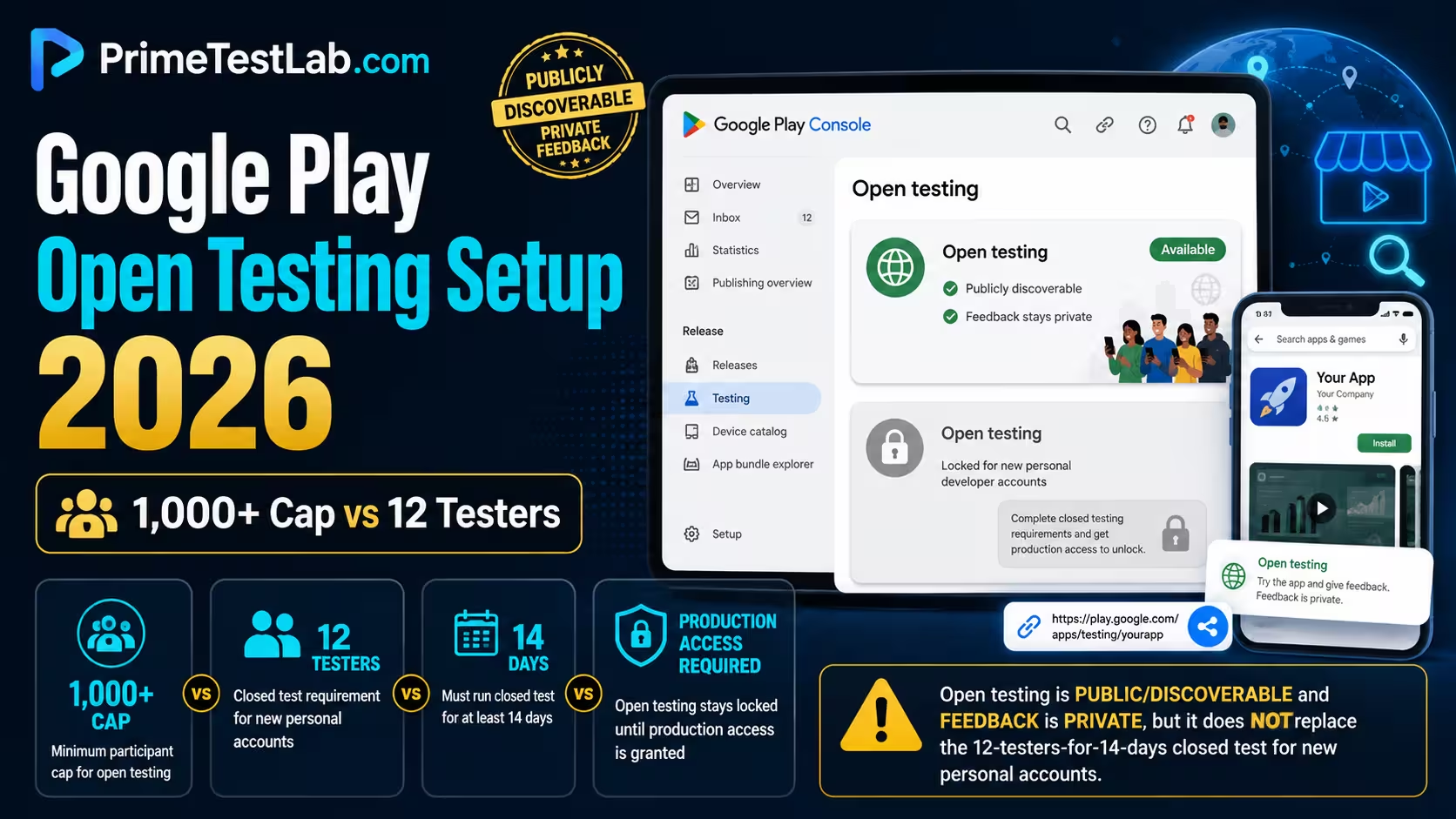
Open testing is Google Play's publicly discoverable test track. For a new app that is not yet in production, users can find the open test through Google Play search; for an app already live, they can opt into the test from its store listing. Participation is Unlimited by default, and if you switch to Limited number, the cap you enter must be at least 1,000, which is a ceiling rather than a number of testers you have to recruit. Feedback from an open test is private, visible only to you, and does not affect your public rating; Google says testers cannot leave public reviews for the test version. The one thing open testing cannot do is stand in for the closed test: a personal developer account created after November 13, 2023 needs at least 12 testers opted in continuously for 14 days and then production access before the Open testing track unlocks.
That gate is the gap PrimeTestLab was built to close.
Four questions bring almost everyone to this page: can strangers find my app, do I really need 1,000 testers, will beta feedback wreck my rating, and can I use this instead of begging twelve people to install something. Three of those have clean answers in Google's own documentation and the fourth is the one that hurts. The Console setup runs first below, because that is the thing this page is for, and the fourth question gets the section straight after it. Everything here is current as of August 12, 2026, checked against Google's testing requirements page (Help answer 14151465), its test setup page (Help answer 9845334) and the Play Console open testing feature page. Where a claim rests on a community thread rather than Google, the page labels it that way instead of promoting it to a fact.
The Open Testing Desk
Three instruments built for this one track. Everything runs in your browser against values you choose, with no account, upload or network request.
Table of contents
What Open Testing Actually Is
Open testing is the Google Play track that exposes a test build to a large, publicly discoverable audience while keeping the feedback private. Anyone eligible can join, the participant setting is Unlimited unless you change it, and the test version can be found on Google Play rather than only through an invitation.
The name causes half the confusion. Developers who see "Open testing" in Play Console read it as a release status they might have switched on accidentally, and developers who read "testing" assume the app must be hidden. Neither is right. Open testing is a distribution track that sits alongside internal testing, closed testing and production, and its defining property is that strangers can reach it.
"Anyone can join your testing program."
Google Play Console Help, answer 9845334, set up an open, closed or internal test. Checked August 12, 2026How it differs from a production release
A production release is the app. An open test is a parallel build that eligible users opt into, and the two can run at the same time: users on production keep the production version, and users who join the open test receive the test version instead. Google resolves that by version code, serving each user the highest compatible version code among the tracks that user is eligible for, which is why an open tester who is also a production user can end up on either build depending on what you published where.
The practical difference that matters most is reversibility. Ending an open test is a pause on the track: testers stop receiving test updates, and the app stays installed on their devices. There is no equivalent quiet exit from a production launch that went out too early. For the side-by-side view of all four tracks, the internal vs closed vs open testing comparison covers the full matrix; this post stays on open testing itself.
Open testing at a glance
| Item | Verified current value |
|---|---|
| Purpose | Large-audience testing with the test version visible on Google Play |
| Who can join | Anyone eligible for the open testing program; Google also provides a shareable URL |
| Default tester setting | Unlimited |
| If you set a tester cap | The cap must be at least 1,000 |
| Required number of actual testers | No minimum stated by Google for ordinary open testing |
| New app visibility | The open test can be found through Google Play search before a production release |
| Existing production app | Users can opt into the open test from the store listing |
| Feedback | Private testing feedback, read under Ratings and reviews, then Testing feedback |
| Effect on public rating | None from testing feedback |
| Public reviews of the test version | Testers cannot leave them |
| Paid app | Open testers still have to purchase a paid app |
| Simultaneous open tracks | One open test per app, alongside multiple closed tests |
| Tester account requirement | A Google Account or Google Workspace account |
One row deserves an early flag, because it is the row that sends most people to this page: "no minimum number of actual testers" and "a cap of at least 1,000" are two different statements about two different things. The cap dial takes that apart properly.
How to Set Up Open Testing in Play Console
Play Console, then your app, then Test and release, Testing, Open testing. On the Testers tab, expand Manage testers, choose Unlimited or a limited cap of at least 1,000, add a feedback URL or email address, copy the shareable link and save. Check the track's country and region availability, then create and roll out the open testing release.
New personal account? Check this before you read the steps
If your personal developer account was created after November 13, 2023, Open testing stays unavailable until Google grants production access, and production access follows a closed test with at least 12 testers opted in for 14 continuous days. The steps below are correct, but they will not be selectable yet. The next section covers that gate in full.
Before you start
Three things need to be true before the track will cooperate. First, open testing has to be available to your account, which for a personal account created after November 13, 2023 means production access has already been granted. Second, an Android App Bundle has to be uploaded, because the tester controls populate from an existing bundle. Third, the store listing needs to be ready to be seen: Google advises that the app and store listing be ready to be visible on Google Play before you choose open testing, and that advice is doing real work, not covering itself.
Google's dedicated test setup article abbreviates the same destination as Testing, then Open testing, while its testing requirements page spells out the longer path. If your Console groups the menu differently from a screenshot you found elsewhere, that is the reason, and the destination is the same either way.
Configure testers and feedback
On the Open testing page, select the Testers tab and expand Manage testers. If that section is empty, Google's instruction is specific: make sure an app bundle has been uploaded. There is nothing to configure until a build exists.
The participant control has two settings. Unlimited is selected by default. Limited number lets you set a maximum, and Google will not accept a maximum below 1,000. That single sentence causes most of the confusion around this track, so it gets its own section and an instrument further down.
Then add a feedback URL or an email address so testers have somewhere to send private feedback, copy the shareable testing link for recruitment, and select Save changes. The opt-in link only appears once the app status is Published; it does not show for an app in Draft or Pending publication, which is worth knowing before you spend an afternoon looking for a link that cannot exist yet.
One control sits outside that panel and gets skipped constantly: country and region availability. Google documents managing country availability across an app's closed and open testing tracks, and "open" means public within the markets you have selected, not everywhere. It is the quiet reason a correct link works for you and fails for the tester you sent it to.
The setup in order
-
Confirm open testing is available to your account
For a personal account created after November 13, 2023, production access must already be granted. A greyed out track is usually eligibility, not a fault.
-
Open the track
Test and release, then Testing, then Open testing.
-
Make sure an app bundle has been uploaded
Google names this explicitly as the fix when the Manage testers section is empty.
-
Open the Testers tab and expand Manage testers
This is where the participant setting and the shareable link live.
-
Set the participant capacity
Unlimited, the default, or Limited number with a cap of at least 1,000. The cap is a ceiling, not a recruitment target.
-
Add a feedback URL or email address
Test feedback is read in Play Console under Ratings and reviews, then Testing feedback.
-
Copy the shareable testing link
Google provides a URL you can distribute by web or email; anyone eligible who has it can access the open test.
-
Select Save changes
Configuration is separate from the release. Saving here does not publish anything.
-
Review country and region availability
Google documents country availability across closed and open testing tracks. Select the markets the test should run in rather than assuming every Play country is active, because a user outside that availability cannot join on a link that is otherwise correct.
-
Create and roll out the open testing release
Prepare the release on the open testing track and roll it out. This is the step that makes the track live.
-
Verify tester access, then allow for propagation
Google says that after you first publish a test, the link may take a few hours to become available, and later published changes may take several hours.
No open testing review clock exists on this page for a reason
Other pages publish figures like 24 hours or one to three days for an open testing review. No current primary Google source was found that states a fixed review time for an open testing release. Google's "a few hours" wording is about test link and change availability after publication, not a promised policy review duration. Plan the recruitment, not the clock.
Can Open Testing Replace the 12-Tester Closed Test?
No. If your personal developer account was created after November 13, 2023, Google requires a closed test with a minimum of 12 testers opted in for at least the last 14 days continuously, followed by an application for production access. Open testing becomes available after that access is granted, which is the exact opposite of a shortcut around it.
This is the single most expensive misunderstanding in the open testing search results. The reasoning behind it is completely logical: open means anybody can join, twelve testers are hard to find, therefore open testing must be the way to skip the recruiting problem. Google's own documentation closes that door in one sentence.
"Open testing is available when you have production access."
Google Play Console Help, answer 14151465, testing requirements for new personal developer accounts. Checked August 12, 2026Read in sequence with the rest of that page, it means the order is fixed for affected accounts: closed test first, production access second, open testing third and optional. Google's published process offers no configuration and no alternative testing track that reverses those first two steps for a covered account.
Production access is not a production release
These two phrases get used interchangeably and they are not the same thing. Production access is a permission Google grants your account for an app after reviewing your closed test and your readiness answers. A production release is you actually publishing a build to the Production track for the general public.
Once access is granted, Google says both the Production track and Open testing become available. You can then run a publicly discoverable open test while the app has never had a production release at all. That is the sequence most first launches should want: the closed test satisfies the requirement, the open test collects real-world signal, and the production release happens when you decide it should.
Which accounts this actually applies to
Google states the requirement for personal developer accounts created after November 13, 2023, which is now 2 years and 11 months ago. Two clarifications matter, and both are places where other pages overreach:
- The date is a cutoff, not an announcement. Google's official announcement post is dated November 9, 2023. The requirement page uses November 13, 2023 as the account creation cutoff. Writing "announced on November 13" is wrong even though the number is right.
- The number was 20 before it was 12. Google reduced the threshold from 20 testers to 12 on December 11, 2024, which is 1 year and 10 months ago, and the 14-day duration did not change. Pages still printing 20 as the current requirement are stale, not stricter. The full history lives in the 20 to 12 testers change post.
Organization accounts sit outside the wording of that page: Google scopes the requirement to qualifying personal accounts and does not phrase it as a universal rule with a named organization exemption. Official community responses say organization accounts do not have the testing requirement, and separately, some developers have reported migrated organization accounts still showing a legacy testing gate. The safe reading is scope, not immunity: Partial Community-reported If your Console still shows the gate, your Console is the authority for your account. The account-type decision itself belongs to the personal vs organization account post.
Instrument 01
Track unlock board
Three answers about your account, and the board shows which rungs Google still has locked, why the Open testing track may be greyed out, and what actually opens it.
- Closed test, 12 testers, 14 continuous days Waiting
- Apply for production access Waiting
- Production access granted Waiting
- Open testing selectable Locked
Is an Open Testing App Public or Searchable?
Yes, and that is the point of the track. For a new app that has not been published to production, Google says users can find the open test through Google Play search and install it. If a production version already exists, users can opt into the open test from the store listing. The shareable link is an extra recruitment route, not the only door.
The "open testing is invitation only" claim is one of the most durable wrong answers on this topic, and you can watch it get corrected in the same forum threads where it appears. It is worth stating plainly: an open test is not a private beta with a public-sounding name. Strangers can find it, join it and use your app without ever speaking to you.
That has a consequence people underestimate until it is live. Public discoverability exposes your app's name, icon, description, screenshots and existence to the general market, which is why Google advises that the app and store listing be ready to be visible on Google Play before you choose this track. Whether competitors go looking is a practical inference from that public discoverability rather than something Google discusses; the documented fact is simply that the listing can be found.
Discoverable does not mean instant
Google documents that the test is discoverable. It does not publish a guaranteed time for an app to appear in search, and the propagation wording it does give is modest: after you first publish a test, the link may take a few hours to become available, and later published changes may take several hours. Beyond that, real listings do occasionally misbehave. An April 2026 Google Play Developer Community thread reports an open testing listing returning a 404 while the track appeared active. Community-reported That is a support case, not a documented waiting period, and the troubleshooting section separates the two.
Instrument 02
Visibility matrix
Pick the state your app is actually in, and see which of the five discovery routes are open, closed, or simply not documented by Google.
Do Open Testers Leave Public Ratings or Reviews?
No, not on the test version. Google says feedback submitted during open or closed testing is only visible to you and does not affect your public rating, and its test setup documentation says testers cannot leave public reviews for an app's test version. You read that feedback in Play Console under Ratings and reviews, then Testing feedback.
The fear that brings people to this question is specific and worth naming: a first release goes out, early bugs get found by real users, and a wave of one-star reviews permanently caps the app's rating before it has an audience. That is a genuine risk of releasing to production too early. It is not a risk of open testing.
"Feedback is only visible to you and will not affect your public rating."
Google Play Console, open testing feature page. Checked August 12, 2026What the feedback actually does
| Action | What happens in open testing |
|---|---|
| A tester sends test feedback | It goes to you privately |
| Other Play Store users see that feedback | No |
| The feedback affects your public star rating | No |
| A tester leaves a public review of the test version | Google says this is not allowed |
| Where you read it | Play Console, Ratings and reviews, then Testing feedback |
| What is genuinely exposed | The store listing itself: app name, icon, description, screenshots and the fact the app exists |
The claim to make, and the one to avoid
Supported by Google's wording
- Open testing feedback is private and does not affect your public rating.
- Testers cannot leave public reviews for the test version.
- A paid app still has to be purchased by open and closed testers; only internal testers install it free.
- The real exposure of the track is the publicly discoverable listing.
Not established by the sources
- That someone who was once an open tester can never review your production app later. The documentation covers the test version, not a person's lifetime.
- That open testing shields a production release from early reviews. Once you publish to production, normal public reviews apply.
- That private feedback volume is a quality signal Google weighs in review. Nothing in the cited pages says that.
The distinction matters if you are writing your own launch plan around it. "Test feedback stays private" is defensible and checkable. "Beta testers can never hurt my rating" is a bigger claim than the documentation makes, and the bigger version is the one that will eventually surprise someone.
Do You Need 1,000 Testers for Open Testing?
No. Open testing is Unlimited by default. If you switch the participant setting to Limited number, Google requires the maximum you enter to be at least 1,000. That value caps how large the group may become. It is not a number of people you have to find, and Google states no minimum number of actual open testers.
Two different things are being confused whenever you see "open testing requires 1,000 testers". One is a configuration limit on a field in Play Console. The other is a participation requirement, which for open testing does not exist. If you set the cap to 1,000 and 37 people opt in, you have 37 open testers and a perfectly normal open test. The 37 is illustrative arithmetic, not a threshold Google publishes.
It is also worth separating this from the number that does bind you. The 12 in "12 testers for 14 continuous days" is a genuine minimum, and it belongs to closed testing on the way to production access. The 1,000 here is a floor on a ceiling in a completely different track. Two numbers, two tracks, one very common collision.
Instrument 03
Cap dial
Set a cap the way you would in Play Console, then say how many people you actually expect. The dial shows what Console will accept, and how the cap limits new joins without ever creating a recruitment target.
Your honest guess. Nothing here is sent anywhere.
If what you actually want is a small hand-picked group of testers, the cap is not your problem and open testing is not your track. A controlled invitation list is what closed testing is for, and the track comparison lays out which one fits which job.
When You Should Actually Use Open Testing
Use it when you already have production access and you want a larger real-world audience than an invitation list can produce: a public pre-launch beta, a specific market or country, feedback on a nearly finished feature, or acquisition and retention signal before a full launch. Skip it when what you actually want is privacy or a small chosen group.
Four cases where the track earns its exposure
-
Rolling out by country
Google positions open testing for testing a new market and adapting the app to it before a wider launch. A public beta in one country gives you real device diversity, real network conditions and real language feedback that no invitation list of friends can reproduce.
-
Watching metrics before you commit
Google describes open testing as a way to gather large-scale quantitative and qualitative feedback, try pre-release features and monitor metrics before launch. If you need numbers rather than opinions, a larger public cohort is usually the fastest way to get statistically useful ones: retention, conversion, backend load and device diversity all read differently at scale than they do across twelve invited installs.
-
Stability, retention and monetization checks
Google Ads describes using an open test to evaluate app stability, retention, monetization and ad creative effectiveness before a broad launch. If you plan to run an app campaign against the open test, Google Ads also advises not to limit the Play Store open test downloads, which is a second reason to leave the participant setting on Unlimited.
-
A last look at a nearly finished feature
The track is built for the stage where the build is close to done and the remaining unknowns are about behaviour at scale rather than obvious bugs. Feedback arrives privately, so nothing you learn at this stage lands on your public rating.
Three reasons that are not reasons
- To avoid recruiting 12 closed testers. For a personal account created after November 13, 2023, this does not work at all: the track is behind the same gate. It is the reason most people read this page, and it is the one answer that cannot be softened.
- To keep the app or the listing private. This is the opposite of what the track does. If your reason for testing quietly is that the idea is not public yet, open testing actively works against you.
- To test with a small, hand-picked group. That is closed testing. Capping an open test at the lowest permitted 1,000 does not make it a private test; it just sets a ceiling you will never reach.
The honest default
Most first-time developers do not need an open test. Once production access is granted, the track is optional, and a small app with no marketing behind it will not learn much from being publicly discoverable a few weeks early. Use it when you have a specific question that only strangers can answer.
Closed Testing to Open Testing to Production
For a covered new personal account the order is closed test, apply for production access, access granted, optional open test, production. Open testing is not a second mandatory stage. Once access is granted, both Production and Open testing become available and the public beta is a choice, not a requirement.
| Stage | What happens |
|---|---|
| Closed testing | The account keeps at least 12 testers opted in continuously for 14 days on the closed track. |
| Apply | Play Console Dashboard, then Apply for production. The form asks about your closed test, your app and your production readiness. |
| Review | Google says this usually takes 7 days or less, and may occasionally take longer. |
| Access granted | Both the Production track and Open testing become available. |
| Optional open test | You can run a publicly discoverable beta without publishing a production release at all. |
| Production | Release the build you are confident in, when you are ready. |
| Version behaviour | Each user receives the highest compatible version code across the tracks that user is eligible for. |
| Promoted status | Google describes a test track as Promoted when all of its active app bundles are also active in its fallback, more stable track. |
What actually carries over
"Promoting" a build sounds like a single button that moves your app up a ladder. The behaviour Google documents is more mechanical and more useful to understand: distribution is decided per user by version code. A user gets the highest compatible version code published to any track that user is eligible for, which is why an open tester who is also a production user does not stay on the test build by loyalty. They stay on it because it has the higher version code.
The same model explains the Promoted label. A test track shows as Promoted when its active bundles are also active in the more stable fallback track, meaning there is nothing on the test track that production does not already have. It is a description of state, not an action you perform.
Two assumptions worth dropping
Your closed testers do not automatically become open testers. Google's eligibility model requires a user to be eligible for a test and to opt into that testing program. Nothing in the current documentation converts one cohort into another, so plan recruitment for the open test rather than assuming the group follows you. And separately, a user opted into internal testing is not eligible for open or closed testing until they opt out of internal and join the other test.
Do not build your plan around a specific promotion button. Older community threads show a Promote release control, and the current primary documentation retrieved for this post explains releases, statuses and version codes rather than a stable step-by-step promotion path. Console labels move. The version-code rule does not.
Open Testing Not Showing on Google Play? Check These First
Work the list in order: eligibility for the track, then publication state, then whether a bundle and a rolled-out release actually exist, then propagation time. Google says the opt-in link does not appear for apps in Draft or Pending publication, and that a first test link may take a few hours to become available.
Check four states before treating this as a Play indexing problem or a support case. The app is not eligible for the track yet, the release was configured but never rolled out, the app is not in a Published state, or not enough time has passed since first publication. Those four are where the ordinary explanations live; everything after them is genuinely rare.
| Symptom | The most defensible check | Confidence |
|---|---|---|
| Open testing is disabled or I cannot select it | For a personal account created after November 13, 2023, confirm production access has been granted. The track is gated behind that access. | Verified |
| Manage testers is empty | Upload an app bundle. Google names this explicitly as the cause. | Verified |
| The opt-in link is missing | Check whether the app status is Published. The link does not show for Draft or Pending publication. | Verified |
| I just published and the link does not work | Allow for propagation. Google says a first test link may take a few hours, and later published changes may take several hours. | Verified |
| I cannot set a cap of 50 or 100 | A limited open test needs a cap of at least 1,000. Use Unlimited, or use a more controlled track for a small invited group. | Verified |
| One tester cannot join, others can | Check the track's country and region availability, then the individual's eligibility. Google documents country availability for closed and open testing tracks, and a user outside the selected markets, or blocked by device compatibility or account eligibility, cannot join on a correct link. | Verified |
| A tester is getting the wrong build | Check version codes and track eligibility. Google serves the highest compatible version code among the tracks the user is eligible for. | Verified |
| My internal tester cannot get the open version | Internal opt-in blocks eligibility for open and closed tests until that user opts out of internal and joins the other test. | Verified |
| My paid app is asking open testers to pay | Expected. Open and closed testers purchase a paid app; the free install exception is internal testing. | Verified |
| The listing returns 404 while the track looks active | Recheck publication, release configuration and eligibility first. A current Google Play Developer Community thread reports this symptom persisting, in which case it becomes a Play support case rather than a setting. | Community-reported |
| Promote to Production is greyed out | Production access, an existing draft release or other Console conditions may be involved. Community threads give several different causes, so there is no single universal explanation to apply. | Community-reported |
What not to conclude
There is no published number of downloads an app needs before it appears in Play search. That claim circulates as personal experience in forum threads and no primary source supports it. There is also no guaranteed search indexing time: Google documents that the test is discoverable and gives propagation guidance for links and changes, and stops there. If a listing is still broken well past the documented propagation window, the honest answer is that you have a support case, not a setting you missed.
If the problem is on the closed side instead, and your testers report they cannot see the app at all, that has its own set of causes: the app not available to testers post covers the link and eligibility failures, and added 12 testers but 0 opted in covers the counting problem that stalls the production-access clock.
How PrimeTestLab Helps
Nothing on this page unlocks the Open testing track except production access, and production access needs a closed test that meets Google's stated condition: at least 12 testers opted in continuously for 14 days. That is the part PrimeTestLab handles, with real testers on real devices, starting in 4-6 hours.
The recruitment problem is the whole bottleneck. Most developers reading this can build the app, upload the bundle, write the listing and answer the questionnaire. What stops them for weeks is finding a dozen people with Google accounts who will install something, stay opted in and not quietly uninstall on day nine. That is not an engineering problem, which is exactly why it is so frustrating to be blocked by it.
| What the closed test has to satisfy | Doing it yourself | Managed by PrimeTestLab |
|---|---|---|
| 12 testers opted in | Find that many people with Google accounts who will actually opt in and stay. | 12 testers supplied and opted in for you, with larger tiers when you want a buffer. |
| 14 continuous days | An opt-out only hurts when it leaves fewer than 12 people who can each show 14 continuous days at the moment you apply, which is the argument for keeping a buffer. | The group is held opted in for the full 14 days, and larger tiers exist so one leaver is not a restart. |
| Representative real devices | Recruit testers on devices your real audience uses. Google publishes no device count, but emulator shortcuts carry real risk. | Real Android devices spanning Android 7 to 17. |
| Time to first tester | However long recruiting takes, which is usually the longest part. | Testing starts in 4-6 hours. |
| Coverage | Whoever you personally know. | Testers across 120+ countries. |
| Cost | No money, considerable time, and a restart if the window breaks. | From $19.99 for one app, paid once. |
| If Google does not approve | Recruit again and repeat the 14 days. | A free retest or a full refund when a completed test still ends in a refusal, on the terms in the refund policy, which excludes content-policy rejections unrelated to the testing requirement. |
Across 9,800+ apps the pass rate on the tester side has held at 99.9%, and that number is about the test running cleanly rather than about Google's decision on your app. Approval depends on your app meeting Google's policies, and no service can promise it. What a managed test does is take the one requirement that is purely logistics off your plate so the fourteen days actually elapse. If a completed test still ends in a refusal, the refund policy sets out the free retest and the full refund, and the situations it does not cover.
What this does not do: it does not unlock the Open testing track directly, grant production access, or shorten Google's review. Those stay with Google. Once access is granted, running the open test itself is a ten-minute configuration job, and the setup section is the whole of it.
Frequently Asked Questions
Can I use open testing instead of finding 12 testers?
No, not if your personal developer account was created after November 13, 2023. Google requires a closed test with a minimum of 12 testers who have been opted in for at least the last 14 days continuously, followed by an application for production access. Google's testing requirements page states that open testing is available when you have production access, so for these accounts open testing sits after the gate rather than around it.
Do I need 1,000 testers for Google Play open testing?
No. Open testing is set to Unlimited by default. If you switch to Limited number, Google requires the maximum you enter to be at least 1,000, and that value is a ceiling on how large the cohort may grow rather than a target you have to hit. No Google rule says 1,000 people must actually opt in, so an open test with 37 participants is still a normal open test. Google also publishes no minimum duration for an ordinary open test, which is a separate thing from the 14 continuous days that closed testing needs on the way to production access.
Can open testers leave public reviews or hurt my rating?
Google says feedback from open and closed testing is only visible to you and will not affect your public rating, and its testing setup documentation says testers cannot leave public reviews for an app's test version. You read test feedback in Play Console under Ratings and reviews, then Testing feedback. The exposure that is real with open testing is the public store listing itself, not the test feedback.
How do I set up open testing in Play Console?
Open Play Console, select your app, then go to Test and release, Testing, Open testing. Open the Testers tab, expand Manage testers, choose Unlimited or a Limited number of at least 1,000, add a feedback URL or email address, copy the shareable link and select Save changes. Then create and roll out the open testing release. If Manage testers is empty, Google says to make sure an app bundle has been uploaded.
Is an open testing app visible to everyone on Google Play?
For a new app that has not been published to production, Google says users can find the open test through Google Play search and install it. If a production version already exists, users can opt into the open test from the app's store listing instead. Anyone eligible who has the shareable link can also join. Google does not publish a guaranteed search indexing time, so plan for the listing to be public rather than for it to appear at a particular minute.
Can I do closed testing, then open testing, then production?
Yes. For a personal account created after November 13, 2023 the sequence is a closed test with at least 12 testers opted in for 14 continuous days, an application for production access, access granted, an optional open test, then production. Open testing is not a second mandatory stage. Once access is granted, both Production and Open testing become available and you choose whether a public beta adds anything.
Do I have to publish to production before I can run an open test?
Production access and a production release are two different things. A covered personal account has to be granted production access first, and Google says that grant unlocks both the Production and Open testing tracks. After that you can run a publicly discoverable open test while the app still has no live production release at all.
Why is my open testing app not showing on Google Play?
Check the publication state first: Google says the opt-in link does not appear for apps in Draft or Pending publication. Then confirm an app bundle is uploaded and the release has actually been rolled out, and allow for propagation, because Google says a first test link may take a few hours to become available and later published changes may take several hours. A listing that stays broken well beyond that is not a documented waiting period. One April 2026 Google Play Developer Community thread reports an open testing listing returning 404, which is a support case rather than a setting you can fix.
Do testers have to pay for a paid app in open testing?
Yes. Google's documentation says users in open or closed testing still need to purchase a paid app. The free install exception applies to internal testing, which is capped at 100 testers and cannot satisfy the closed testing requirement for a covered personal account.
Does each closed tester have to open my app every day for 14 days?
Google's published numeric condition is that at least 12 testers have been opted in for at least the last 14 days continuously at the point you apply. Google separately asks about tester engagement and can ask for more testing where testers were not sufficiently engaged, but it does not publish a rule such as one launch per tester per day or a minutes-per-day threshold. Keep the group stable and encourage genuine use.
Can open testing and production run at the same time?
Yes. A production release and an open test can run side by side. Production users stay on the production track unless they join the open test, and Google serves each user the highest compatible version code across the tracks that user is eligible for. That version-code rule, not track seniority, decides which build a given person ends up on, so keep the numbering deliberate rather than assuming the newest upload reaches everybody.
Can I run open and closed testing at the same time?
Yes. Google's setup documentation describes one open test and multiple closed tests for the same app. The cohorts stay separate and joining one track does not join another, so an open test does not inherit your closed testers. A user currently opted into internal testing is the one exception worth knowing: they have to opt out of internal testing and join the other test before they are eligible for an open or closed build.
What happens when I pause or end an open test?
Testers stop receiving updates from that track and the app stays installed on their devices; pausing does not remove anything remotely. Before you pause, check what version code your testers are holding. Distribution follows the highest compatible version code a user is eligible for, so a test build with a higher version code than production is the thing that decides whether pausing actually moves anyone onto a stable release.
Do open testers move to production automatically?
There is no membership transfer between tracks. Distribution is decided per user by version code: an open tester receives the highest compatible version code from the tracks they are eligible for. If production carries the higher compatible version code, that is the build they get. If the open track is still higher, they stay on the test build until you change the track, pause it, or they opt out.
Can I limit an open test to selected countries?
Yes. Google documents country availability for closed and open testing tracks, so you can choose the markets the test runs in rather than assuming every Play country is active. Open testing is public inside that availability. An individual user can still be unable to join because of country, device compatibility, account eligibility or other Play restrictions even when the opt-in link is correct.
How fast can I get the 12 closed testers that unlock open testing?
PrimeTestLab supplies 12 real testers on real devices spanning Android 7 to 17, testing starts in 4-6 hours, and the group is held opted in for the full 14 days, from $19.99. That covers the tester condition Google measures. The production access application and its review remain Google's decision, and Google says that review usually takes 7 days or less but may occasionally take longer.
What happens if Google does not approve the app after the test?
No service can promise approval, and PrimeTestLab does not. If Google refuses production access after the full test has run, you choose a free retest or a full refund on the terms set out in the PrimeTestLab refund policy. That policy has stated edges: it covers a refusal that follows the completed 14-day test, and it does not cover a rejection for a Google Play content-policy violation unrelated to the testing requirement, testers removed before the 14 days are up, or an app unpublished mid-test. What a managed test removes is the recruitment and retention problem: 12 testers staying opted in continuously for 14 days, drawn from 120+ countries.
Bottom Line
Summary
Open testing is Google Play's publicly discoverable track: a new app in an open test can be found through Play search, an existing app is joined from its store listing, and the shareable link is a third route rather than the only one. Participation is Unlimited by default, a limited cap must be at least 1,000, and no rule says 1,000 people have to show up. Test feedback stays private and does not affect your public rating, and testers cannot leave public reviews of the test version. The one thing the track cannot do is replace the closed test: a personal account created after November 13, 2023 needs 12 testers opted in continuously for 14 days, then production access, before Open testing appears at all.
If that gate is what is actually blocking you, it is the part you can hand off. See pricing plans →
Primary Sources
What on this page will go stale first
- The Play Console navigation. Test and release, Testing, Open testing is the current path, and Google's own two pages already abbreviate it differently. Console menus move more often than policies do.
- The 12 and the 14. The threshold has already changed once, from 20 testers to 12 on December 11, 2024. Treat any tester count you read anywhere, including here, as something to confirm on Google's testing requirements page before you plan around it.
- The Unlimited default and the 1,000 floor. These are Console feature settings, and settings can change without a policy announcement.
- Organization account scope. Google's page is written for qualifying personal accounts. Account systems and migrations change, and Console behaviour for a specific account always outranks a general statement.
- Store presentation. Whatever label or button a Play Store build shows for joining a test is not a stable string across versions and regions, which is why this post describes behaviour rather than badges.
Verified on August 12, 2026, now 65 days ago. A re-check against Google's testing requirements and test setup pages is due.