














Quick Answer
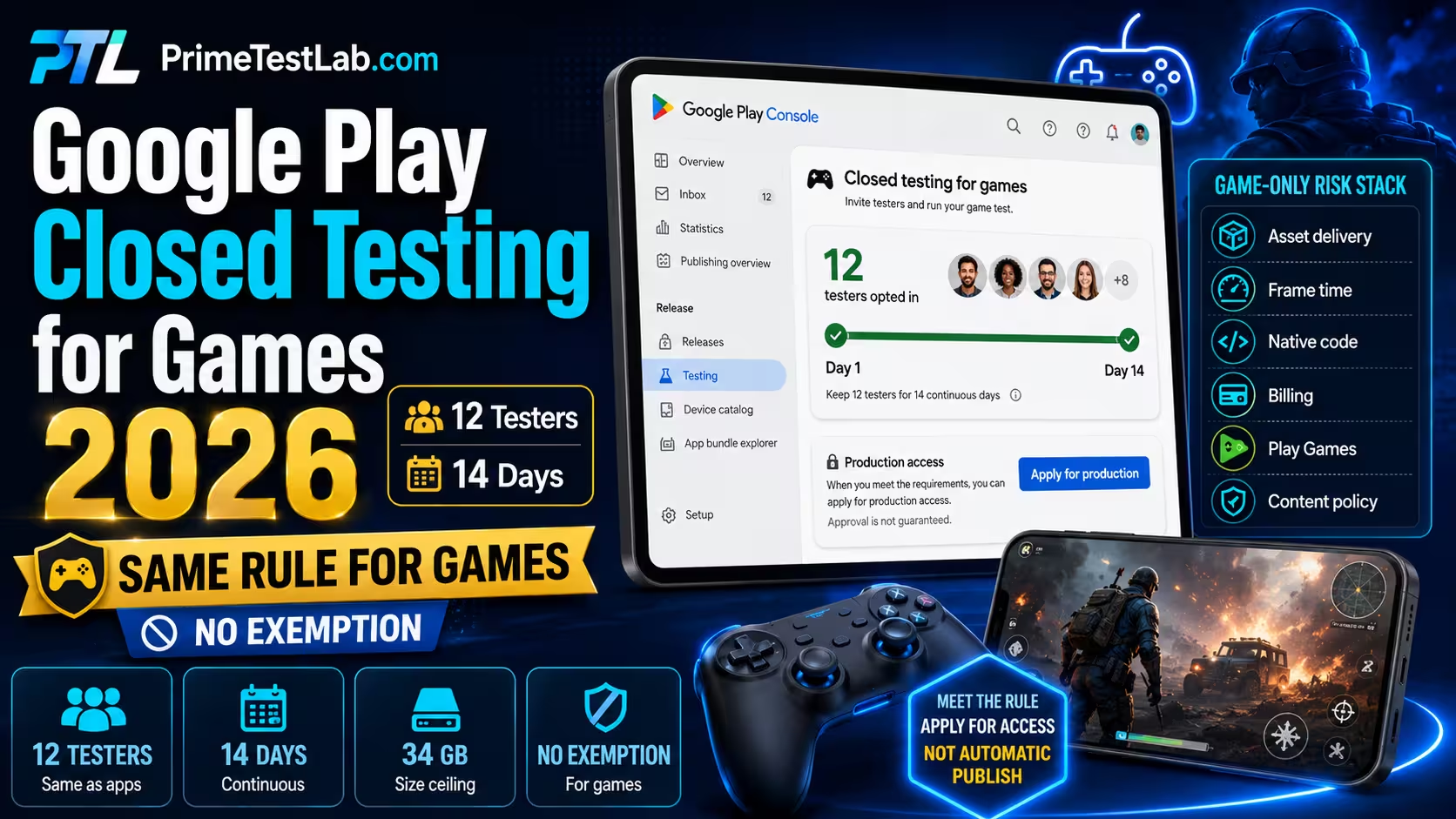
Google Play applies the same production-access closed-testing prerequisite to an Android game as to any other app. If the game is published from a personal developer account created after November 13, 2023, at least 12 testers must be opted in to a closed test for at least the last 14 days continuously before you can apply for production access. Google originally required 20 testers and reduced the minimum to 12 on December 11, 2024; no separate tester count, duration or exemption for games appears in its current documentation. Reaching the number is not approval, because Google also asks how testers engaged, what feedback they gave and what you changed, and it can require more testing. Games then carry release risks that counter never measures: asset delivery, frame time, 64-bit native code, in-app purchase testing and Play Games Services authorization. If the tester side is the part you cannot staff, PrimeTestLab runs it with real testers on real devices.
Also live for game publishers right now
August 31, 2026 has passed: new and updated mobile games must target Android 16 (API level 36) or later, and Play Billing Library 7 is past its new-app and update deadline. Wear OS and Android Automotive OS submissions need API 35, and Android TV and Android XR need API 34. If you hold an extension, it runs to November 1, 2026. Neither is part of the tester requirement, and both can block the release the tester requirement is meant to unlock.
Most existing guides answer one half of this problem. General closed-testing pages explain the 12-tester requirement without touching the release risks specific to a game, while game-QA pages discuss performance and device labs without explaining the production-access gate that is actually blocking the launch. Community threads fill the space between them with confident folklore: play once a day, push three updates, thirty minutes per session, a minimum number of levels. None of those are published Google rules, and this post says so every time one comes up. Everything here is current as of August 12, 2026, with the policy deadline dates re-verified on August 14, 2026, and all of it traced to primary Google documentation; where the honest answer is "Google does not publish that", the page prints that instead of a number.
The order below follows how the problem actually resolves. First the gate itself, because you cannot plan anything until you know whether it applies to you and what exactly it counts. Then the game-shaped layer: what a test that only accumulates opted-in accounts fails to catch, and how to test each of those risks before Google's reviewers see the result.
The bench
Three instruments built for the three questions a game developer cannot answer from Google's documentation alone. Each one runs entirely in your browser, against values you type in. Nothing is uploaded, and no account is needed.
Table of contents
Does Google Play Require Closed Testing for Android Games?
Yes, on the same terms as any other app. If the game is published from a personal developer account created after November 13, 2023, you must run a closed test with at least 12 testers opted in for the last 14 days continuously before you can apply for production access. Google publishes no separate tester count, no shorter duration and no exemption for games.
"If you have a newly created personal developer account, you must run a closed test for your app with a minimum of 12 testers who have been opted-in for at least the last 14 days continuously."
Play Console Help, answer 14151465
Read that sentence for what it does not say. It does not mention app categories. The trigger attaches to the account, not to what you upload, so the fact that your bundle is categorised as a game changes nothing about whether the gate applies. Google's own closed-testing material discusses apps and games inside the same production-access process, and it explicitly calls out pre-launch testing for mobile games as a use of the testing tracks.
Read it once more for the word your app. The account creation date decides whether the requirement applies to you, but the qualifying test and the production-access application are completed for an individual app. Clearing the process for one game does not carry over to the next package you publish from the same account: a second game gets its own closed test, its own 12 testers and its own fortnight. That conclusion rests on Google writing the condition against "your app" and on production access being applied for per package, rather than on a published sentence ruling carryover out; plan for a fresh test per game, and check your Console dashboard for the specific app before assuming either way.
Negative finding "There is no game exemption" is a conclusion drawn from the absence of one in Google's current documentation, not a sentence Google publishes. That is a meaningful distinction and this post keeps it: no alternate tester count or duration for games was found anywhere in the current production-access material, so the safe reading is that affected personal accounts use the same prerequisite whatever they are shipping.
What the rule actually counts
12
Testers, minimumIndividual accounts that completed the opt-in. Not people you emailed, not people who said yes.
14
Continuous daysEach of those 12 accounts has to have been opted in for the whole of the last 14 days when you apply.
1
Account scope, app testThe account decides whether the rule applies. The qualifying test itself is run per app.
If you have read that the number is 20, that page is out of date. Google originally set the threshold at 20 testers and reduced it to 12 on December 11, 2024, describing the change in its own words as requiring "12 instead of 20 testers", while leaving the two-week period intact. The history is covered in detail in the post on the change from 20 to 12 testers, and the mechanics of the requirement itself in the 12-testers requirement post. This post assumes both and stays on what is different about a game.
Which Game Developers Actually Need 12 Testers?
The prerequisite is scoped to personal developer accounts created after November 13, 2023. Organization accounts and older personal accounts are outside this specific requirement. Uploading a game rather than an app does not add you to it or remove you from it, and running an internal test with up to 100 people does not satisfy it.
| Your situation | 12 testers, 14 days? | The safe explanation |
|---|---|---|
| Personal account created after Nov 13, 2023 | Yes | Run a closed test with at least 12 testers continuously opted in for the last 14 days, then apply for production access. |
| Personal account created before that cutoff | Not under this rule | Google scopes the requirement to personal accounts created after November 13, 2023. |
| Organization account | Not under this rule | The requirement is expressly written for qualifying personal accounts. That is not the same as being exempt from testing, quality or policy review. |
| A game rather than an ordinary app | No special case | No alternate tester count or duration for games appears in Google's current production-access documentation. |
| You already ran an internal test with 100 people | Still required | Internal and closed testing are separate tracks. The prerequisite specifically requires a closed test. |
| You already cleared this for another game on the same account | Still required | Google writes the requirement as a closed test "for your app". The account decides whether the rule applies; the qualifying test is completed per package. |
"Organization accounts are exempt" is the wrong sentence
An organization account sits outside this specific new-personal-account prerequisite. It still faces every normal obligation: review, content policy, quality standards, declarations and distribution rules. Registering as an organization to dodge a tester requirement also means taking on organization verification, and the account type you pick has consequences well beyond this one gate. The trade-offs are laid out in the personal versus organization account post.
One piece of general account context, because it comes up in the same breath and is often confused with the cost of testing: Google charges a one-time US$25 registration fee to open a developer account. That fee is unrelated to the testing requirement. Nothing about running a closed test costs money in Play Console; what it costs is finding twelve people who will stay.
Which is the real problem for a game. Compared with a utility app, a game usually needs deeper sessions before its defects surface at all: progression and save state, asset delivery, thermal behaviour and monetization only misbehave once someone has played far enough to have something to lose. Neither category is safely tested by people who install a build and leave it alone for a fortnight, and Google weighs engagement and feedback for apps and games alike. A game just makes the shallow version of that mistake more expensive, because you need people who will actually play, on hardware that resembles a player's, for long enough to hit the second act. That is the gap the rest of this post is about.
How Does the 14-Day Closed Test Work for a Game?
Publish a closed-track release, bring at least 12 testers through a completed opt-in, and keep them opted in while they genuinely play. When you apply, at least 12 of them must each have been opted in for the last 14 days continuously. Then apply for production from the Play Console dashboard. Internal testing supports up to 100 testers and is useful, but it does not satisfy this step.
Source: the closed-testing requirement for new personal accounts (answer 14151465). The 12-tester minimum replaced 20 on December 11, 2024; the 14-day continuous period did not change.
-
01
Before day one
Publish the closed-test release and make it available to your testers. Verify that the Play-delivered build installs and runs, that asset packs arrive, that Play Games sign-in works and that everything the test needs to reach is reachable. A build that works from your machine is not evidence about the build Play assembles.
-
02
Opt-in
Each tester has to accept the invitation, not merely appear on a list. This trips people constantly: being added to an email list or Google Group is your action, and opting in is theirs. Count only accounts that completed it.
-
03
Days one to fourteen
At least 12 testers stay opted in continuously while they play. Recruit above the minimum so a single opt-out cannot leave you short. Google asks about engagement and feedback when you apply, so the useful output of this fortnight is a list of things people told you, not a screenshot of a counter.
-
04
During the test
Fix genuine defects and keep updating the build. Uploading new releases during the window is normal and does not restart anything: the qualifying condition is written against tester opt-in history, not against the age of one frozen build. That follows from Google's per-tester continuous opt-in wording; Google does not publish a separate build-update rule either way. Exercise install and update paths, progression and saves, asset downloads, crashes, performance, purchases and Play Games as your game uses them.
-
05
After the qualifying window
Go to Dashboard > Apply for production and answer honestly about who tested, how they engaged, what they said, what you changed and why the game is ready.
-
06
Review
Google says this usually takes 7 days or less and can occasionally take longer. It is not a service-level agreement and nobody can promise you a date.
One correction worth making early, because it costs people a fortnight. Internal testing is a different track with a much higher ceiling: up to 100 testers, available quickly. It is genuinely useful for getting a build in front of people fast. It does not replace the closed test the prerequisite names. The differences between the three tracks are covered in the internal versus closed versus open testing post, and open testing only becomes available once you have production access.
Do testers need to play the game every day?
This is where almost every community answer goes wrong, so here are the three categories kept apart.
Required, and published
- At least 12 testers opted in.
- Opted in for the last 14 days continuously.
- A closed test specifically, not internal.
- Honest answers on the production-access application.
Smart practice, not a rule
- Testers who actually reach the core loop rather than the title screen.
- Sessions long enough for heat and memory pressure to show up.
- Written feedback you can quote when you apply.
- Fixes shipped during the window, when feedback justifies them.
Not a published rule
- Opening the game once every day.
- A minimum number of minutes per session.
- A required number of builds during the test.
- A minimum number of levels, screens or mechanics.
Google requires continuous opt-in and says engagement matters when it reviews your application. It does not publish a daily-open quota, a minutes-per-session figure or an update count. Treat the right-hand column as what it is: advice that hardened into folklore because it was repeated confidently. Aim at real testing and you satisfy the middle column without needing the third.
If one tester drops out, does the fortnight restart?
Not by itself, and this is the single most over-stated rule in circulation. Google's condition is measured at the moment you apply: at least 12 testers, each of whom has been opted in for the previous 14 days continuously. It is not a requirement that one untouched group of exactly twelve survives the fortnight unchanged.
So the arithmetic works per tester, not per cohort. Start with exactly 12 and lose one on day nine, and you are short: you now have eleven accounts that can show the full window, and the twelfth replacement has to complete its own 14 continuous days before you can apply. Start with fifteen and lose one, and the remaining fourteen may each still satisfy the condition, so nothing is lost but headroom. That is the whole argument for recruiting above the minimum rather than exactly at it.
How we know This reading follows from Google's own per-tester continuous opt-in wording, which is what the requirement is written against. Google does not publish a separate cohort-reset rule saying in so many words that one tester leaving preserves everyone else's period, so treat this as a careful reading of the published condition rather than a sentence you can quote back at a reviewer. The practical advice does not change either way: recruit above 12 so the question never has to be answered.
What happens after day 14?
You apply, and Google reads the answers. The production-access application asks how testers engaged with the game, what feedback they gave, what you changed as a result and why you consider it ready. For a game there is also a category-specific request to describe what makes it stand out. That question is not a formality either: it is where a game that is functionally fine but has nothing to say about itself starts to look like a game nobody tested seriously.
Write the answers during the test, not after it
The questions ask about things that happened over fourteen days. If you wait until day fifteen to think about them you will be reconstructing from memory, and it reads that way. Keep a running note of what testers reported and what you shipped in response; the application then takes twenty minutes and says something true. There is a full walkthrough of the questionnaire in the production access questionnaire post.
What Does a Generic App Test Miss About a Game?
A test built around "install it and leave it opted in" measures the counter and nothing else. Games hold sustained CPU and GPU load, ship large asset payloads through a delivery system with its own failure modes, usually carry native binaries, keep progression state across sessions, and often take money. Each of those is a place where a build passes on your desk and fails on a player's phone.
None of these risks is unique to games, and this post does not claim otherwise: plenty of ordinary apps carry native libraries, sell subscriptions or deliver large assets. What is distinctive is the concentration. A game typically meets most of this list at once, in the same build, during the same fortnight, which is why a checklist written for a generic app leaves so much of a game untested.
Below is the map of the rest of this post. The right-hand column is the part people get wrong in both directions: some of these are Google requirements with consequences, and some are ordinary quality practice that no policy mentions. Treating a practice as a rule wastes your fortnight, and treating a rule as a practice costs you the release.
| Risk area | Why a game is different | Status |
|---|---|---|
| Asset delivery and size | Large payloads split across install-time, fast-follow and on-demand packs, each with its own limits and its own way of arriving late or not at all. | Google limits |
| Frame time and heat | Sustained rendering load warms the device, the system throttles, and frame times climb in minute six of a session that looked fine in minute one. | Vitals metric |
| Native code and 64-bit | Engines and plugins ship compiled binaries. Missing 64-bit coverage or a bad ABI takes out whole device families rather than one feature. | Google requirement |
| In-app purchases | Test-track membership does not make purchases free, and an unacknowledged test purchase disappears after three minutes. | Google mechanism |
| Play Games Services | A second authorization layer with its own tester list, which fails with OAuth and 404 errors when it is not configured. | Google requirement |
| Monetization and content policy | Randomized-item odds disclosure, real-money mechanics and rating-questionnaire accuracy are game-shaped policy exposure an ordinary utility app never meets. | Google policy |
| Progression and save state | Exit, resume, reinstall and device change all have to preserve progress, and a save bug is invisible until someone plays far enough to have something to lose. | QA practice |
| Session depth | The failures that matter live past the tutorial. A tester who opens the game once produces no evidence about any of the rows above. | QA practice |
Notice what is not in that table: a required number of devices, a required session length, a required frame rate or a minimum level count. Those get asserted constantly and none of them is published. What Google does publish is limits, thresholds, mechanisms and policies, and every one of those is testable during the same fortnight you are already spending on the counter.
How Big Can Your Game Be on Google Play?
As of August 12, 2026, Play Console Help lists a 500 MB base module, 500 MB per feature module, 1.5 GB per asset pack, 4 GB for all modules plus install-time asset packs, 30 GB for fast-follow and on-demand packs, and a 34 GB total maximum. Every one of those is a compressed download size calculated by Play Console, not the size of the .aab sitting on your disk.
This is the fact most likely to be wrong in whatever you read before landing here. The 200 MB figure that still circulates was the base limit years ago, and some of Google's own older Android game pages have not caught up with the Play Console Help page that governs actual uploads. When two Google pages disagree, the dedicated size-limit page in Play Console Help is the specific and current one for what the Console will accept. Check it again before you plan a release around any number below.
Instrument 01
Build budget meter
Enter your compressed download sizes in megabytes. Everything runs in this page; nothing is uploaded. This calculator uses 1 GB = 1024 MB.
Limits checked against Play Console Help on August 12, 2026. Google calculates these from the compressed download size it derives from your bundle, so your local file size is only an approximation of what will be measured. Sources: maximum app size limits (answer 9859372) and Play Asset Delivery.
The full limit table
| Component | Current limit | What it applies to |
|---|---|---|
| Base module | 500 MB | The bundle's base module on its own. |
| Feature module | 500 MB | Each individual feature module, measured separately. |
| Asset pack | 1.5 GB | Each individual asset pack, measured separately. |
| Modules plus install-time packs | 4 GB | Cumulative total of everything delivered during installation. |
| Fast-follow plus on-demand packs | 30 GB | Cumulative total of everything delivered after installation. |
| Total download | 34 GB | Overall maximum compressed download size. |
| Asset packs per bundle | 100 | Maximum number of asset packs in one app bundle. |
| Apps over 1 GB | minSdk 21 | Anything larger than 1 GB must target at least Android 5.0 Lollipop. |
| Mobile-data notice | 200 MB | Above this, installs over mobile data show a non-blocking large-size dialog. |
| Legacy APK | 100 MB | Maximum for a single APK under legacy APK publishing. |
Google Play size limits checked August 12, 2026. All values are compressed download sizes calculated by Play Console. Sources: maximum app size limits (answer 9859372) and Play Asset Delivery.
Which Play Asset Delivery mode should your game test?
Play Asset Delivery has three modes, and each one fails in a different place. The mode you chose in the build determines which test cases are the ones that matter, so run down this table and test only the rows your game actually uses.
| Mode | When it arrives | Ready at launch? | In the Store-listed size? | The test case that finds bugs |
|---|---|---|---|---|
| Install-time | Delivered during installation as split APKs. | Yes | Yes | First launch, the update path, and installing with the device nearly out of storage. |
| Fast-follow | Downloads automatically right after install, without blocking entry to the game. | Not necessarily | No | A player who opens the game before the pack finishes, and recovery from an interrupted download. |
| On-demand | Downloaded while the game is running, when your code requests it. | Only once requested | No | Entering the level or feature before its pack is available, plus retries and interruptions. |
Do not assume the packs stay where you left them
Google warns that fast-follow and on-demand archive files can be deleted by the user or moved by the Play Asset Delivery library between sessions, so a game must not assume a pack that existed yesterday is still at the same location today. Test the second and third launch, not only the first, and test what happens after an update invalidates a pack. Texture-compression-format targeting adds another dimension: Play can deliver different texture assets depending on what the device supports, so the assets your test device receives may not be the ones another device receives.
Local asset-delivery testing does not reproduce Play delivery exactly. Google documents that in a local test a fast-follow pack behaves like an on-demand pack, and that certain network and wait-for-Wi-Fi behaviours cannot be reproduced locally at all. That is the argument for testing the build Play actually delivers to a closed-track tester rather than the build your editor produces, and it is one of the few places where the closed test is genuinely doing QA work rather than satisfying a counter.
What Frame Rate and Crash Numbers Does Google Actually Publish?
Android vitals publishes a user-perceived crash rate threshold of 1.09% overall and 8% per phone model, and a user-perceived ANR rate of 0.47% overall and 8% per phone model. For games specifically it defines a Slow Session as one where more than 25% of frames are slow, measured against 50 ms (20 FPS) as the primary metric and 34 ms (about 30 FPS) as a secondary one. None of those numbers is a published closed-testing approval threshold.
The distinction matters because it is routinely lost. Vitals thresholds describe technical quality, and Google has said that in due course Play will steer users away from games that cannot reach 20 FPS on their phone. That is a discoverability and quality mechanism. It is not the production-access review, and no Google source turns a frame rate into a pass mark for the 14-day test. Both things can be true at once: your game can clear the tester gate and still be a game Play will quietly stop recommending.
Instrument 02
Slow session lab
Forty frames from one play session. Move the slider to say how many of them rendered slowly, and the lab applies Google's definition to the result.
Android vitals begins monitoring a game's frame rate only after the game has run for 1 minute, which is also why a tester who opens a game and closes it produces no useful performance signal at all. One minute is a measurement start point, not a required human play-session length. Source: Slow sessions in Android vitals.
The numbers, and what each one is not
| Metric | Google's value | What it means | What it does not mean |
|---|---|---|---|
| User-perceived crash rate | 1.09% | Android vitals technical-quality threshold, measured overall. | Not a closed-testing threshold of any kind. |
| Crash rate per phone model | 8% | The device-specific vitals threshold. | Not permission to tolerate 8% crashes in your own QA. |
| User-perceived ANR rate | 0.47% | Android vitals technical-quality threshold, measured overall. | Not part of the production-access formula. |
| ANR rate per phone model | 8% | The device-specific vitals threshold. | Not a target to design toward. |
| Slow session | >25% slow frames | The game-only frame-quality definition. | Not a measure of tester engagement. |
| Slow frame, primary | 50 ms, 20 FPS | The main Slow Sessions reference timing. | Not a published minimum FPS for production access. |
| Slow frame, secondary | 34 ms, about 30 FPS | An additional Slow Sessions metric vitals reports. | Not proof Google requires every game to run at 30 FPS. |
| Monitoring start | After 1 minute | Frame-rate collection begins once the game has run a minute. | Not Google's required length for a human play session. |
The bug that only appears in minute six
Google lists overheating and thermal throttling among the documented causes of slow frames: sustained CPU and GPU load heats the device, the system throttles, and frame times climb. That failure mode is invisible in a two-minute smoke test and obvious in a twenty-minute session on a warm phone. It is also the clearest example of why a game needs testers who actually play rather than testers who install. If you are profiling this, the Android Dynamic Performance Framework (ADPF) exposes thermal, CPU and GPU management signals for exactly this purpose, so the game can adapt before throttling becomes severe.
Native libraries and 64-bit
Games built on Unity, Unreal, Cocos or any engine with native plugins carry compiled binaries, and those binaries have their own compatibility rules independent of anything in this post. Google Play requires apps to support 64-bit architectures: when a native 32-bit architecture is supported, the corresponding 64-bit architecture must be included too. Test in a 64-bit environment, and treat every third-party plugin as capable of shipping its own incompatible binary regardless of what your engine version claims.
If your build also trips the 16 KB memory page size warning during this work, that is a separate requirement with its own deadline and its own repair path, covered in the post on fixing the 16 KB page size error.
Not a published rule There is no Google-published number of devices, Android versions or GPU families a game must be tested on for production access. Anyone quoting "five phones and three Android versions" is quoting a preference, not a policy. Cover the range your game actually supports, weighted by the hardware your audience is likely to hold, and remember that emulators cannot tell you anything useful about thermal behaviour.
How Do You Test In-App Purchases Without Charging Testers?
Add every account that will make a test purchase under Settings > License testing in Play Console. Being on your closed track does not make purchases free. A normal tester who taps Buy in your unreleased game can be charged real money, and the only thing that changes that is license-tester status on the account making the purchase.
"Users incur actual charges ... unless the user is a license tester."
Google Play Billing, test in-app billing documentation
Two separate lists control two separate things. The closed-track tester list controls who can install the unreleased build. The license-tester list controls whose purchases run against Google's test payment methods instead of a real card. A developer who adds twelve people to the first list and none to the second has built a test where every purchase is real, and the first person to find that out is usually a tester asking for a refund.
Instrument 03
Tester charge checker
Answer for the specific device and account that is about to make the purchase. The verdict changes for every account, not for every build.
Closed-track tester versus license tester
| Situation | On the closed track? | License tester? | What happens when they buy |
|---|---|---|---|
| A normal invited tester | Yes | No | Can install the unreleased build, and purchases can be real charged transactions. |
| A license tester who is also on the track | Yes | Yes | Installs the closed build and gets Google's test payment methods. |
| A license tester with a matching-package local build | Not necessarily | Yes | Google allows license testers to test billing without the normal uploaded and signed build requirement, when the package and account conditions are met. |
| A device with several Google accounts | Either | Depends which account | The purchase normally uses the account that downloaded the app; if none did, Google uses the first account. |
| A test purchase that is never acknowledged | Either | Yes | Automatically refunded after 3 minutes in the accelerated test environment. |
The purchase tests a monetized game should run
| Test | Mechanism | Expected behaviour |
|---|---|---|
| Successful consumable purchase | The always-approves test instrument. | Item granted, then acknowledged or consumed correctly. |
| Declined purchase | The always-declines test instrument. | No item granted, and no partial state left behind. |
| Repeat consumable | Buy the same consumable again. | The second and third purchases work exactly like the first. |
| Non-consumable | A successful test purchase. | Granted once, with unintended repurchase prevented. |
| Pending that later succeeds | The delayed approving test method. | Nothing granted until the state becomes purchased, then granted once. |
| Pending that fails | The delayed declining test method. | Entitlement never granted at any point. |
| Restart mid-purchase | Close and reopen the game during a pending state. | Entitlement state reconciles correctly on relaunch. |
| Acknowledgment | A successful purchase left to sit. | Survives past 3 minutes rather than auto-refunding. |
| Wrong account | A device with several Google accounts signed in. | The billing account is the license tester you intended. |
Before any of this works
License testing lives under Settings > License testing in Play Console, and the email list there accepts up to 2,000 addresses, while a Google Group can be used without that user-list limit. Your one-time products and subscriptions also have to be configured and published as required before they can be tested properly: an unpublished product produces failures that look like billing bugs and are actually setup gaps.
Billing library timing: Play Billing Library 7 passed its new-app and update deadline on August 31, 2026. If you hold an extension it runs to November 1, 2026; otherwise new releases need a later supported version. Being the newest release is not the same as being the minimum allowed version, so target a supported maintained version rather than assuming the latest is mandatory. Source: Testing in-app billing, including license testers.
Do Loot Boxes Make Your Game a Gambling App?
No. Google separates purchased randomized virtual items from real-money gambling. If players spend money or purchased value on randomized virtual items such as loot boxes, you must clearly disclose the odds before and close to the purchase. Paying for a chance at a real-world prize is a different policy regime with its own eligibility and licensing rules.
| Your mechanic | Which policy it touches | What you have to do |
|---|---|---|
| Player buys a known, fixed virtual item | Ordinary digital purchase rules. | Test the purchase properly and follow the applicable Play billing rules. Nothing special. |
| Player spends money or value for a randomized virtual item | The randomized-items policy, which names loot boxes explicitly. | Disclose the odds before and close to the purchase, where the player can actually see them. |
| Game depicts simulated gambling | Content rating. | Answer the rating questionnaire accurately. The resulting rating depends on the applicable authority and questionnaire. |
| Player pays for a chance at a real-world prize | The separate real-money gambling, games and contests policy. | Treat it as a restricted category, not as ordinary loot-box monetization. |
| Licensed real-money gambling product | Specialised eligibility, country and licensing rules. | Outside the scope of ordinary indie-game advice. Work from Google's dedicated gambling policy directly. |
The content-rating questionnaire is not a formality
Every game needs accurate and complete answers to the content-rating questionnaire, reached through Policy > App content in Play Console, and it needs updating when the content or features it describes change. Misrepresenting what is in a game can lead to removal or suspension, which makes an inaccurate questionnaire a considerably more expensive mistake than a slow frame.
Games hit more questionnaire surface than apps do: violence, simulated gambling, in-game purchases, user-to-user communication, user-generated content. If your closed test adds a chat feature or a randomized reward in week two, the answers you gave in week one are now wrong. Re-open the questionnaire before you apply for production rather than after someone notices.
The basic functionality and quality policy sits underneath all of this: apps and games must offer stable, responsive and sufficiently functional experiences, and something that crashes, fails to load or is effectively non-functional can violate it. Not a published rule There is no published minimum number of levels, screens, mechanics or minutes of gameplay. A short game is not a policy problem; a broken one is.
Source: Google Play's randomized virtual items policy (answer 9858738), which requires odds to be disclosed before and close to the purchase.
Why Does Play Games Sign-In Fail During Closed Testing?
Because Play Games Services has its own tester list. While your Play Games Services configuration is unpublished, testers must be authorized individually or through an enabled release track, or Google says they will encounter OAuth and 404 errors. Being on the closed track gets a tester the build. It does not get them the Play Games layer.
The symptom is distinctive and misleading: sign-in works on your machine, works for you on a device, and then fails for everyone else the moment the build comes down from Play. That reads like a broken release, which sends developers off rebuilding something that was never wrong.
The setup that fixes it
-
01
Open the Play Games Services tester list
In Play Console: Grow users > Play Games Services > Setup and management > Testers. This list is separate from your closed-track tester list and does not inherit from it.
-
02
Authorize testers, or enable the track
Add the accounts individually, or enable the relevant Play Console release track for Play Games Services testing so that everyone with access to the test build also gets Play Games access. The second option is the one that scales past a handful of people.
-
03
Verify the credentials match the build
Authentication fails when the configured package name or signing certificate fingerprint does not match what was uploaded. With Play App Signing in the picture, the fingerprint your Play Games configuration needs is the one Play uses, not the one on your workstation.
-
04
Test every feature you actually enabled
Sign-in first, then achievements, leaderboards and saved games as your game uses them. Saved games deserve particular attention because they interact with progression: a save that does not restore is a bug your testers will find only if they get far enough to have progress worth restoring.
| System | What it controls | Replaces the 12/14 closed test? | Where it is configured |
|---|---|---|---|
| Closed testing | Who can get the unreleased game, and for qualifying personal accounts, the production-access prerequisite itself. | This is the required gate. | Play Console closed testing track. |
| Play Games Services testing | Access to an unpublished Play Games Services configuration and its APIs. | No | Grow users > Play Games Services > Setup and management > Testers. |
| Internal testing | Fast early distribution to up to 100 testers. | No | A separate optional test track. |
| Pre-registration | A storefront launch-awareness campaign. | No | Initially disabled for developers subject to the testing prerequisite. |
Four systems, four lists, one game. The reason this section exists at all is that three of those four are invisible from inside the closed-track screen, so a developer who has correctly set up the one they can see reasonably assumes the others follow. They do not.
Source: Play Games Services console setup and tester authorization, which documents the tester list, the enabled-track alternative and the OAuth and 404 errors an unauthorized tester sees.
Can You Use Pre-Registration While Your Game Is in Closed Testing?
Not at the start. For developers subject to the new-personal-account testing requirement, pre-registration is among the features disabled until the requirement is met. Once it is available, a pre-registration campaign can run for up to 90 days, and a developer can have at most 2 apps or games in pre-registration at the same time.
This one hurts more for games than for apps because pre-registration is a launch tool, and a game launch is usually planned backwards from a date. If your plan assumed a pre-registration campaign running alongside the closed test, that plan needs reordering: clear the prerequisite first, then run the campaign, then launch.
| Stage | Closed testing | Pre-registration |
|---|---|---|
| Before the requirement is met | Running: this is the qualifying window. | Disabled for affected accounts. |
| After production access is granted | Optional, and still useful for future updates. | Available, up to 90 days per campaign. |
| Running several titles | Each new app has to clear the requirement for its own package name. | A maximum of 2 titles in pre-registration at once. |
| Open testing | Closed is the track the prerequisite names. | Open testing becomes available once you have production access. |
The practical sequencing for a first game: run the closed test as early as the build is playable rather than waiting until it feels finished, because the fortnight runs in parallel with work you are doing anyway. Marketing that depends on storefront features comes after, not during.
Source: the closed-testing requirement for new personal accounts (answer 14151465), which is where Google states that production access and pre-registration stay restricted until the requirement is met.
What Should Your Testers Actually Do With the Game?
Drive the paths where a game breaks differently from an app: the Play-delivered install, the tutorial, the core loop, saved progress across restarts, a session long enough to warm the device, backgrounding and resume, asset downloads, purchases and Play Games sign-in. Google does not publish a required device count or session length, so cover the range your game actually supports and spend the depth where your game is unusual.
| Test area | What to cover | Why it earns the time | Status |
|---|---|---|---|
| Install and first launch | A fresh install from Play, permissions, and the first asset delivery. | A game that installs locally can still fail through Play-delivered split and asset behaviour. | QA practice |
| Tutorial and onboarding | Every step, plus back-navigation and the routes people take by accident. | Production access asks how testers engaged, and the opening minutes are what most of them will see. | QA practice |
| Core gameplay loop | Enough play to exercise the controls, a win, a loss, a restart and normal progression. | This is the difference between meaningful testing and a passive install. | QA practice |
| Progression and saves | Exit, resume, restart the app, restart the device, and reload progress. | Save loss is the failure players punish hardest, and it needs someone with progress to lose. | QA practice |
| Sustained performance | Play well past the first minute and watch for frame degradation and stutter. | Vitals starts measuring frame rate after a minute, and heat arrives later than that. | Vitals metric |
| Device variation | Real devices spanning the range your game supports, weighted by what your players hold. | Coverage should be risk-based; no fixed device or GPU count is published. | QA practice |
| Graphics paths | The rendering paths and texture variants your build actually ships. | Texture-compression targeting means different devices can receive different assets. | QA practice |
| Memory and stability | Level transitions, repeated restarts, heavy scenes and long sessions. | Crashes and ANRs are measured Play quality metrics with published thresholds. | Vitals metric |
| Background and resume | Home button, an interrupting notification, screen off and on, process recreation where practical. | Games lose state and rendering context around lifecycle changes more often than apps do. | QA practice |
| Asset delivery | Whichever of install-time, fast-follow and on-demand your game uses, including interrupted downloads. | The modes behave differently and local testing does not reproduce Play delivery. | Google limits |
| 64-bit | The build running in a 64-bit environment, especially with native plugins present. | Google Play requires 64-bit support for published apps. | Google requirement |
| In-app purchases | Approved, declined, pending, repeat consumable, entitlement and acknowledgment. | Google provides license-tester instruments specifically for these scenarios. | Google mechanism |
| Play Games Services | Sign-in plus every achievement, leaderboard and saved-game feature you enabled. | Unpublished configurations need separate tester authorization and matching credentials. | Google requirement |
| Content declarations | The rating questionnaire, target audience, and any randomized-item odds behaviour. | Inaccurate ratings or missing disclosures are policy risk independent of testing. | Google policy |
Give testers a route, not an instruction to "test it"
The fastest way to turn twelve installs into twelve useful reports is to hand people a short numbered route through the game with one thing to notice at each stop, and one question you actually want answered. Testers who are told to explore report nothing; testers who are told "get to level three, then close the game, then reopen it, and tell me whether your progress is there" report the save bug on day two rather than day thirteen. Emulators cannot help with the rows above that depend on heat, real GPUs or real network conditions, and the risks of leaning on them are covered in the post on emulators in closed testing.
Why Does Google Ask for Another 14 Days After You Reached 12?
Because production access reviews the quality of the testing, not only the counter. Google asks what testers did, what feedback they gave and what you changed, and it identifies testers who were not engaged with your app as a reason it can require additional testing. Hitting 12 and 14 is the eligibility floor, not an approval.
Developers report this outcome regularly: the numbers were met, the application went in, and the answer was more testing. Community reported The threads are consistent about the experience and much less reliable about the cause, since nobody outside Google sees the reasoning. What can be said from Google's own documentation is that engagement and feedback are part of what is assessed, and that is enough to work with.
| Symptom | First thing to check | The factual fix |
|---|---|---|
| Play says there are not enough qualifying testers | Someone never completed the opt-in, someone left, or the continuous window is not finished. | Confirm at least 12 qualifying accounts have stayed opted in continuously through the required window. |
| 12 testers and 14 days done, access refused | Google judged that more testing was needed, which can include weak engagement or thin feedback practice. | Read the response, keep testing meaningfully, collect real feedback, fix what it identifies, and answer the application accurately. |
| Game works locally, assets fail from Play | Asset-delivery mode, update behaviour or storage pressure differing from your local environment. | Test the Play-delivered build and handle pack availability and update states instead of assuming local behaviour holds. |
| Game stutters after sustained play | CPU or GPU bottleneck, thermal throttling, frame pacing or a refresh-rate mismatch. | Profile long sessions and thermal state rather than short ones, using Android game performance tooling. |
| Purchase dialog shows a real card | The account is not operating as a license tester, or a different account on the device is buying. | Add the intended account under Settings > License testing and confirm which account downloaded the build. |
| Test purchase refunded minutes later | The purchase was never acknowledged. | Fix acknowledgment or consumption logic. License-test purchases auto-refund after 3 minutes when unacknowledged. |
| Play Games sign-in returns OAuth or 404 | The tester is not authorized for the unpublished Play Games configuration. | Add the individual Play Games tester or enable the release track for Play Games testing. |
| Play Games worked, then broke after upload | A package name or signing certificate mismatch between the configuration and the uploaded build. | Verify the Play App Signing fingerprint, the package name and the linked credential. |
| Native game missing from some devices | An ABI or 64-bit support gap. | Confirm a corresponding 64-bit library exists for every supported native architecture and test in a 64-bit environment. |
| Flagged for broken or trivial functionality | The game crashes, fails to load, or does not deliver working functionality. | Fix the functional problems. Do not go looking for an invented minimum level count to satisfy. |
| Randomized-item purchase queried | Odds for purchased randomized items are not disclosed where players see them. | Display the odds before and close to the purchase interaction. |
What a second cycle should look like
If you are asked for more testing, the temptation is to repeat the first run with the same passive install pattern and hope for a different answer. A more useful second cycle changes something real: keep the group stable, give testers an actual route through the game, capture what they report in writing, ship the fixes that feedback justified, and describe all of that plainly when you reapply. That is also, not coincidentally, what produces a better game.
What it should not include is an invented ritual. There is no published number of launches, no required update count and no daily-play quota that converts a refusal into an approval, and no one can promise you that a particular pattern of activity will change Google's decision. More on the refusal patterns generally in the post on why closed testing gets rejected.
Key Google Play Deadlines for Game Publishers in 2026 and Early 2027
August 31, 2026 has passed: new and updated mobile games must target Android 16 (API level 36) or later, and Play Billing Library 7 is past its new-app and update deadline. If you hold an extension it runs until November 1, 2026, which is 16 days away.
Three more sit around them: September 30, 2026 for Play package-name registration and the first developer-verification enforcement wave, and February 1, 2027 for 16 KB memory page sizes, which is the one most likely to catch an engine-built game. None of them is part of the tester requirement, and every one of them can block the release that requirement is meant to unlock.
| Date | Requirement | What it means for a game |
|---|---|---|
| August 31, 2026 | Target API level | New and updated mobile games must target Android 16, API level 36 or later. Other form factors differ: Wear OS and Android Automotive OS need API 35, Android TV and Android XR need API 34. Full breakdown in the target API level post. |
| August 31, 2026 | Play Billing Library | Play Billing Library 7 reaches its new-app and update deadline. Monetized games need a supported later version for new releases unless an extension applies. |
| September 30, 2026 | Play package-name registration | Any Play app or game whose package name is still unregistered by this date risks removal from Play. It applies globally and has nothing to do with your account age. |
| September 30, 2026 | Developer verification, wave one | First enforcement of Android developer verification, for installs through participating stores in Brazil, Indonesia, Singapore and Thailand. Not a worldwide switch-off. Detail in the developer verification post. |
| November 1, 2026 | Extension endpoint | The last date the available extension covers, for both the targeting requirement and Play Billing Library 7. Extensions are requested through the relevant Play Console warning, not granted automatically. |
| February 1, 2027 | 16 KB memory page sizes | Affected updates targeting API level 35 or later that ship native code cannot be released without 16 KB page-size compatibility. Engine and plugin binaries are exactly where this bites. Repair path in the 16 KB error post. |
| January 27, 2027 | Contacts permissions | Applies only to apps targeting Android 17, API level 37 or later that use the affected broad contacts access, which most games never request. Google's policy timeline and the Play Console Help deadlines table now both give this date. |
These dates move without announcements
Re-check before you plan Google publishes policy deadlines on two surfaces that drift apart and then get reconciled silently. The contacts and location deadlines above read October 28, 2026 on the Android Developers timeline until mid-August 2026, when that page was edited to January 27, 2027 to match Play Console Help, with no changelog entry. Older Google newsletters still quote the retired date. Check the Play Console Help deadlines table against the policy timeline before you build a release plan on any row here, and trust neither a newsletter nor a blog post over the live pages. One row does still disagree today: Child Safety Standards is August 26, 2026 in the Help table and October 28, 2026 on the timeline. Build for August 26.
Sources: target API level requirements (answer 11926878) for the August 31 targeting dates and form-factor levels, and Google's two policy surfaces for the rest — the Play Console Help deadlines table and the Android Developers policy timeline.
Worth stating plainly, because the sequencing catches people: none of these dates has anything to do with the tester requirement, and clearing the tester requirement does not exempt you from any of them. A game can finish a flawless 14-day closed test and still be unable to ship because the build targets the wrong API level. Check the release-blocking requirements before you start the fortnight, not after it.
Where Do You Find 12 Real Testers for a Game?
Recruiting them is the part most solo developers underestimate. Google's published testing requirement does not prescribe how testers must be recruited, so paying for QA is not automatically disqualifying — but read that as the absence of a prohibition rather than as Google endorsing tester services as a category, because Google has published no such endorsement. What Google's policies do prohibit is manipulating ratings, reviews, placement or install counts through illegitimate means: bots, fake accounts, fraudulent installs, manipulated engagement. The bar is real people doing genuine testing and giving honest feedback, however you found them.
The reason engine communities are full of "need 12 testers" posts is arithmetic: a first-time game developer usually does not know twelve people who own Android phones, will complete an opt-in, and will still be opted in a fortnight later. Friends install it, play once out of politeness, and drift. Nothing about that is a character flaw. It is just that a favour has a half-life of about three days and the requirement runs for fourteen.
Tester swap groups solve the count and often not much else, because a swap partner has the same incentive you do: opt in, stay in, and move on. That satisfies the counter while producing exactly the passive-engagement pattern Google asks about on the application form. For a game it is worse than for an app, because the failures that matter live several sessions deep and a reciprocal tester is never going to get there.
What a managed run covers
PrimeTestLab supplies 12 real testers on real devices spanning Android 7 to 17, opted in and held for the full 14 days, with testing starting in 4-6 hours. We have run this across 9,800+ apps in 120+ countries with a 99.9% success rate, and the run is backed by a free retest or a full refund. Plans start at $19.99.
Being straight about the boundary, because a game has parts nobody can hand off: a managed run holds the tester side of the fortnight. It does not rebuild your asset packs, tune your frame times, implement acknowledgment in your billing code or answer your rating questionnaire. Those are yours, and the sections above exist to make them shorter. What disappears is the recruitment scramble and the risk of the cohort collapsing on day nine.
Recruiting it yourself versus a managed run
| Google's requirement | Recruiting it yourself | A managed run |
|---|---|---|
| At least 12 opted-in testers | Find, brief and chase real people, then hope every one of them completes the opt-in. | 12 supplied and held for the whole window. |
| 14 continuous days | An opt-out only costs you the run if it leaves fewer than 12 testers who can each show 14 continuous days when you apply. | The group is monitored so the window stays intact. |
| Real devices, real humans | Emulators and dormant accounts are the usual shortcut, and the usual reason a run produces nothing to report. | Real devices across Android 7 to 17. |
| Engagement Google can be told about | Depends entirely on whether your testers actually play past the tutorial. | Testers who play the game rather than parking it on a home screen. |
| Time to first opt-in | Days, depending on who answers you. | Testing starts in 4-6 hours. |
| Cost | Your time, during the fortnight you are already spending on the build. | From $19.99, with a free retest or a full refund. |
One thing no service can offer, and you should be suspicious of anyone who does: production access itself. Google decides that, it weighs the quality of your testing as well as the count, and it can ask for another cycle. What can be promised is the cohort, the fortnight and the guarantee behind it. See the plans and what each includes →
Frequently Asked Questions
Do games need 12 testers for 14 days on Google Play?
Yes, when the game is published from a personal Google Play developer account created after November 13, 2023. Google requires at least 12 testers continuously opted in to a closed test for at least the last 14 days before that developer can apply for production access, and no separate game-specific tester minimum appears anywhere in the current documentation. Google discusses apps and games inside the same production-access process.
I keep seeing 20 testers online. Is it 12 or 20 in 2026?
It is 12. Google originally required 20 testers and officially reduced the minimum to 12 on December 11, 2024, describing the change as requiring 12 instead of 20 testers. The two-week continuous testing period stayed the same. Pages still quoting 20 were written before that change.
Does every new game need its own closed test?
Yes, for affected personal developer accounts. The account creation date decides whether the requirement applies to you, but Google writes the condition as a closed test "for your app", and the production-access application is submitted for an individual package. A qualifying test for one game does not carry over to the next game you publish from the same account.
Do my 12 game testers have to play every single day?
Continuous opt-in is the explicit rule. Google requires the qualifying testers to remain opted in continuously and says tester engagement matters when it reviews production access, but it does not publish a rule such as open the game once every day or play a set number of minutes. Real, meaningful gameplay with useful feedback is the safe target. A daily-play quota is community folklore, not policy.
Does one tester leaving restart the entire 14 days?
Not automatically. When you apply, at least 12 testers must each have remained opted in for the previous 14 continuous days. If you started with more than 12 and still have that many qualifying testers, one opt-out does not invalidate the test. If the opt-out leaves you with eleven, you have to wait until a replacement tester has completed their own continuous 14-day period. This is the argument for recruiting above the minimum.
Can I upload a new game build during the 14-day test?
Yes. Google's published qualifying condition is based on tester opt-in history, not on keeping one frozen build for 14 days, so shipping a new release does not by itself erase the testers' continuous opt-in period. Allow time for the new release to finish processing, ask testers to update, and keep documenting the feedback and the fixes it produced. Google notes that changes to a test can take several hours to become available to testers.
Is keeping my game installed for 14 days enough?
Do not treat installation alone as evidence of testing. The numerical prerequisite is continuous opt-in, but the production-access application asks how testers engaged with the game, what feedback was collected and what changed as a result. Google identifies testers who were not engaged with your app as a reason it can require additional testing.
Does uninstalling the game reset the 14-day test?
Google does not publish a separate rule saying an uninstall by itself resets the opt-in period; the explicit numeric requirement is continuous opt-in. But an uninstalled game produces no gameplay, no feedback and no testing evidence, and Google can require additional testing when engagement is insufficient. Staying opted in while never opening the game is not a safe strategy, and for a game it also means nobody is exercising the save, asset-delivery and performance paths that actually break.
Can I use internal testing instead of the 12-person closed test?
Not for this prerequisite. Internal testing is a separate track that supports up to 100 testers, but Google's requirement for affected new personal accounts specifically requires a qualifying closed test before applying for production access. Internal testing is useful for fast early distribution; it does not satisfy the required closed-test step.
How large can my Android game be on Google Play in 2026?
Play Console Help lists a 500 MB base module, 500 MB per feature module, 1.5 GB per asset pack, 4 GB cumulative for all modules plus install-time asset packs, 30 GB cumulative for fast-follow and on-demand packs, and a 34 GB total maximum compressed download size, with a maximum of 100 asset packs per bundle. These are compressed download sizes calculated by Play Console rather than the size of the bundle on your disk. Values checked August 12, 2026.
Do testers have to buy a paid game during closed testing?
Yes. Testers in an open or closed test still have to purchase a paid game. Testers on the internal testing track can install a paid game for free. That is a separate mechanism from license testing for in-app purchases, which decides whether an IAP uses Google's test payment methods rather than charging real money.
Why is Google Play charging my closed-test players for in-app purchases?
Closed-track membership and billing license testing are two different things. Google states that users incur actual charges unless the user is a license tester, so a normal tester on your closed track can be charged real money. Add the accounts intended for purchase testing under Settings and License testing to get Google's test payment methods, including always approves, always declines and delayed scenarios.
Why does Google Play Games sign-in fail for my closed-test game?
Play Games Services has its own access layer. While the Play Games Services configuration is unpublished, testers must be authorized individually or through an enabled Play Console release track, otherwise Google says testers will encounter OAuth and 404 errors. Add them under Grow users, Play Games Services, Setup and management, Testers, and verify that the package name and signing certificate fingerprint match the build.
Does a small or simple game get rejected for minimum functionality?
Google has a functionality and quality policy requiring stable, responsive and sufficiently functional experiences, and apps or games that crash, fail to load or are effectively non-functional can violate it. No primary Google source publishes a fixed minimum number of levels, screens, mechanics or minutes of gameplay. Treat any specific number you read as folklore and fix real functional problems instead.
Do loot boxes automatically make an Android game a gambling app?
No. Google's policies separate purchased randomized virtual items from real-money gambling. Games offering randomized virtual items such as loot boxes must clearly disclose the odds before and close to the purchase. Paying money or purchased value for a chance to win a real-world prize falls under Google's separate real-money gambling, games and contests policy, which is a different regime with its own eligibility and licensing requirements.
Can someone else supply the 12 testers for my game?
Yes. Google's testing requirement does not prescribe how testers must be recruited, so paying for QA is not automatically disqualifying. Read that as the absence of a prohibition rather than as Google endorsing tester services, which it has never done. What violates policy is manipulating ratings, reviews, placement or install counts by illegitimate means, such as bots, fake accounts or fraudulent installs. PrimeTestLab supplies 12 real testers on real devices from $19.99, holds the group opted in for the full 14 days, and backs the run with a free retest or a full refund. Nobody can promise production access, because that decision is Google's and it weighs the quality of your testing as well as the count.
Bottom Line
Summary
Google Play has no game clause. A personal developer account created after November 13, 2023 needs 12 testers opted in for 14 continuous days before it can apply for production access, whether it ships a game or a calculator, and the 20 figure still circulating was replaced on December 11, 2024. Clearing that counter is the floor, not the verdict: Google asks what your testers did, what they told you and what you changed. A game then meets a second layer the counter never touches, and this is where the fortnight is genuinely worth something: asset packs that only misbehave once Play delivers them, frames that slow after the phone warms, 64-bit native binaries, testers charged real money because nobody was added under Settings > License testing, Play Games sign-in returning 404 to everyone but you, and odds disclosure on randomized items. Test those during the fortnight you are already spending. If the tester side is what you cannot staff, PrimeTestLab supplies 12 real testers from $19.99 with a free retest or a full refund. See pricing plans →
Primary Sources
What on this page will go stale first
- The size limits. The highest-risk table here. Google's dedicated Play Console size page and some older Android game pages already disagree, and the fast-follow and on-demand ceilings look recently expanded. Re-check the size page before you plan a release around 30 GB or 34 GB.
- The billing dates. Play Billing Library support windows move version by version, and the August 31 and November 1 dates on this page change what they mean the moment they pass. This page switches its own wording on those dates; the underlying support table still needs re-reading.
- The policy deadline dates. The highest-churn item on this page. Google moved the contacts and location deadlines from October 28, 2026 to January 27, 2027 on one surface in mid-August 2026 without an announcement, and its own newsletters kept quoting the retired date afterwards. Settle any date here against Google's two live policy pages rather than against a newsletter or an article, this one included.
- Console paths. Settings > License testing, Policy > App content and the Play Games Services testers path are current wording, and Console navigation changes independently of policy.
- The vitals thresholds. Crash, ANR and slow-session values are quality thresholds Google can revise on its own schedule, separately from anything to do with testing requirements.
- The tester numbers. Lowest-risk of the set, but 20 became 12 once already. If a number here disagrees with Google's page, Google's page is right and this one is old.
Verified against Google's documentation on August 12, 2026. Policy deadline dates re-verified August 14, 2026.