














Quick Answer
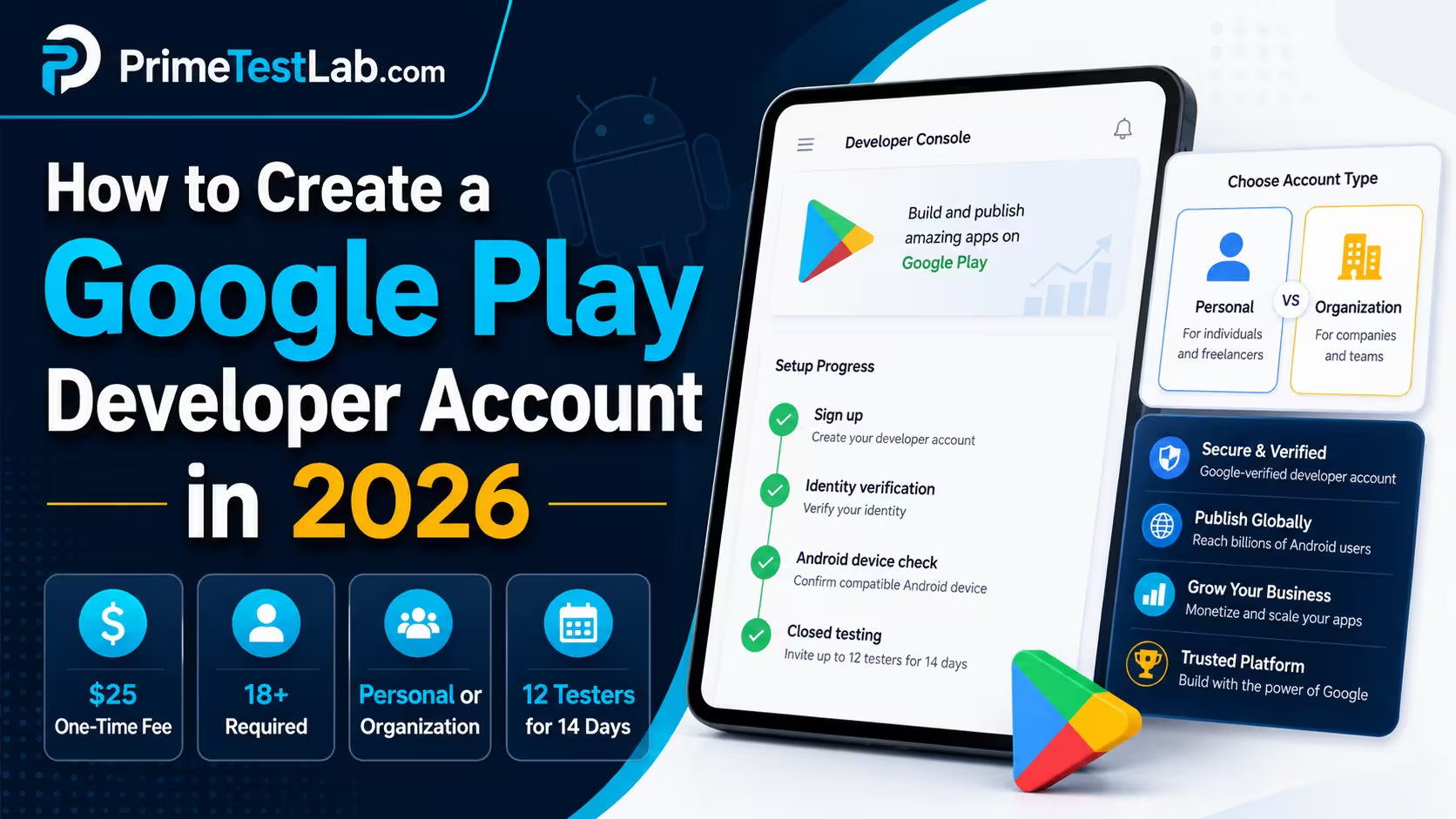
To create a Google Play Developer account in 2026, sign in with the Google Account that should own it, choose Personal or Organization, accept Google's Developer Distribution Agreement, pay the US$25 one-time fee, and verify your contact details and identity. The owner must be 18 or over, and Google says the account has to be verified before apps can be submitted. Organization accounts also need a D-U-N-S number; new Personal accounts must verify a real Android device. If your Personal account was created after November 13, 2023, each app also needs a closed test with 12 testers opted in continuously for 14 days before you can apply for production access.
The 14-day test is the only part of this list that depends on other people, and it is where solo developers stall. It is the part PrimeTestLab runs for you, and it is covered in how we help at the end of this post.
Most walkthroughs for this query stop at the payment confirmation, and most of them were accurate when they were written. The problem is what Google added afterwards: an identity check that compares your documents against a payments profile you may not have looked at in years, a device-verification task for new Personal accounts, and a production gate that the date you created the account pulls you into, then makes you clear app by app. The result is a familiar sequence of forum posts, and they all start the same way. I paid the $25, so why can I not publish anything.
This post is written in the order the decisions actually bite: what to have ready before you pay, what each account type has to produce, what the console asks for and in what order, which details must match which record, and what a new Personal account owes Google after the receipt arrives. Where Google publishes a number, it is quoted with the Help answer it comes from. Where Google publishes nothing, this post says so instead of borrowing a figure from a vendor page that does not know either. Everything here was checked against Google's own documentation and is current as of August 13, 2026.
Table of contents
What to prepare before you pay Google
Short answer
Have four things settled before you open the signup form: who owns the account, your legal name and address exactly as your identity document prints them, an identity document accepted in your payments-profile country, and, for an organization, a D-U-N-S number already in hand. Google says verification documents must match the information in the linked Google Payments profile, and that obtaining a D-U-N-S number through the free option can take up to 30 days. Verified
The $25 payment gets treated as the moment of commitment because it is the only step that touches your bank account. It is the wrong thing to be nervous about. The steps that are genuinely hard to undo are the ones that cost nothing: the Google Account you happen to be signed in as becomes the account owner, and while Google now documents a restricted way to hand ownership to someone else, it is not available to every account and it is not a settings toggle. The legal identity you type becomes the thing every document you later upload is compared against, and some of it is published on Google Play. Neither of those asks you to confirm that you are sure.
Paying does not buy you a pass through verification
Google's signup page warns that invalid identity information can result in the registration fee not being refunded. That is narrower than the "the fee is never refundable under any circumstances" line you will read elsewhere, and it is also more pointed: the fee is at risk specifically when the identity details are wrong. Developers on Reddit describe paying and then finding the account restricted within minutes of submitting identity documents. Treat the money as the least interesting part of the transaction. VerifiedReports
On the fee itself, this post says one thing and moves on: it is US$25, charged once per developer account, not an annual membership and not per app. The full breakdown of what the fee does and does not cover lives in the Google Play publishing requirements post.
What Google will show publicly
This is the part of the decision that gets skipped, and it is the one people come back to regretting. Some of what you type into the signup form is displayed on your Google Play listing for anyone to read. A Personal account is not an anonymous account, and if you monetize, the disclosure widens.
| Information | Personal | Organization |
|---|---|---|
| Legal name | Public | Public, as the legal organization name |
| Country | Public, taken from your legal address | Included in the published organization address |
| Full address | Public if you monetize on Google Play. Additional information can be required in some regions | Public, the legal organization address |
| Developer email | Public | Public |
| Developer phone | Generally not, subject to regional rules such as Korea | Public |
| Contact email and phone Google uses to reach you | Private | Private |
Scroll the table sideways to see every column
Check this before you pay, not after
A Personal account does not necessarily keep your legal identity private. Google displays the legal name, the country and the developer email for Personal accounts, and it displays the full address as well once the account monetizes. Organization accounts publish the organization's legal name, legal address, developer email and developer phone number. For a freelancer, a student or anyone working from home, that is a real consideration in the Personal-versus-Organization decision, and it is worth settling before the payment screen rather than after your first paid download. Verified
The pre-registration checklist
The list below is Google's requirements reorganized by when you need them rather than by which Help page they live on, and it is split into three stages on purpose. Stage 01 is what the signup form asks for, and it is the only stage the verdict scores. Stage 02 and stage 03 are real requirements that arrive after your money does, and a checklist that mixes them into one score tells you that you cannot register until you have found 12 testers, which is simply untrue. Two rows carry real waiting time, and both are organization rows, which is the practical reason an organization signup should never be started on the same day it is decided.
Pre-pay readiness inspector
Tool 01
Pick your account type, tick what you already have, and see what is actually holding you up
-
Stage 01 · before you pay
What the signup form itself will ask for These are the rows the readiness verdict is calculated from. - Hard to change later
- Must match your documents
- Accepted types vary by country
- Six-digit codes
- Shown on Google Play
- Cannot be made private later
- No prepaid cards
- Up to 30 days
- Up to 5 business days to propagate
- Plus a representative's ID
- Shown on Google Play
- Organization accounts only
-
Stage 02 · after you pay
Needed before your first app can be made available Not part of registration, and deliberately not counted in the verdict above. - Under a minute, once you have one
-
Stage 03 · later still
Needed before that app can reach production Runs per app, on a closed-track release. Also not counted in the verdict above. - Starts a 14-day clock later
Tick what you already have
Nothing ticked yet, so nothing has been ruled out.
This assumes the remaining items can be worked on in parallel. Sequential corrections, document review and account-specific verification all extend it, and Google publishes no turnaround for the identity review itself.
0 of 7 ready to register
If Dun and Bradstreet does not operate in your country. Google says that if you are in one of the regions Dun and Bradstreet does not support, you can apply to its support team for an alternative way to verify your organization, and that you should contact support before you create your Google Play developer account. Note what that route is and is not: it exists for regions where a D-U-N-S number genuinely cannot be obtained, not for an organization that simply has not applied for one yet. A recognized government organization that is being asked for a D-U-N-S number anyway can also contact support. Either way the conversation happens before signup, not halfway through a stalled one. Verified
The three decisions that are hard to undo
Everything else on that list can be corrected with a form. These three cannot, or not cheaply.
Decision 01
Who owns the accountOwnership is transferable now, but only in the cases Google documents: Organization accounts and non-monetizing Personal accounts, started by the current owner from Users and permissions, with a seven-day hold and identity verification for the incoming owner. A Personal account that monetizes is currently excluded, and its route is still a new account plus an app transfer. Register on the right account and none of that is your problem. Verified
Decision 02
Which identity you registerYour documents are checked against the linked Google Payments profile, so the identity you type is the identity you must be able to evidence. Registering under a shortened or anglicized version of your legal name is a frequent and entirely self-inflicted cause of rejection. Verified
Decision 03
When you start an organization signupStarting before the D-U-N-S number exists means waiting inside a half-finished registration instead of waiting with a clean slate. Google gives up to 30 days for the free option and up to five business days for a corrected record to reach it. Verified
None of this makes approval certain. It removes the failures Google actually documents, which is a different and more useful thing. What it cannot remove is the waiting: Google publishes precise timings for the narrow parts of the process and nothing at all for the identity review as a whole, which is covered in the verification section below.
Personal or Organization at signup
Short answer
Google offers two account types with the same general Play functionality, and both can monetize. Personal is described as being for personal use, including students, hobbyists and amateur developers. Organization is for businesses and organizations, requires a D-U-N-S number, and is where Google directs four specific app categories. The type also decides which verification tasks you are given, so it is a signup decision rather than a label. Verified
The important thing to know first is that this is not a tier system. Google says the two account types have access to the same general functionality, and both can monetize through a payments profile. Nobody is buying a better Play Console by registering an organization. What differs is what you have to produce to get in, and what obligations follow you afterwards.
Four categories where Google makes the choice for you
Google names four kinds of app whose developers should use an Organization account, regardless of how the developer thinks of themselves:
VpnService
If your app is in one of those groups, the account-type question is already answered and the D-U-N-S lead time becomes part of your build schedule rather than an afterthought.
What each type has to produce
This table is about the signup desk only: what Google asks each type for, and what each type carries afterwards. Whether an Organization account is worth forming a company for is a different question with a different answer for almost everyone, and it is covered properly in Personal vs Organization accounts.
| At the signup desk | Personal | Organization |
|---|---|---|
| Who Google says it is for | Personal use: students, hobbyists, amateur and individual developers | Businesses and organizations in commercial, industrial, professional or governmental activity |
| General Play functionality | Same | Same |
| Can monetize | Yes, through a payments profile | Yes, through a payments profile |
| D-U-N-S number | Not required | Required, subject to Google's exception for qualifying known government organizations |
| Identity document | May be required if the payments profile is not already verified | May be required for an authorized representative |
| Organization document | No | Yes, when the verification flow requests it |
| Website verification | Not part of this type's requirements | Additional requirements for newly created Organization accounts |
| Public developer phone | Generally not, subject to regional rules such as Korea | Yes, displayed on Google Play |
| What Google publishes about you | Legal name, country and developer email. Your full address too, once you monetize | Legal organization name, legal address, developer email and developer phone |
| Real Android device check | Yes for new Personal accounts | Not stated as part of this personal-account requirement |
| 12 testers for 14 days before production | Yes, for accounts created after November 13, 2023 | No. Google scopes that requirement to qualifying Personal accounts |
| Realistic setup time | The form itself is quick once your details are ready. Google publishes no turnaround for the identity review that follows | Often weeks, because the D-U-N-S number can take up to 30 days before the same unpublished review even starts |
Scroll the table sideways to see every column
The device-check and 12-tester rows are the ones people act on, and they are the ones to be careful with. An Organization account does sit outside the personal-account testing gate, but "register as an organization to skip the test" is only a real option if you genuinely are an organization: it means a real registered business, a D-U-N-S number, organization documentation and website verification. For a solo developer with one app, the 14-day test is usually the faster and cheaper of the two paths, and that comparison is worked through in the account-type post. Weigh the disclosure row alongside them: an Organization account publishes a legal business address and a phone number, which is not always the more private choice it looks like. Verified
Can you change the account type later?
Short answer
Personal to Organization: yes. Google's current Help Center describes changing an individual account to an Organization account by creating or changing to the correct type of payments profile, verifying it, and linking it to Play Console. Organization to Personal: no. Google says it does not support that direction in place; you create and verify a new individual account and transfer apps to it. The account owner: sometimes. Google documents a self-service owner transfer for Organization accounts and non-monetizing Personal accounts, with a seven-day hold; Personal accounts that monetize are currently excluded. Checked August 13, 2026. Verified
This is the fact most likely to be wrong in whatever else you have read. For years the standard advice was that the account type is chosen once and permanently, and that a developer who incorporated later had to register a second account from scratch. Google's current documentation does not say that. It describes a conversion path, and it distinguishes clearly between the direction it supports and the direction it does not.
Supported in place
Create or change to an organization payments profile, complete its verification, and link it to Play Console. No second developer account and no second $25 fee for the conversion itself.
Not supported in place
Google says this conversion is not supported. The documented route is a new individual account, verified from scratch, with eligible apps transferred to it afterwards.
Supported, with conditions
Only the current owner can start it, from Users and permissions in Play Console: find the team member, select Manage, then Make account owner. The transfer is held for seven days, and the incoming owner may have to complete identity verification and payment-profile information. Adding users or granting admin permissions is still a different thing entirely: it changes who can work in the console, not who owns it.
Not through the direct process
Google says individual developers who monetize their apps are currently ineligible for the direct transfer. For them the old answer still holds: a new developer account, verified from scratch, with eligible apps transferred across.
What the conversion actually involves
The mechanism is a payments-profile change rather than a Play Console toggle, which is why it is easy to miss in the documentation. You create or switch to a Google Payments profile of the organization type, complete the verification that profile requires, which for an organization means the D-U-N-S number and the organization documentation, and link it to the developer account. The D-U-N-S lead time applies here exactly as it does at signup, so converting is not a same-day operation either.
And the owner, which used to be the permanent one
This is the claim most worth updating in your head, because it was true for a long time and is repeated everywhere, including in older versions of this post. Google now documents a self-service owner transfer. Only the current account owner can start it, and the path is Play Console, Users and permissions, find the person you want to hand the account to, Manage, then Make account owner. The transfer is then held for seven days before it completes, and the prospective owner may be asked to verify their identity and provide payment-profile information.
The eligibility line is where it still bites. Google scopes the direct process to Organization accounts and non-monetizing Personal accounts, and says individual developers who monetize their apps are currently ineligible for it. So the developer most likely to want this - the solo publisher who registered personally, started earning, and now wants the company to hold the account - is the one it does not cover. Their route is unchanged: a new developer account, verified from scratch, with the apps transferred to it.
None of this makes the owner a casual choice. A transfer needs a second person who is already on your account, a seven-day wait, and a verification pass that can fail, and it is unavailable outright to a monetizing Personal account. It is a recovery route, not a setting. Sign in as the right account the first time and you never have to find out which category you fall into. Verified
What Google does not say, and this post will not invent
Google documents how to change an account type. It does not state what a conversion does to a closed-testing obligation the account has already inherited, and no primary source located for this post answers that. So do not treat conversion as a way out of a test you are already required to run: that is an assumption, not a documented outcome. If your reason for converting is the testing requirement rather than your actual legal status, read the account-type comparison first, because the cost and time arithmetic usually decides it. Not documented
One further caution on the same theme: choosing an organization type you are not entitled to is not a paperwork shortcut. An Organization account is verified against a real business record held by a third party, and fabricating that is a policy problem rather than a clever workaround.
Play Console signup, step by step
Short answer
Sign in at Play Console with the account that should own everything, pick the account type, create or select a matching Google Payments profile, enter your legal and contact details, accept the agreement, pay the US$25 fee once, verify your email and phone with the six-digit codes, complete identity verification, and, on a new Personal account, verify a real Android device. Google's pages describe these checkpoints in slightly different orders, and the screens you see depend on your account type and your existing payments state. VerifiedScreen order varies
Registration opens at play.google.com/console/signup. Before you click it, be sure about which Google Account your browser is signed in as, because that is the decision the flow will never ask you to reconsider.
The eight checkpoints
-
01
Sign in with the Google Account that will own the account
The owner has to be at least 18. Ownership can be handed over afterwards, but only in the cases Google documents: Organization accounts and non-monetizing Personal accounts, started by the current owner, held for seven days, with verification on the incoming owner. A Personal account that monetizes is currently outside that process, so for a lot of developers the account you happen to be signed in as is still effectively the permanent one. Google asks for a Google Account and does not state that it must be a gmail.com address, whatever the tutorials say.
Goes wrong when: you are signed into a personal browser profile and register the company's account on it.
-
02
Choose Personal or Organization
Personal is Google's option for personal use, including students, hobbyists and amateur developers. Organization is for businesses and organizations. Four app categories are directed to Organization accounts by Google: financial products and services, health apps including medical and human subjects research, apps approved to use
VpnService, and government apps.Goes wrong when: an organization signup is started before the D-U-N-S number exists.
-
03
Create or select a Google Payments profile of the matching type
Registration links to a Google Payments profile, and the profile type has to match the account type you picked. An existing personal profile cannot carry an organization registration. The identity held on this profile is the reference every document you later upload is compared against, so open it and read it before you go further.
Goes wrong when: an old payments profile holds an address you moved out of years ago.
-
04
Enter your legal, contact and public developer details
Type the legal name and address exactly as your identity document prints them. You provide a contact email and phone that Google uses to reach you, which are verified but not shown publicly, and a public developer email that is displayed on Google Play. Organization accounts also provide a public developer phone number. Phone numbers go in international format.
Goes wrong when: the public developer email is a personal address you would rather not publish.
-
05
Accept the agreement and pay US$25, once
You accept the Google Play Developer Distribution Agreement and pay the one-time registration fee. It is charged per developer account, not per app, and it does not renew annually. Google's accepted-payments page lists the card networks it takes, with regional differences, and says prepaid cards are not accepted.
Goes wrong when: the fee is paid on identity details that were guessed rather than checked. Google warns that invalid identity information can result in the fee not being refunded.
-
06
Verify your contact email and phone
Google sends a six-digit code to the email address and a six-digit code to the phone by SMS or voice call. These are the private contact details, the ones Google uses to reach you rather than the ones shown on your store listing.
Goes wrong when: the SMS does not arrive. Google's documented answer is the voice-call option, then signal and operator checks, rather than creating a new account.
-
07
Complete identity verification
A Personal account may be asked for an official government identity document, if the linked payments profile has not already been verified. An Organization account may be asked for the D-U-N-S number, an official organization document and a representative's identity document, and newly created Organization accounts have an additional website-verification requirement. Everything submitted has to match the payments profile.
Goes wrong when: the document and the profile disagree by one line. Google names this match as a requirement, and it is the failure that fills the most Help Community threads on this topic.
-
08
Verify a real Android device, on a new Personal account
New Personal accounts complete a device check in the Play Console mobile app before an app can be made available on Google Play. Google requires a physical, non-rooted device running Android 10 or later, and says the check itself takes less than a minute.
Goes wrong when: you develop entirely on an emulator and own no eligible phone. Google allows the same device to verify more than one account, so borrowing one is a documented option.
Trust your console over any walkthrough, including this one
Google's signup summary and its identity-requirements page present these checkpoints in different orders, and the flow genuinely differs depending on whether you already hold a verified payments profile. If your console asks for something in a different sequence, follow your console. The requirements are the durable part; the screen order is not. Flow varies
What comes after the eighth checkpoint
Those eight finish the account. They do not finish the route to a published app, and the order of what follows is worth being precise about, because a lot of pages imply the 12-tester test is something you owe before you are allowed to create an app. The opposite is true. You create the app, complete its setup, store listing and declarations, upload a build and publish a release to a closed track first, because the qualifying test runs on that release. Only then does the 14-day clock start. When it finishes you are eligible to apply for production access, Google reviews the application, and the production release goes out after that access is granted.
There is one ordering caveat, and it is the difference between preparing a test and running one. Account verification still gates the release itself: Google says a developer account has to be verified before apps can be submitted for consideration, and on a new Personal account the real-device check has to be completed before an app can be made available on Google Play. So creating the app, configuring it and writing the store listing are all things you can do while the identity review is still running. Publishing the closed-track release that the 14-day clock runs on is not. Plan for the overlap you actually get, which is preparation, not elapsed test days. Verified
Two claims you will meet elsewhere are worth naming so you can discount them on sight. The first is that signup requires an address ending in @gmail.com: Google's signup page asks for a Google Account, which can be created on an address you already own. The second is that Google "usually activates" a developer account within 24 to 48 hours. No such commitment appears in Google's current documentation, and building a launch plan on it is how a release date slips in public. No published SLA
Documents, matching rules and the delays nobody publishes
Short answer
Personal accounts may need an official government identity document if the linked payments profile is not already verified. Organization accounts may need a D-U-N-S number, an official organization document and an identity document for an authorized representative. Google says what you submit must match the information in the linked Google Payments profile, and that accepted document types depend on the country or region of that profile. Google publishes no dependable turnaround for the review itself. VerifiedNo published SLA
Verification is where the process stops being a form and starts being a comparison. Google is not reading your document to learn who you are. It is checking your document against a record it already holds, and where an organization is involved, against a second record held by Dun and Bradstreet. Google states the requirement plainly: what you submit must match the information in your linked payments profile. In the Help Community threads reviewed for this post, the rejections with a diagnosable cause came down to those records disagreeing about a name, an address, or a single missing line of an address.
“must exactly match”
What each account type is asked for
| Asked for | Personal | Organization |
|---|---|---|
| Government identity document | Yes, if the linked personal payments profile has not already been verified | Yes, for an authorized representative |
| D-U-N-S number | No | Yes, subject to Google's exception for qualifying known government organizations |
| Official organization document | No | Yes, when the verification flow requests it |
| Website verification | Not part of this account type's requirements | Additional requirements apply to newly created Organization accounts, introduced February 2024 |
| Public developer email | Yes, displayed on Google Play | Yes, displayed on Google Play |
| Public developer phone | Generally not, subject to regional rules such as Korea | Yes, displayed on Google Play |
| Address or proof documents | Possibly, depending on your region and the verification flow you are shown | |
Scroll the table sideways to see every column
Do not copy a document list from an American tutorial. Google says acceptable identity and address document types depend on your geographic location, and it publishes a country selector for exactly that reason. A passport and a driver's license are the right answer in some countries and not the full answer in others. Google also asks for a document that is valid and not expired, clear and well lit, and not a photocopy. Verified
The exact-match rule, before you upload
The rule is easy to state and easy to fail: the legal identity on the document, the identity in the linked Google Payments profile and, for an organization, the identity on the Dun and Bradstreet record all have to agree. Not be recognizably the same person. Agree. A missing middle name, a street abbreviated on one side and spelled out on the other, an apartment number that lives on the document but never made it into the profile, an accent dropped because a form would not take it: each of those is enough to send a document back.
The tool below is a text comparison, not an approval check and not a model of Google's review. Google publishes the requirement that the records must match; it does not publish the comparison it actually runs, how it handles abbreviations or punctuation, how it transliterates, or what else it scores. So this reads the two strings you give it and names the difference it can see. Everything it tells you is about your own text.
Profile consistency checker
Tool 02
A side-by-side reading aid for the text on your document and the text in your payments profile
This comparison runs entirely in your browser. Nothing you type is sent anywhere, stored, or logged.
Paste both versions and the checker will name the difference between them.
This is a visual comparison aid. It cannot predict Google's verification result or reproduce Google's comparison process, and a clean result here is not an approval. Confirm the records directly in Play Console and Google Payments before you submit.
What Google times, and what it leaves open
This is where competing pages invent numbers. Several of the currently ranking tutorials quote an identity review of "a few hours to two business days" or an account "usually activated within 24 to 48 hours". Neither figure appears in Google's current documentation. What Google does publish is much narrower, and much more useful, because each published figure attaches to a specific action rather than to the whole process.
| Checkpoint | What Google publishes | Confidence |
|---|---|---|
| Android device check | Should take less than one minute | Verified |
| Obtaining a D-U-N-S number | The free option may take up to 30 days | Verified |
| A corrected D&B record reaching Google | Up to five business days after D&B finishes processing the change | Verified |
| Email and phone codes | No guaranteed arrival time. Google documents troubleshooting steps instead | Verified |
| The identity review itself | No dependable universal turnaround published on the pages checked for this post | No published SLA |
| Production-access review, much later | Google says usually seven days or less, and that it may occasionally take longer. Current community threads document 48 days and more than six weeks | Community |
Scroll the table sideways to see every column
Plan around the parts that are documented
You cannot plan around a review with no published turnaround, but you can stop it from being the thing you are waiting on. Get the D-U-N-S number moving first if you need one, fix the D&B record before Google ever sees it, and submit documents that match on the first attempt. Repeated uploads of a document that does not match do not speed anything up.
The Android device check
Short answer
A new Personal account has to verify access to a real Android mobile device through the Play Console mobile app before an app can be made available on Google Play. Google's requirements are a physical, non-rooted device running Android 10 or later, and it says the verification itself should take less than a minute. The same eligible device can verify more than one developer account. Verified
This one catches a specific and growing group: developers who build on an emulator, on a company laptop, or on a device that is rooted precisely because they are the kind of person who develops Android apps. There is no desktop route. The check runs in the Play Console mobile app, on hardware.
-
Physical deviceA real Android phone or tablet, not an emulator
-
Not rootedGoogle states the device must be non-rooted
-
Android 10 or laterAnything older is not eligible for the check
-
ReusableGoogle allows the same eligible device to verify multiple developer accounts
Google says the verification action itself should take less than one minute. It is the only step in this whole process with a published duration that short, which is worth remembering when a page tells you the account setup takes days.
If you do not own an eligible device
Borrowing one is workable, because Google permits the same device to verify more than one developer account. What you cannot do is substitute an emulator for this particular check. Emulators are a separate question when it comes to your testers later on, and that question has a different and more cautious answer, covered in using emulators for closed testing.
Timing matters here in one specific way: this is a gate on making an app available, not on creating the account. You can register, verify your identity and build the app without it, then discover it at the least convenient moment. It costs a minute if you have the hardware and it costs a week if you have to find some, which is the whole argument for doing it on day one.
What a new Personal account inherits
Short answer
If your personal developer account was created after November 13, 2023, you must run a closed test for your app with at least 12 testers opted in continuously for at least 14 days before you can apply for production access. The requirement launched at 20 testers and Google reduced it to 12 on December 11, 2024. The account's creation date decides whether the rule applies to you; the qualifying test itself is run for the app. Finishing the 14 days makes you eligible to apply, not approved. Organization accounts are outside the scope of this personal-account requirement. Verified
This is the part that surprises people, and the reason it surprises them is that it works on two levels at once. Whether the rule touches you at all is decided by your account: personal, created after the cutoff. But what you actually have to do is decided by the app, because Google's wording is that you must run a closed test for your app, and the production-access application then asks about that app, the test you ran for it and its readiness. So you can build the app first, do everything correctly, pass review, and still find production unavailable, because the obligation came in with the account and has to be discharged on the app. The cutoff has been in force since November 13, 2023, which was 1,068 days ago, so unless you are working on a developer account you set up years ago, it applies to you.
Which means one cleared app does not clear the next one. Treat every affected app as needing its own qualifying closed test and its own production-access application unless Play Console explicitly shows you otherwise for that package. Finishing the process once establishes nothing for a second app's testing history. There is a post that works through exactly that scenario: do I need 12 new testers for every app I publish, which also covers the exemption for routine updates and reusing the same testers across a portfolio. Verified
“must run a closed test” · “minimum of 12 testers” · “opted-in for at least the last 14 days continuously”
How the rule got to 12
Two numbers circulate, and only one of them is current. If you are reading a page that says 20 testers, you are reading a page written before December 2024 or one that copied from it.
-
Nov 13, 2023
The cutoff date
Personal developer accounts created after this date fall under the testing requirements. The date is still on Google's current policy page, unchanged.
-
Late 2023
Launched at 20 testers
The requirement began at a minimum of 20 testers for 14 days. Google's own community documentation records the original figure, alongside contemporaneous Help Community threads. Historical
-
Dec 11, 2024
Reduced to 12 testers
Google announced the reduction in a Play Developer Community post titled "Reduced testing requirements for Personal developer accounts". The two-week duration stayed. Background: why Google went from 20 testers to 12.
-
Aug 13, 2026
Current rule: 12 testers, 14 continuous days
At least 12 testers opted in continuously for at least the last 14 days, before a qualifying Personal account can apply for production access. What that means day to day is covered in the 14 consecutive days rule.
Why the other tracks do not count
A common attempt to route around this is to use a track that is easier to fill. It does not work, and the reason is in the wording: the policy asks for a closed test specifically.
| Track | Testers | Satisfies the gate? | Note |
|---|---|---|---|
| Internal | Up to 100 | No | A separate optional track for fast trusted-user testing. Setup |
| Closed | Minimum 12 for the qualifying account | Yes, after 14 continuous days of opt-in | The one the policy names |
| Open | No 12-person gate stated | No substitute | For affected new Personal accounts, it becomes available after production access. Setup |
| Production | Public | The destination | Requires production access for an affected Personal account |
Scroll the table sideways to see every column
The full comparison of the three testing tracks, including when each is genuinely the right tool, lives in internal vs closed vs open testing. What matters at account-creation time is narrower: only the closed track clears the gate, and it takes a minimum of two weeks of real calendar time that cannot be compressed.
What an opt-out actually costs you
The widely repeated version of this rule is that a single drop below 12 breaks the window and the whole thing starts again. That is not what Google's condition says, and the difference is worth real money in wasted weeks.
The test is applied at the moment you apply: at least 12 testers must be opted in then, and each of those 12 must have been opted in for the last 14 days continuously. Google is explicit that testers who opt in, test for less than 14 days, opt out and then opt back in do not count, because the 14 days have to be consecutive. Read together, that produces three consequences most pages get wrong:
- More than 12 is a buffer, not vanity. If 15 testers qualify and one leaves, 14 still qualify and nothing is delayed. It is only when fewer than 12 can each show the full unbroken 14 days that you have to wait.
- A replacement starts from zero. The new tester does not inherit the days completed by the person who left. Their own 14 consecutive days begin the day they opt in.
- The testers who stayed keep their history. One person leaving does not reset anybody else's clock, which is the part the "it starts again" version gets most wrong.
What happens when the 14 days are up
You become eligible to apply. Google then asks you about the test you ran: how testers engaged with the app, what feedback you gathered, what you changed as a result, who the app is for and why it is ready. It is a written application with a human-shaped review behind it, not a counter that flips at midnight on day fourteen. The questions themselves, and how to answer them without padding, are covered in the production access questionnaire post.
On timing, be careful what you plan around. Google's own testing-requirements page now states that this review usually takes seven days or less, and adds that it may occasionally take longer. So seven days is a documented normal case rather than a vendor guess, but it is still an estimate with an explicit exception attached to it, not a service commitment. Current Help Community threads describe applications sitting for 48 days and for more than six weeks. Plan for the seven days, do not promise anyone the seven days. Google's estimate
A note on tester engagement, because this is where invented rules multiply. The measurable threshold is continuous opt-in: 12 testers, opted in, for 14 unbroken days. Google does not publish a daily-usage quota on the current policy page, and any page telling you that each tester must open the app for a set number of minutes a day is describing something Google has not written down. Engagement is assessed separately, through what you report in the application, rather than as a numeric threshold on top of the count. Verified
On where the testers come from, be careful with the confident version of this too. Google's published requirement does not prescribe one recruitment source, and its own guidance points first at personal and professional networks, naming friends, family, colleagues and classmates, then at communities where your likely users already are. That is guidance rather than a restricted list, so a legitimate testing provider is not excluded by it. What it is not is a blanket "Google does not care who your testers are": Google asks for a diverse, representative group and expects genuine engagement and feedback, and manipulating installs, ratings or reviews is a policy problem no matter how the people were found. Verified
Signup failures and how to fix them
Short answer
Nearly all of the signup failures Google documents come down to a disagreement between two records, not a bug in the form. The fix is to correct the record Google is comparing against and then resubmit once, rather than resubmitting the same document repeatedly. The exceptions are the two conversion problems, where the answer depends on which direction you are going, and the account-owner mistake, where the answer depends on whether your account qualifies for Google's transfer process. Verified
Ten symptoms, with the documented remedy for each
The situations below are the ones Google publishes remedies for, phrased the way developers actually describe them in the Help Community rather than the way the policy pages label them. If your symptom is not here, that is worth knowing too: it usually means the answer is not documented, and the honest next step is Play Console support rather than a forum guess.
Stall router
Tool 03
Say what you are seeing and get the remedy Google documents for it
-
Compare the legal name and address on the document against the linked Google Payments profile, character by character, and use only a document type accepted for that profile's country or region. Do not repeatedly upload a document that is unsupported, expired or edited: the comparison does not change between attempts. Run the profile consistency checker before you resubmit.
Google documented Developer identity requirements, answer 10841920, and the country-specific document list, answer 15633622
-
Re-check the exact number against the Dun and Bradstreet record. If the record was created or changed recently, the problem is usually propagation rather than the number: Google says an update can take up to five business days to reach it after D&B has finished processing the change. Waiting is the documented remedy here, not resubmitting.
Google documented Account type and D-U-N-S guidance, answer 13634888
-
Decide which record is wrong before you touch anything. If the D&B record is out of date, correct it at D&B and allow the propagation window. If the D&B record is right, make the Google payments and developer details match it. Editing both at once, in different directions, is how organizations end up in a loop.
Google documented Account type and D-U-N-S guidance, answer 13634888
-
Google documents a specific sequence: try the voice-call option instead of SMS, confirm the number receives ordinary calls and messages and has a strong signal, try again later, switch between a mobile and a landline where the flow allows it, or try another supported operator. The number should be entered in international format.
Google documented Developer identity requirements, answer 10841920
-
This one has changed, and most articles have not caught up. Google's current Help Center describes converting an individual account to an Organization account by creating or changing to the correct type of payments profile, verifying it, and linking it to Play Console. You do not need a second developer account for this direction. The conversion rules are set out in full above.
Google documented Change your developer account type, answer 13634888
-
Google says it does not support changing an account from organization to individual. The documented route is to create and verify a new individual developer account and then transfer eligible apps to it, which means a second $25 registration and a second verification pass. There is no in-place switch to wait for.
Google documented Change your developer account type, answer 13634888
-
There is a documented route now, but check you qualify for it first. Google supports a self-service owner transfer for Organization accounts and non-monetizing Personal accounts: the current owner opens Users and permissions in Play Console, selects the intended owner, and chooses Make account owner. The transfer is held for seven days and the incoming owner may need to verify their identity and payment-profile details. Individual developers who monetize their apps are currently ineligible, and their documented route is still a new developer account with the apps transferred to it. Adding users or granting admin permissions has never moved ownership and still does not. The full rule is above.
Google documented Transfer developer account ownership, answer 16909862
-
Payment is not the gate. Google says the developer account must be verified before apps can be submitted for consideration, so an unfinished contact or identity verification will hold everything. On a new Personal account there is a second, separately completed task: the real-device check, which has to be done before an app can be made available on Google Play.
Google documented Developer identity requirements, answer 10841920
-
Internal and closed testing are separate tracks, and only one of them satisfies the requirement. Google's policy asks affected accounts for a closed test with at least 12 testers opted in continuously for at least 14 days; the internal track is listed as an optional track that supports up to 100 testers. A full internal test contributes nothing toward the gate. See internal testing setup and how the three tracks compare.
Google documented Testing requirements, answer 14151465, and testing tracks, answer 9859348
-
Nothing has necessarily gone wrong. Completing the test makes you eligible to apply, and Google then reviews the application itself. Google says the review usually takes seven days or less and may occasionally take longer, so seven days is the documented normal case rather than a deadline you can hold Google to, and current Help Community threads describe waits of 48 days and more than six weeks. Chase it through Play Console support rather than restarting a test that Google has not asked you to restart.
Community reported Timing evidence is from 2026 Google Play Help Community threads, not from a Google service commitment
No symptom on this list matches that word. If Google does not document your situation, Play Console support is a better next step than a forum answer.
When the answer is not on that list
There is a pattern in the 2026 Help Community threads that no fix list can solve: developers describing a verification deadlock, where the account cannot be verified and support tickets close without a substantive reply. Those reports are real and they are frequent enough to mention honestly, but they are also self-selecting, because a developer whose verification completes normally does not post about it. Nothing in this post can promise you a way out of that loop. What it can do is keep you out of the loops that have documented causes, which is the majority of them. Community reported
One last distinction worth holding onto, because it causes a whole category of misdirected panic: the identity check on your developer account is not the same thing as the separate, ecosystem-wide Android developer verification program that has its own 2026 timetable. Completing Play Console verification is what this post covers. The other program, and what it means for installs outside Google Play, is covered in the Android developer verification post.
Key 2026 requirements that can block your first release
Short answer
The August 31, 2026 deadlines have passed: new mobile apps and app updates now have to target Android 16, API level 36, and apps using Google Play Billing have to be on Play Billing Library 8 or later. Eligible developers who requested an extension have until November 1, 2026. Play package-name registration has a September 30, 2026 date and is normally automatic for apps created in Play Console. Verified
Account creation and app requirements are separate systems, and it is easy to finish one while quietly failing the other. You can hold a perfectly verified developer account and still be unable to ship, because the build itself does not meet a current requirement. The rows below are the ones that reach a brand new account; which of them apply to you depends on what your app does.
-
Aug 31, 2026
New apps and updates must target Android 16 (API 36)In force
Applies to mobile submissions, both new apps and updates to existing ones. Other form factors have their own levels. The full breakdown by device type is in the target API level post.
-
Aug 31, 2026
Apps using Google Play Billing must be on Billing Library 8 or laterIn force
Google's deprecation timetable puts the new-app and update deadline for Play Billing Library 7 on this date, with an extension endpoint of November 1, 2026. It only reaches APKs that require the
com.android.vending.BILLINGpermission, so if your first app has no in-app purchases or subscriptions it does not apply to you. If it does, this is a build dependency you want to discover now rather than at submission. -
Sep 30, 2026
Play package-name registrationUsually automatic
Every Play package needs to be registered, but new apps created in Play Console are normally registered automatically, so this is usually a status to confirm rather than a task to do. Confirm it rather than assuming it. This is a different thing from the ecosystem-wide Android developer verification program, which is covered in the Android developer verification post.
-
Nov 1, 2026
End of the eligible extension windowIf granted
The same endpoint applies to both August 31 requirements: the target-API migration and the Play Billing Library one. Extensions are requested rather than automatic, and they are surfaced through Play Console policy status and notifications. If you are registering an account now, assume you are building to the current requirement rather than to an extension.
-
Conditional
Contacts permissions, only if your app reads contactsMost apps: ignore
Google's new Contacts Permissions policy governs broad access to a user's contacts for apps targeting Android 17 (API 37) and later. Both of Google's surfaces now give the same effective date, January 27, 2027: the Play Console deadline table and the Android Developers policy page agree, both re-fetched on August 14, 2026. Earlier Google communications circulated an October 28, 2026 date for this policy; that date is superseded. The full dated register is in the 2026 policy updates post. Verified
Those are the 2026 dates most likely to reach a brand new account, and this post deliberately stops there rather than becoming a policy calendar. It is not a claim that nothing else on the calendar can affect you: category-specific policies land throughout the year, and which of them touch your app depends entirely on what your app does. If you want the full dated register, that is what the policy updates post is for, and it is the page to check before you build rather than after.
How PrimeTestLab helps
Short answer
We do not create developer accounts, verify identities or obtain D-U-N-S numbers, and you should be skeptical of anyone who offers to. What we do is the one part of this process that depends on other people: the closed test. 12 real testers, opted in and kept opted in for the full 14 days, starting in 4-6 hours, from $19.99.
Look back at the readiness list at the top of this post. Every row on it is something you can work through alone, on your own schedule, with one exception. The identity document, the payments profile, the codes, the device check: all solo work. Finding 12 people who will install an unfinished app, opt in with the right Google account, and stay opted in for two weeks without drifting away is not solo work, and it is the reason a two-week requirement routinely turns into a two-month one.
Doing it yourself versus handing it over
Both columns clear the same Google requirement. The difference is where the work and the risk sit. The first column is labeled honestly: only the first two rows are numbered conditions Google actually publishes. Engagement is something the production-access reviewer weighs rather than a threshold you can hit, and device diversity is good QA practice that Google encourages but does not turn into a device count you must meet.
| Google requirement, or practical testing need | On your own | With PrimeTestLab |
|---|---|---|
| At least 12 testers opted in Explicit requirement |
Recruit 12 people who each own an Android device, will opt in with the right Google account, and will not lose interest | 12 real testers supplied and opted in for you |
| 14 continuous days each Explicit requirement |
If an opt-out leaves fewer than 12 testers who can each show the full unbroken 14 days when you apply, you wait until 12 qualify again, and a replacement starts their own 14 days from zero | Monitored across the full 14 days, with replacements if someone drops |
| Meaningful engagement and feedback Review consideration |
You report on how testers engaged, what feedback you gathered and what you changed, in the production-access application | Real participants using the app, so there is something genuine to report |
| Diverse real-device coverage QA practice |
Whatever hardware your friends and colleagues happen to own | Real devices spanning Android 7 to 17, across 120+ countries |
| Time to get started | However long recruiting takes, and it is the step that stalls most often | Testing starts in 4-6 hours |
| Cost | Free, plus whatever your two weeks of chasing people is worth | From $19.99 for the Starter plan |
| If the test does not complete | Wait until 12 testers again satisfy the full 14 continuous days, with any replacements starting their own clock | Free retest or a full refund |
Scroll the table sideways to see every column
We have run this test for 9,800+ apps across 120+ countries, and we have been doing it for 5+ years. Our 99.9% figure is a test-completion rate, and it is worth being exact about what that measures: the managed test held the required number of opted-in testers, unbroken, through the full 14 days. It is not an approval rate. What that buys you is a completed closed test that satisfies the requirement Google actually wrote down. It does not buy production access, and nobody can sell you that: Google reviews the application afterwards and decides on it, which is exactly why the honest version of this offer stops where it does.
Prepare the test while verification is pending
The 14-day clock runs on a published closed-track release, and Google says a developer account has to be verified before apps can be submitted for consideration, so the clock cannot start before verification finishes. Everything around it can. Line up your testers, create the app and its store listing, and get the build ready while the identity review is running, so that the day the account clears you publish the closed-track release immediately and start the 14 days on that same day. Developers who leave recruiting until after verification add the two weeks to the end of their timeline instead of arriving with them already solved.
If you would rather do the recruiting yourself, that is a legitimate choice and this post is not going to pretend otherwise. Seven legitimate ways to find 12 testers covers the routes that work, and whether a paid testing service is worth it is written to help you decide against buying one where that is the right answer.
Frequently asked questions
Do I need a Gmail address to create a Google Play Developer account?
No. Google's signup page says you register using a Google Account, and it does not state that the address has to end in @gmail.com. A Google Account can be created on any email address you already control. Several popular tutorials say Gmail is mandatory, and that is the tutorial's requirement rather than Google's. What does matter is which account you use, because the account you sign up with becomes the developer account owner, and while Google now supports transferring ownership in defined cases, the transfer is restricted, takes a seven-day hold, and is not available to every account.
How much does a Google Play Developer account cost in 2026?
Google charges a US$25 one-time registration fee. It is not an annual membership, and it is charged once per developer account rather than per app, so creating additional apps under the same account never costs another registration payment. App-specific requirements still apply separately to each app, including review, policy declarations and, for an affected Personal account, the closed-testing and production-access process. Google also warns that invalid identity information can result in the registration fee not being refunded, so the practical risk is not the amount, it is paying before your identity details are ready to verify.
Can I change my Google Play account from Personal to Organization later?
Yes, in that direction. Google's current Help Center describes changing an individual account to an Organization account by creating or changing to the correct type of Google Payments profile, completing verification for it, and linking it to Play Console. Many articles published as recently as mid-2026 still say this is impossible and that you must register a second developer account. That advice is out of date, checked against Google's Help Center on August 13, 2026. The reverse is not symmetrical: Google states that it does not support changing an account from organization to individual, and the documented route there is to create and verify a new individual developer account and transfer eligible apps to it. One direction is a settings and verification exercise; the other means a new account.
Can I transfer ownership of my Play Console developer account?
In eligible cases, yes. Google documents a self-service owner transfer for Organization accounts and for non-monetizing Personal accounts. Only the current account owner can start it, from the Users and permissions page in Play Console, by selecting the prospective owner and choosing Make account owner. The transfer is then placed on hold for seven days, and the prospective owner may have to complete identity verification and provide payment-profile information. Individual developers who monetize their apps are currently ineligible for this direct process, and their documented route is still a new developer account with the apps transferred to it. So the owner is no longer permanent in every case, but it is still the hardest thing on the signup form to change, which is the reason to get it right the first time.
What developer information does Google display publicly?
For a Personal account, Google displays your legal name, the country taken from your legal address, and your developer email address, and it displays your full address as well if you decide to monetize on Google Play. For an Organization account, Google displays the legal organization name, the legal address, the developer email address and the developer phone number. The separate contact email and contact phone that Google uses to reach you are not shown publicly, and neither is the organization phone number used for verification. This matters most to freelancers and home-based developers, because a Personal account does not automatically keep your legal identity private.
Does a Personal developer account need a website?
Google's required-information page lists an organization website under the Organization account requirements and does not list a website as a standard personal-account requirement. Personal accounts still need verified contact details and a public developer email. Follow the live signup form rather than a checklist, because Google can ask for additional information depending on your region.
What if Dun and Bradstreet does not issue D-U-N-S numbers in my country?
Google says that if you are in one of the regions Dun and Bradstreet does not support, you can apply to its support team for an alternative way to verify your organization, and that you should contact support before you create your Google Play developer account. That route is for regions where a D-U-N-S number genuinely cannot be obtained, not a general waiver for an organization that simply has not applied for one yet. Recognized government organizations that are asked for a D-U-N-S number can also contact support.
How long does Google Play developer identity verification take?
Google does not publish a dependable universal turnaround for the whole identity review, and no such figure appeared on the current Help pages checked for this post on August 13, 2026. The pieces that do carry official timings are narrower: the Play Console mobile app device check should take less than a minute, obtaining a new D-U-N-S number through the free option can take up to 30 days, and a corrected Dun and Bradstreet record can take up to five business days to reach Google after D&B finishes processing it. Any tutorial quoting a flat 24 to 48 hours for account approval is quoting itself, not Google.
Why does Google keep rejecting my verification documents?
The cause Google documents first is a mismatch. Google says the documents you submit must match the information in your linked Google Payments profile, and for an Organization account the legal name and address must also stay consistent with the Dun and Bradstreet record behind your D-U-N-S number. Accepted document types also depend on the country or region of your payments profile, so a document that is perfectly valid in one country may not be an accepted type for another. Google also asks for a document that is valid and not expired, clear, well lit, and not a photocopy.
Do I really need an Android phone just to create a new Personal account?
A new Personal developer account has to verify access to a real Android mobile device through the Play Console mobile app before an app can be made available on Google Play. Google's device requirements are a physical, non-rooted Android device running Android 10 or later, and Google says the verification itself should take less than a minute. The same eligible device can be used to verify more than one developer account, so a borrowed phone is workable if you develop on an emulator.
Do Organization accounts need 12 testers for 14 days?
Google scopes that requirement to Personal developer accounts created after November 13, 2023, so it is not imposed on Organization accounts by the policy page that creates it. Choosing Organization purely to avoid the test is a poor trade for most solo developers though: it requires a real organization, a D-U-N-S number that can take up to 30 days to obtain through the free option, and organization documentation and website verification on top of the identity checks everyone does.
Does every new app need its own 12-tester closed test?
The account creation date is what decides whether the requirement applies to you at all, but the qualifying test itself is app-specific. Google's wording is that you must run a closed test for your app with a minimum of 12 testers, and the production-access application asks about that app, the test you ran for it, and its readiness. So treat each affected app as needing its own qualifying closed test and its own application unless Play Console tells you otherwise for that package. Completing the process for one app does not automatically establish testing history for the next one.
Can I create and upload my app before finishing the 12-tester test?
Yes, and you have to. The closed test cannot start until the app exists, so you create and configure the app, upload a build and publish a release to a closed track first. The 14-day clock runs on that closed-track release. The 12-tester requirement itself does not stop you creating the app or using internal and closed testing; it stops you reaching production and open testing until the qualifying test is finished and Google has granted production access. A separate condition does gate the release, though: Google says the developer account must be verified before apps can be submitted for consideration, and a new Personal account must also complete its device check before an app can be made available on Google Play. So you can build and prepare while verification runs, but the closed-track release that starts the 14 days waits for the account to clear.
Can I use internal testing instead of finding 12 closed testers?
No. Internal testing supports up to 100 testers, but it is a separate optional track. The production-access requirement specifically calls for a closed test with at least 12 testers opted in continuously for at least 14 days. An internal test can run for months and contribute nothing toward that requirement.
I finished the 14 days and applied. Does Google approve production access automatically?
No. Completing the tester and time threshold makes your app eligible to apply. The application itself asks about your closed test, about the app, and about production readiness, including how testers engaged with it, what feedback you gathered and what you changed as a result. Google says the review usually takes seven days or less and that it may occasionally take longer, so seven days is a documented normal case rather than a guaranteed turnaround, and current Google Help Community threads document exceptional waits of 48 days and more than six weeks.
Bottom line
Summary
Creating the account is the easy half: be 18 or over, sign in with the Google Account that should own it, choose Personal or Organization, pay US$25 once, and verify your contact details and identity. Decide what you are willing to publish before you pay, because Google displays a Personal account's legal name, country and developer email, and the full address too once you monetize. The hard half is agreement between records: your documents must match the linked Google Payments profile, and an organization's details must also match its Dun and Bradstreet record, with the free D-U-N-S option taking up to 30 days. Google publishes no turnaround for the identity review itself, so start the parts with documented lead times first. Two things arrive after the receipt: a real Android device check for new Personal accounts, and, for Personal accounts created after November 13, 2023, a closed test with 12 testers opted in continuously for 14 days before you can apply for production access; the account's date triggers that rule, but the test is run per app, on a closed-track release, so the app has to exist first. And if you picked wrongly, the rules are asymmetric: Personal to Organization is supported, Organization to Personal is not, and the owner can be transferred only for organization and non-monetizing Personal accounts.
The 14-day test is the one part of all this that needs other people, and it is the part PrimeTestLab runs for you. See pricing plans →
Official Google Documentation
Every fact on this page was checked against these sources on August 13, 2026. Play Console screen labels and form ordering change without a policy announcement behind them, so where a step here does not match what your console is showing you, trust your console: the requirements are the durable part, the click path is not.